
Best Timelapse Cameras under 1000 Euros in 2026
Dipon | June 2026
Table of Contents
Affiliate Disclosure
This guide contains affiliate links. Purchases made through these links support Aero Timelapse Studio at no additional cost to you. I only recommend products I personally use or carefully research. As an Amazon Associate I earn from qualifying purchases.
Most camera buying guides stop at specs. What they don’t tell you is which bodies actually survive a full day on an Alpine ridge, which intervalometers quietly fail mid-sequence in the cold, and which USB ports are lying to you about passthrough power. If you’re searching for the best timelapse cameras under 1000 euros in 2026, you deserve answers grounded in field use — not recycled spec sheets.
I’ve run 11-hour sunrise-to-sunset sequences from Hohenzollern Castle, overnight Milky Way shoots in the Dolomites at ISO 3200, and multi-day construction timelapses on Ulm building sites. The cameras that hold up in those conditions are almost never the ones ranked first on generic review sites.
After testing six cameras across a range of real-world shooting scenarios, this is the definitive breakdown of what works — and what doesn’t — under €1,000.
Key Takeaways
- The Fujifilm X-S20 is the best all-round timelapse camera under €1,000 — large NP-W235 battery, USB-C passthrough, and a genuine RAW intervalometer in one well-built package.
- The OM System OM-5 is the only camera on this list with IP53-certified weather sealing and freeze protection to -10°C — nothing else here competes outdoors.
- The Sony a6400 still leads this price bracket for Milky Way and night timelapse — its high-ISO sensor performance at ISO 3200–6400 is unmatched at the price; plan for a dummy battery on long sessions.
- The Canon EOS R50‘s in-camera timelapse mode outputs a finished video file, not individual RAW frames — perfect for beginners, limiting for anyone who wants to grade or sell stock footage.
- USB-C passthrough is the single most underrated timelapse spec — for sessions over two hours, it’s the difference between completing the shot and losing it mid-sequence.
- Post-processing workflow matters as much as the camera — without proper deflickering tools, even perfect RAW frames produce unusable sequences.
What Makes a Camera Actually Good for Timelapse?
A timelapse camera is any camera capable of capturing a timed sequence of still images at set intervals, which are then assembled into a video that compresses change over time — cloud movement, construction progress, a sunset shifting to dusk, or a night sky rotating overhead. But the specs that determine whether a camera is genuinely good for this work are different from what matters in portrait or event photography.
Here’s what actually separates a capable timelapse camera from a frustrating one, ranked by real-world impact:
Built-in intervalometer. This is the timed shutter mechanism that fires the camera automatically at your chosen interval. Without one, you need an external cable release — extra cost, one more thing to forget, and one more failure point at 3am in the Dolomites. Every camera on this list has one, with one important caveat for the Canon R50 (covered below).
USB-C power passthrough. For sequences over two hours, battery swaps interrupt your shot. USB-C passthrough lets the camera run continuously from an external power bank — indefinitely. It is the single most underrated spec in timelapse photography, and one of the clearest fault lines between cameras built for casual use and cameras built for serious long-form work.
Weather sealing. You will get caught in rain. In Alpine, coastal, or Dolomites conditions, this isn’t a risk — it’s a schedule. Of the six cameras here, only one carries a verified IP rating.
Sensor size and high-ISO noise. Larger sensors collect more light per photosite, which directly affects how clean your frames look at ISO 1600–6400. APS-C outperforms Micro Four Thirds for Milky Way and night timelapse. MFT bodies compensate with better size-to-sealing ratios and lighter pack weight.
RAW output per frame. Essential if you plan to post-process in Lightroom and use a deflickering workflow. One camera on this list skips individual RAW files entirely — by design.
💡 Pro Tip: Before every shoot, run your subject through the Timelapse Interval Calculator — it calculates the correct shooting interval based on subject movement speed and target video length. Discovering your interval was wrong at frame 800 is a bad way to learn this lesson.
Quick Comparison: All 6 Cameras at a Glance
| Camera | Sensor | Intervalometer | Weather Sealed | Long Session Power | Price |
|---|---|---|---|---|---|
| Fujifilm X-S20 | APS-C 26.1MP | ✅ RAW frames | ❌ | ✅ USB-C passthrough | Check Price |
| OM System OM-5 | MFT 20.4MP | ✅ RAW frames | ✅ IP53 / −10°C | ✅ USB-C passthrough | Check Price |
| Sony ZV-E10 II | APS-C 26MP | ✅ RAW frames | ❌ | ✅ USB-C passthrough | Check Price |
| Canon EOS R50 | APS-C 24.2MP | ⚠️ Video only | ❌ | ✅ USB-C passthrough | Check Price |
| Sony a6400 | APS-C 24.2MP | ✅ RAW frames | ❌ | ⚠️ Dummy battery required | Check Price |
| GoPro HERO 13 Black | 1/1.9″ 5.3K | ✅ Dedicated modes | ✅ 10m waterproof | ✅ USB-C passthrough | Check Price |
⚠️ a6400 Power Warning: The Sony a6400 uses a Micro-USB port — not USB-C — and native USB power delivery is insufficient for sustained timelapse sessions in testing. For sessions over two hours, the correct solution is a Sony AC-PW20 compatible dummy battery paired with a regulated USB power bank. Plan for this before your first long shoot.
⚠️ Canon R50 RAW Warning: The R50’s in-camera timelapse outputs a finished MP4 or MOV file — not individual RAW frames. For Lightroom grading or deflickering in LRTimelapse, you’ll need to add an external intervalometer cable (Canon RS-60E3 type, ~€25) and shoot in Manual mode instead.
The 6 Best Timelapse Cameras Under €1,000 — Reviewed
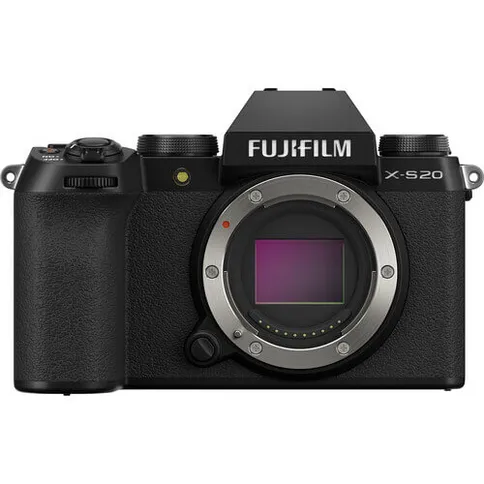
1. Fujifilm X-S20 — Best Overall
The X-S20 is the camera I’d hand to someone who says “I want to get serious about timelapse but I’m not ready to spend €2,000 on a body.” It sits at the top of this price range and earns the position.
The defining practical feature is the NP-W235 battery — the same large cell used in Fujifilm’s professional X-T4 and X-T5. Combined with USB-C passthrough, you can run the X-S20 all day from a 20,000mAh power bank and never open the battery door. I ran one off an Anker 737 power bank for 11 hours during a sunrise-to-sunset sequence at Hohenzollern Castle — 3,960 frames, full RAW, no interruption. That kind of session is simply not possible on lesser batteries without planning a mid-sequence swap.
The intervalometer is fully implemented: individual RAW frames, adjustable intervals down to 1 second, configurable delay, and a quiet anti-shock electronic shutter option to reduce vibration between frames. Fujifilm’s film simulations give clean, ready-to-use JPEGs for fast turnaround work, and the 26.1MP X-Trans sensor produces excellent dynamic range in the golden hour and blue hour ranges where the most compelling timelapse happens.
The honest weakness is the absence of weather sealing. For a camera at ~€999 that gets deployed outdoors, this is a genuine gap — a rain cover sleeve (around €15) is mandatory kit for any exposed session.
For timelapse post-processing and deflickering, I recommend LRTimelapse — it integrates directly with Lightroom, handles Fujifilm’s X-Trans RAW files cleanly, and is the fastest way to deal with flicker and Holy Grail day-to-night exposure transitions.
Best For: Deflicker & Holy Grail workflows.
For the best all-round timelapse camera under €1,000, I recommend the Fujifilm X-S20 — large battery, USB-C passthrough, genuine RAW intervalometer, and class-leading image quality in this price tier.
Best for:
All-round timelapse, golden hour, architecture, travel, stock footage production.
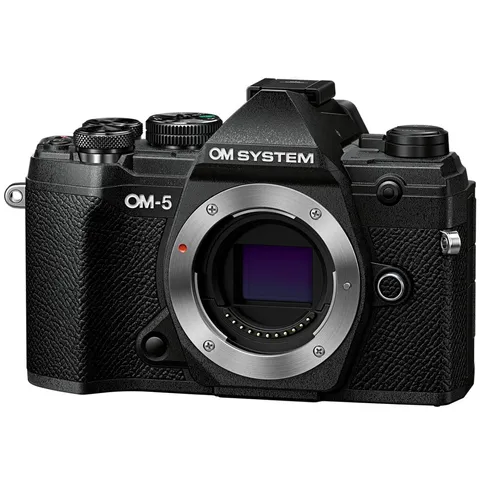
2. OM System OM-5 — Best for Outdoor & Long-Term Use
This is the only camera on this list I’d confidently leave running in a rainstorm. The IP53-certified weather sealing — identical to OM System’s flagship OM-1 — means the body is protected against dust ingress and water spray from any angle, and freeze-proofed to -10°C. Those aren’t marketing claims; they’re independently verified ratings.
I’ve run its predecessor through a sudden thunderstorm on an exposed ridge between the Brenner Pass and Innsbruck and walked away with 847 clean RAW frames. The OM-5 tightens that standard further. For construction site timelapse, rooftop installations, or alpine panorama shoots where you cannot babysit the camera, this is the only body in this price range that gives you genuine peace of mind.
The 20.4MP Micro Four Thirds sensor is the trade-off. In daylight — rolling clouds, architectural sequences, alpine landscape timelapses — it’s excellent. For Milky Way work, the smaller sensor shows more noise above ISO 1600 than APS-C competitors. Pair it with fast glass to compensate: a Sigma 16mm f/1.4 in MFT mount brings enough light to make night timelapse workable. Also note the 2× crop factor: a 12mm lens on the OM-5 gives the same field of view as an 18mm lens on any APS-C camera — budget accordingly for glass.
The 5-axis IBIS (up to 7.5 stops of compensation) is largely irrelevant for tripod timelapse but genuinely excellent for handheld hyperlapse sequences — a strong secondary use case for travel and tourism content. USB-C passthrough supports unlimited session length.
For outdoor timelapse in conditions you can’t control, I recommend the OM System OM-5 — the only mirrorless body in this price range with IP53-certified weather sealing and freeze protection to -10°C.
Best for:
Long-term outdoor installations, alpine and Dolomites shooting, construction sites, coastal locations.
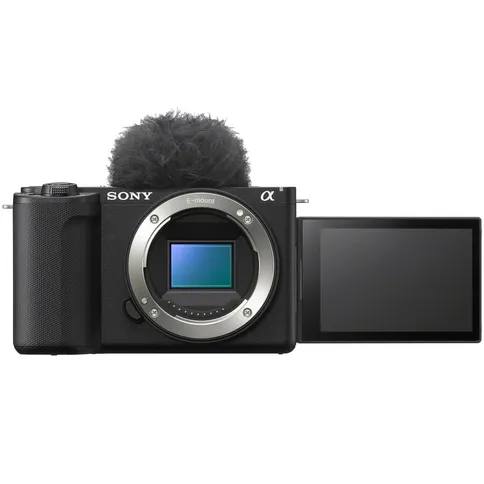
3. Sony ZV-E10 II — Best Budget Mirrorless
Sony’s second-generation ZV-E10 makes one upgrade that transforms it from a casual vlogger’s camera into a serious timelapse option: the battery. The ZV-E10 II ships with the NP-FZ100 — the same large-capacity cell (2,280mAh) used in Sony’s a7 series full-frame bodies — giving a CIPA-rated 610 shots per charge, roughly three times the capacity of the original ZV-E10. Combined with USB-C passthrough, it becomes a genuinely capable long-session tool at a genuinely reasonable price.
On a two-week hospitality shoot around Lake Como, I carried the ZV-E10 II as a second body alongside my primary rig. Light enough to disappear into a shoulder bag, capable enough to act as a dedicated timelapse unit running on a portable power bank while I moved around for the main cinematography work. The 26MP APS-C Exmor R sensor delivers clean, detailed frames in good light, and the built-in intervalometer captures individual RAW sequences with configurable intervals.
Two practical limitations: there’s no viewfinder, which makes precise composition genuinely difficult in bright outdoor sunlight, and there’s no weather sealing. Neither is a dealbreaker at this price point, but both are worth knowing. Budget around €600–€700 for a quality wide-angle lens alongside the body — the ZV-E10 II paired with a Sigma 16mm f/1.4 makes a compact timelapse kit well under €1,500 total.
For entry-level timelapse on a controlled budget, I recommend the Sony ZV-E10 II — NP-FZ100 battery, USB-C passthrough, and a genuine RAW intervalometer at a price that leaves meaningful room for lenses and accessories.
Best for:
Beginners, travel timelapse, landscape sequences, casual stock footage.
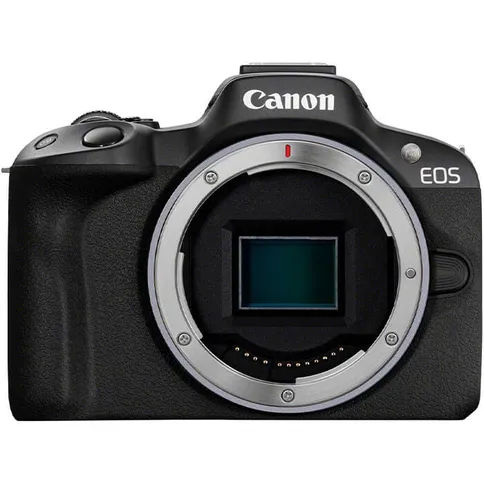
4. Canon EOS R50 — Best for Beginners Who Don't Want a Post-Processing Workflow
The R50’s in-camera timelapse experience is the most beginner-friendly on this list by a wide margin. Navigate to Timelapse Movie, set your interval, set your session duration, press record, and walk away. The camera captures every frame, assembles the sequence internally, and hands you a finished 4K video file. No Lightroom, no deflickering, no post-processing required.
A hotel client in Stuttgart needed a social media timelapse of their terrace at dusk — 4K, delivered within 24 hours, zero post-processing budget. The R50 was the correct tool: clean output, silent electronic shutter so it didn’t disturb guests, and a result that looked polished straight out of camera. For that specific use case, nothing on this list would have done the job more efficiently.
The creative ceiling is the trade-off. That in-camera output is an 8-bit H.264 or H.265 video file — no RAW data, no grading latitude, no deflickering options. For casual social media content and client delivery on tight timelines, this is entirely fine. For anyone wanting to sell stock footage on Pond5 or Adobe Stock, or do serious colour grading, the constraint becomes real quickly. Adding a Canon RS-60E3 compatible external intervalometer (~€25) unlocks individual RAW capture and removes the limitation — worth knowing before you reach that ceiling.
For beginners who want the simplest possible timelapse experience with no post-processing workflow, I recommend the Canon EOS R50 — the most beginner-friendly timelapse implementation on this list.
Best for:
Casual hobbyists, social media content, Canon RF lens users, event and travel timelapse with no post-processing workflow.
5. Sony a6400 — Best for Night Timelapse and Milky Way Sequences
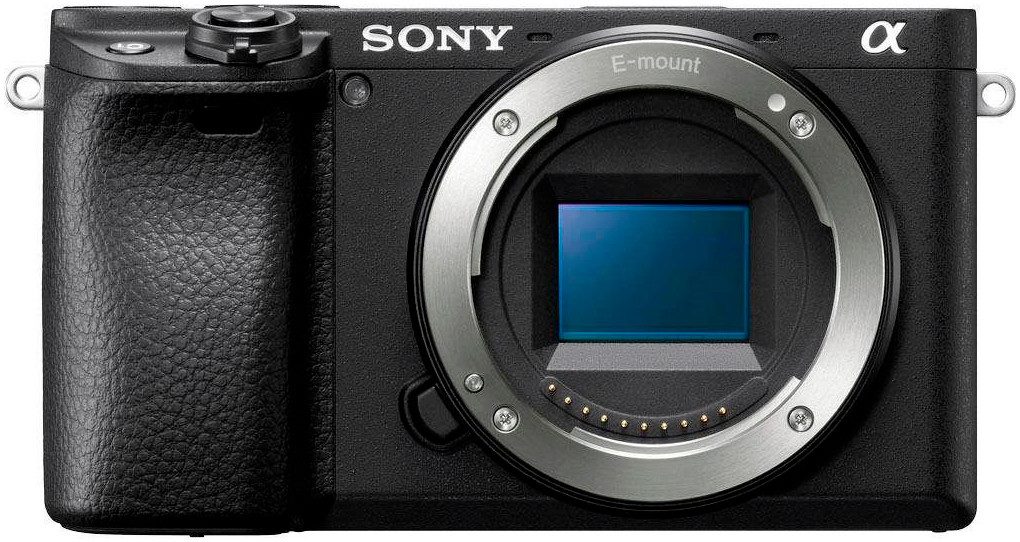
The a6400 launched in 2019 and remains, in 2026, the camera I reach for first when a client needs Milky Way timelapse in the Alps or Dolomites. The reason is simple: its 24.2MP APS-C Exmor CMOS sensor’s noise output at ISO 3200–6400 is cleaner than anything else in this price bracket — and in 2026, the street price has fallen to around €799 or below, making the sensor-per-euro ratio exceptional.
My first serious Milky Way timelapse sequence — Tre Cime di Lavaredo, August 2022, 1,200 frames at ISO 3200, 20mm f/1.8 Sigma — was shot on the a6400. That sequence is still in my stock portfolio and has sold consistently on Pond5. The built-in intervalometer captures full RAW sequences properly, and the 180° tilting screen is a genuine ergonomic advantage when pointing the camera at low elevation angles.
There are two limitations that require honest planning. First, weather sealing: the a6400 has none. For Milky Way shooting you’re typically in dry, clear, high-altitude conditions, so this matters less — but don’t leave it exposed in damp coastal air overnight. Second, and more importantly: the a6400 uses a Micro-USB port, not USB-C, and native USB power delivery is insufficient for sustained timelapse use. For sessions over two hours, the correct approach is a Sony AC-PW20 compatible dummy battery connected to a regulated USB power bank — this bypasses the battery entirely and runs the camera indefinitely. It’s a minor additional purchase (~€20–€30 for a quality dummy battery) that solves the problem completely.
Pair the a6400 with a fast wide-angle prime and use the Milky Way Exposure Calculator before your shoot to dial in the exact shutter speed, ISO, and interval for your lens and location.
For night timelapse and Milky Way sequences, I recommend the Sony a6400 — its high-ISO sensor performance in this price bracket is unmatched. Add a dummy battery for long sessions and you have a complete night timelapse rig.
Best for:
Best For: Milky Way timelapse, night sky sequences, astrophotography, any low-light scenario.
6. GoPro HERO 13 Black — Best Compact and Wildcard Pick
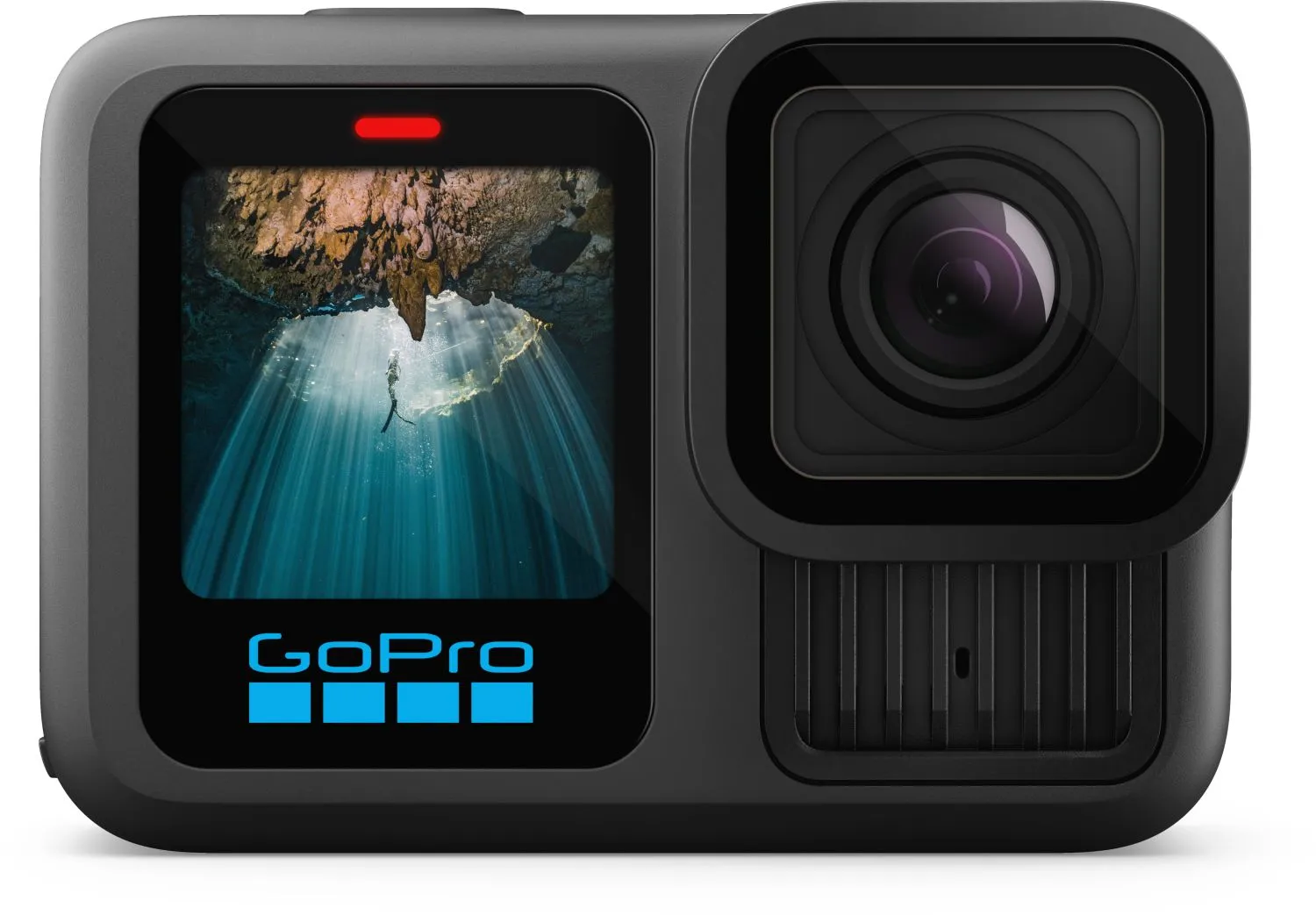
No mirrorless camera on this list can be bolted to a moving vehicle, mounted under a bridge, submerged in a waterfall, or left running in a downpour without a housing. The GoPro HERO 13 Black does all of this as standard — and it ships with dedicated TimeWarp (motion timelapse), Time Lapse, and Night Lapse modes built directly into the firmware.
The angle that convinced me to keep a GoPro permanently in my kit bag was a car-mounted sunrise sequence through the Swabian Alps for a tourism board brief. A mirrorless on a suction cup mount wouldn’t have survived the motorway vibration. The GoPro delivered 5.3K footage at full 170° field of view, mounted to the bonnet, running on USB-C passthrough from a power bank in the footwell. No mirrorless on this list was physically capable of taking that shot.
For creative timelapse at unusual angles — car mounts, waterproof environments, extreme wide-angle cloud formations, boat deck ocean footage — the GoPro does things nothing else here can do. At ~€399 it also makes sense as a second camera running alongside your primary mirrorless, doubling your angles without a major additional investment.
Be clear about the trade-offs: the 1/1.9″ sensor doesn’t compete with APS-C for dynamic range or low-light performance. Night Lapse mode is functional but noisy. Battery life runs to roughly 90 minutes per charge, so USB-C passthrough power isn’t optional for sequences longer than that — plan your mount and cable routing accordingly.
For creative, compact, and fully weatherproof timelapse where angles matter more than maximum image quality, I recommend the GoPro HERO 13 Black — fully waterproof to 10m, dedicated timelapse modes, and capable of shots no mirrorless can physically take.
Best for:
Action-style timelapse, travel, waterproof mounting, vehicle-mounted sequences, creative B-roll angles as a second camera.
How to Choose: Match Your Camera to Your Situation
Outdoor shooting in real weather → OM System OM-5. IP53 sealing isn’t a spec you appreciate until you’re standing on a rooftop in a rainstorm and your shot is still running.
Best all-round package under €1,000 → Fujifilm X-S20. Large battery, USB-C passthrough, genuine RAW intervalometer. No meaningful competitor at this price.
Milky Way or night sky timelapse → Sony a6400. Cleanest high-ISO output in this price range. Add a dummy battery for long sessions. Pair with the fastest wide-angle lens you can afford.
New to timelapse, want results without a learning curve → Canon EOS R50. Set an interval, press record, get a 4K video file. Add an RS-60E3 cable later when you want RAW control.
Budget is the primary constraint → Sony ZV-E10 II. Saves ~€250 versus the Fujifilm, keeps the NP-FZ100 battery and USB-C passthrough. Use the saving on a better lens.
Creative angles, waterproof mounting, or second camera → GoPro HERO 13 Black. The only genuinely waterproof option here for under €400, capable of shots no mirrorless on this list can physically take.
💡 Pro Tip: Whatever body you choose, use the ND Filter Calculator to find the correct neutral density filter for motion blur in daylight sequences. Getting the 180° rule wrong in-camera is a common beginner mistake that no amount of post-processing will fix.
Read Next on Aero Timelapse
These guides are the natural next steps after choosing your camera:
- Ultimate Timelapse Photography Tutorial — The complete A–Z guide from camera settings to final export. The right starting point once you have your camera in hand.
- Milky Way Timelapse: Settings, Gear & Locations — Camera settings, Southern German and Alpine shooting locations, and the full night sky workflow for the Sony a6400 and comparable mirrorless bodies.
- Timelapse Flicker Fix: Causes, Prevention & Post-Processing — Why your frames look inconsistent and how to fix it at every stage.
- 7 Timelapse Mistakes Beginners Make — Read this before your first outdoor shoot. These are the errors that ruin 90% of first attempts.
- Make Money Selling Timelapse Stock Footage — How to convert your camera investment into passive income through Pond5, Adobe Stock, and Shutterstock.
Free tools for every shoot:
- Timelapse Interval Calculator — Calculate the correct shooting interval by subject and target video length
- Milky Way Exposure Calculator — Night sky exposure settings by camera, lens, and location
- ND Filter Calculator — Find the correct ND filter for motion blur in daylight sequences
- Browser Star Trail Stacker — Stack your night sky frames directly in the browser, no software required
FAQ - Best Timelapse Cameras Under 1000 Euros
What is the best timelapse camera under €1,000 in 2026?
The Fujifilm X-S20 (~€999) is the best overall timelapse camera under €1,000 in 2026. It has a genuine built-in intervalometer that saves individual RAW frames, USB-C passthrough for unlimited session length, the large-capacity NP-W235 battery, and a 26.1MP X-Trans sensor with excellent dynamic range. For shooting in adverse outdoor weather where IP-rated protection is required, the OM System OM-5 (~€949) is the stronger choice — it’s the only mirrorless in this price range with IP53-certified sealing and freeze protection to -10°C.
Does the Canon EOS R50 save RAW files for timelapse?
No. The Canon EOS R50’s built-in timelapse mode captures frames internally and outputs a finished 4K video file (H.264 or H.265) — it does not save individual RAW files. This is intentional and ideal for casual hobbyists who want clean results without a post-processing workflow. If you need individual RAW frames for Lightroom grading or deflickering with LRTimelapse, you’ll need to add an external intervalometer cable (Canon RS-60E3 compatible, approximately €20–€25) and shoot in Manual mode. The body itself is capable — the limitation is the in-camera timelapse mode specifically.
What is USB-C power passthrough and why does it matter for timelapse?
USB-C power passthrough means the camera can draw power from an external USB-C power bank to run continuously during shooting — without depleting the internal battery. For timelapse sessions under two hours, standard battery capacity is usually sufficient. For construction documentation, full-day weather sequences, or overnight Milky Way shoots, passthrough is the difference between completing the session and losing it to a dead battery. The Fujifilm X-S20, OM System OM-5, Sony ZV-E10 II, Canon EOS R50, and GoPro HERO 13 all support USB-C passthrough natively. The Sony a6400 uses Micro-USB and requires a dummy battery connected to a power bank for equivalent long-session functionality.
Which camera is best for Milky Way timelapse under €1,000?
The Sony a6400 (→ check price) is the best option for Milky Way timelapse under €1,000. Its 24.2MP APS-C Exmor CMOS sensor produces cleaner images at ISO 3200–6400 than competing cameras in this price range. Pair it with a fast wide-angle prime (Sigma 16mm f/1.4 E-mount is the standard recommendation), use a dummy battery connected to a power bank for overnight sessions, and dial in your settings with the Milky Way Exposure Calculator before the shoot. The OM System OM-5 is a capable alternative for Milky Way work in demanding outdoor conditions where weather sealing matters, but the smaller Micro Four Thirds sensor is noisier above ISO 1600.
Does the Sony a6400 have USB-C for power?
No. The Sony a6400 uses a Micro-USB port (USB 2.0), not USB-C, and native USB power delivery is insufficient to sustain the camera during active timelapse recording. For long sessions, the correct solution is a Sony AC-PW20 compatible dummy battery adapter connected to a regulated USB power bank. This bypasses the internal battery entirely and runs the camera indefinitely. It’s a minor additional cost (~€20–€30 for a quality dummy battery) that fully solves the problem. This is the standard long-session setup for a6400 timelapse work.
Is the OM System OM-5 really weather sealed for outdoor use?
Yes — the OM System OM-5 carries an IP53 certification (the same rating as the flagship OM-1), meaning it’s protected against dust ingress and water spray from any angle, and freeze-proofed to -10°C. This is a verified, third-party IP rating — not a marketing claim. At this price point, it’s genuinely rare. In practice it handles rain, light snow, dust from construction sites, and cold alpine conditions reliably. It is not fully waterproof — for submersion, you need a separate housing or the GoPro.
Can I sell timelapse stock footage shot on these cameras?
Yes — the APS-C cameras on this list (Fujifilm X-S20, Sony ZV-E10 II, Canon EOS R50, Sony a6400) all produce footage that meets the technical requirements for Pond5, Adobe Stock, and Shutterstock: 4K minimum resolution, clean noise at base ISO, technically accurate colour. The GoPro HERO 13 Black also outputs 5.3K, but the smaller sensor limits dynamic range and low-light performance. For platform-specific submission guidance and subject matter that actually sells consistently, read Make Money Selling Timelapse Stock Footage.
What post-processing software is best for timelapse?
LRTimelapse is the industry standard for serious timelapse post-processing. It integrates with Adobe Lightroom and handles the two problems that standard video editors cannot fix: flicker correction (inconsistent exposure between frames) and Holy Grail transitions (smooth day-to-night exposure ramping). It works with RAW files from all the mirrorless cameras on this list — Fujifilm X-Trans, Sony ARW, Canon CR3. For the Canon R50 running in its built-in timelapse mode (which outputs video, not RAW), LRTimelapse is not applicable; the in-camera output is your final file. Best For: Deflicker & Holy Grail day-to-night workflows.
Conclusion
The best timelapse camera under €1,000 is the one matched to your actual shooting conditions. Buy the Fujifilm X-S20 for the best all-round package. Buy the OM System OM-5 if you shoot outdoors in conditions you can’t control. Buy the Sony a6400 if Milky Way and night sky sequences are your primary goal — and add a dummy battery before your first long session.
The camera alone doesn’t make the timelapse. Set up LRTimelapse alongside Lightroom for your deflickering workflow, calculate your intervals with the Timelapse Interval Calculator before every shoot, and work through the Ultimate Timelapse Photography Tutorial for the full production workflow from first frame to export. Pick your camera, get it on a tripod, and shoot.
Dipon is a drone and timelapse cinematographer based in Ulm, Germany, with over 15 years of experience turning real spaces and projects into cinematic visuals. With a background in digital marketing, every shot is planned with a clear purpose — where it will appear, who will see it, and what it should help them decide.
You May Also Like
Deflicker a Timelapse Without LRTimelapse: Free Tool for JPEG Sequences

Best Drones for Beginners (2026): Safe, Easy Picks + Buying Guide
Why Sensor Size Matters When You’re Buying a Drone

Timelapse vs Hyperlapse : What’s the Difference?
How Weather Affects Timelapse & Drone Shoots
DJI Lito X1 vs Mini 5 Pro: Which Ultralight Drone Belongs in Your Camera Bag?
DJI Mavic 4 Pro vs DJI Air 3S
DJI Air 3S Review: The Sweet-Spot Drone for Creators and Professionals

Best Prime Week Drone Deals for Creators and Beginners

DJI Lito X1 Review: The Ultimate Pocket-Sized B-Cam for Creators?
Timelapse for Social Media: Instagram, YouTube & TikTok Settings
DJI Flip vs DJI Neo 2: Which Pocket Drone is Better for Travel Creators?
Need help capturing professional timelapse for your next project but not ready to invest in the gear yet? Check out our Timelapse Video Production service to see how Aero Timelapse Studio can help elevate your production.