DJI Mavic 4 Pro Review: Is It Worth It for Professional Work? (2026)
Dipon | June 2026
Table of Contents
- Should a Hobbyist Even Consider This Drone?
- What the Mavic 4 Pro Actually Changes
- Image Quality: The Triple-Camera System
- Flight Time and Range
- Low-Light and Night Operations
- The 360° Infinity Gimbal
- EU Regulations: What Category Does It Fall Into
- For Stock Footage Sellers: Is the Resolution Worth It?
- Who Should (and Shouldn’t) Buy It
- FAQ
- Final Verdict
Affiliate Disclosure
This guide contains affiliate links. Purchases made through these links support Aero Timelapse Studio at no additional cost to you. I only recommend products I personally use or carefully research. As an Amazon Associate I earn from qualifying purchases.
If you’ve never spent over €2,000 on a drone before, the DJI Mavic 4 Pro is a genuinely intimidating purchase — and the anxiety is reasonable, not something to push past. It’s heavier than the drones you’ve probably flown before, it triggers stricter EU rules than a beginner drone does, and it’s easy to overspend on capability you won’t use. This DJI Mavic 4 Pro review is built around one question, tested through commercial jobs across Southern Germany and the Alps: does the price actually buy you something real, whoever you are — first-time buyer, stock footage seller, or working pilot — or is it just the next number on a spec sheet?
By the end, you’ll know exactly what changes in practice, what’s overkill for your situation, and whether a cheaper drone serves you better.
Key Takeaways
- If you’re a hobbyist, the honest answer is: most people don’t need this drone. It’s priced and regulated for people billing clients or selling footage commercially.
- The Mavic 4 Pro’s 100MP 4/3″ Hasselblad sensor and variable f/2.0–f/11 aperture are the biggest real-world upgrade for anyone who needs stills alongside video, not just video alone.
- Flight time is rated at up to 51 minutes per battery (95Wh), but real-world performance in wind or cold runs noticeably under that — budget closer to 35–40 minutes per battery for planning.
- The 360° Infinity Gimbal removes the “upward shot is impossible” limitation that’s dogged every Mavic before it.
- At over 900g, it’s a C2-class drone under EU rules — you need the A2 remote pilot certificate to fly it close to people, unlike the sub-250g Mini 5 Pro.
- For stock footage sellers, the 100MP RAW stills and 6K HDR video meet or exceed what most stock platforms ask for — relevant if footage resolution is your actual bottleneck.
- Pricing starts well above €2,000 and climbs past €3,500 for the 512GB Creator Combo — this is not an impulse upgrade for anyone.
Should a Hobbyist Even Consider This Drone?
Honestly — for most hobbyists, no. Here’s the quick version before you read a 2,000-word spec breakdown you might not need:
- If you fly on weekends for fun: the Mavic 4 Pro’s price and weight buy you very little over an Air 3S, and the C2 licensing requirement adds friction you don’t need for casual flying.
- If you’re scared of breaking EU drone law: that fear is legitimate, and a bigger, heavier drone makes the rules stricter, not simpler — a sub-250g drone like the Mini 5 Pro keeps you in the lightest-touch regulatory category.
- If you’re building toward paid work or serious stock footage sales: keep reading — this is where the Mavic 4 Pro’s price starts making sense.
What the Mavic 4 Pro Actually Changes
The DJI Mavic 4 Pro is DJI’s flagship prosumer drone, replacing the Mavic 3 Pro after roughly two years. The headline upgrades aren’t gimmicks — a new 100MP Hasselblad main sensor, a redesigned 360°-rotating gimbal, longer flight time, and a meaningfully better obstacle-avoidance system built around a front-facing LiDAR sensor.
💡 Pro Tip: If you already own a Mavic 3 Pro and it’s paying for itself, don’t assume you need to upgrade. The 3 Pro’s image quality is still commercially viable. The Mavic 4 Pro earns its price for pilots who are tele-camera-limited or gimbal-limited on current jobs — not for everyone.
Image Quality: The Triple-Camera System
This is where the Mavic 4 Pro separates itself from everything else in DJI’s lineup.
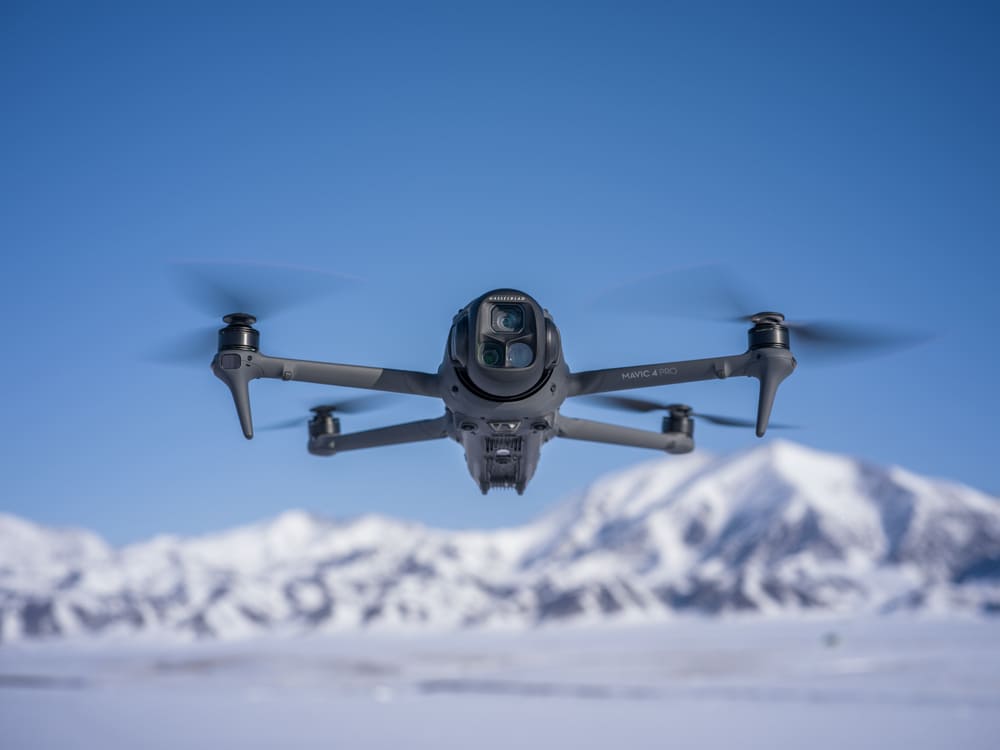
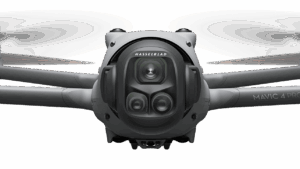
Main camera: A 4/3″ Hasselblad CMOS sensor at 100MP, with a true variable aperture from f/2.0 to f/11. It shoots 6K/60fps HDR video and 4K up to 120fps for slow motion. In plain terms: the sensor uses a “Quad Bayer” pattern, which means the real-world resolved detail in 100MP mode sits closer to 25MP once you account for how the pixels are grouped — useful to know if you’re marketing “100 megapixels” to a client (or yourself) who’ll expect that number to mean something it doesn’t quite mean for a print job.
Medium tele: A 48MP, 1/1.3″ sensor at a 70mm-equivalent focal length, shooting 4K up to 120fps.
Long tele: A 50MP, 1/1.5″ sensor at 168mm-equivalent, shooting 4K up to 100fps.
For me, the medium tele is the one that gets used constantly — compressed perspective on building facades, vehicle tracking shots for automotive clients, and portrait-style aerial work that the old single-camera Mavics simply couldn’t do without sacrificing wide-angle quality. If you’re timing a shoot around the light rather than just the location, the Golden Hour Planner is worth bookmarking alongside this camera system.
| Camera | Sensor | Resolution | Max Video | Focal Length | Main (Wide) |
|---|---|---|---|---|---|
| Hasselblad | 4/3″ | 100MP | 6K/60fps HDR, 4K/120fps | 28mm equiv. | Wide |
| Medium Tele | 1/1.3″ | 48MP | 4K/120fps | 70mm equiv. | Medium Tele |
| Tele | 1/1.5″ | 50MP | 4K/100fps | 168mm equiv. | Tele |
⚠️ Warning: The standard Mavic 4 Pro (non-Creator) does not support 4:2:2 color subsampling — in plain terms, a video format with more color data per pixel, used for heavier color grading. That’s locked to the 512GB Creator Combo. If you’re delivering broadcast or commercial-grade color grades, this matters more than the megapixel count; if you’re shooting for social media or personal projects, it likely doesn’t matter at all.
Flight Time and Range
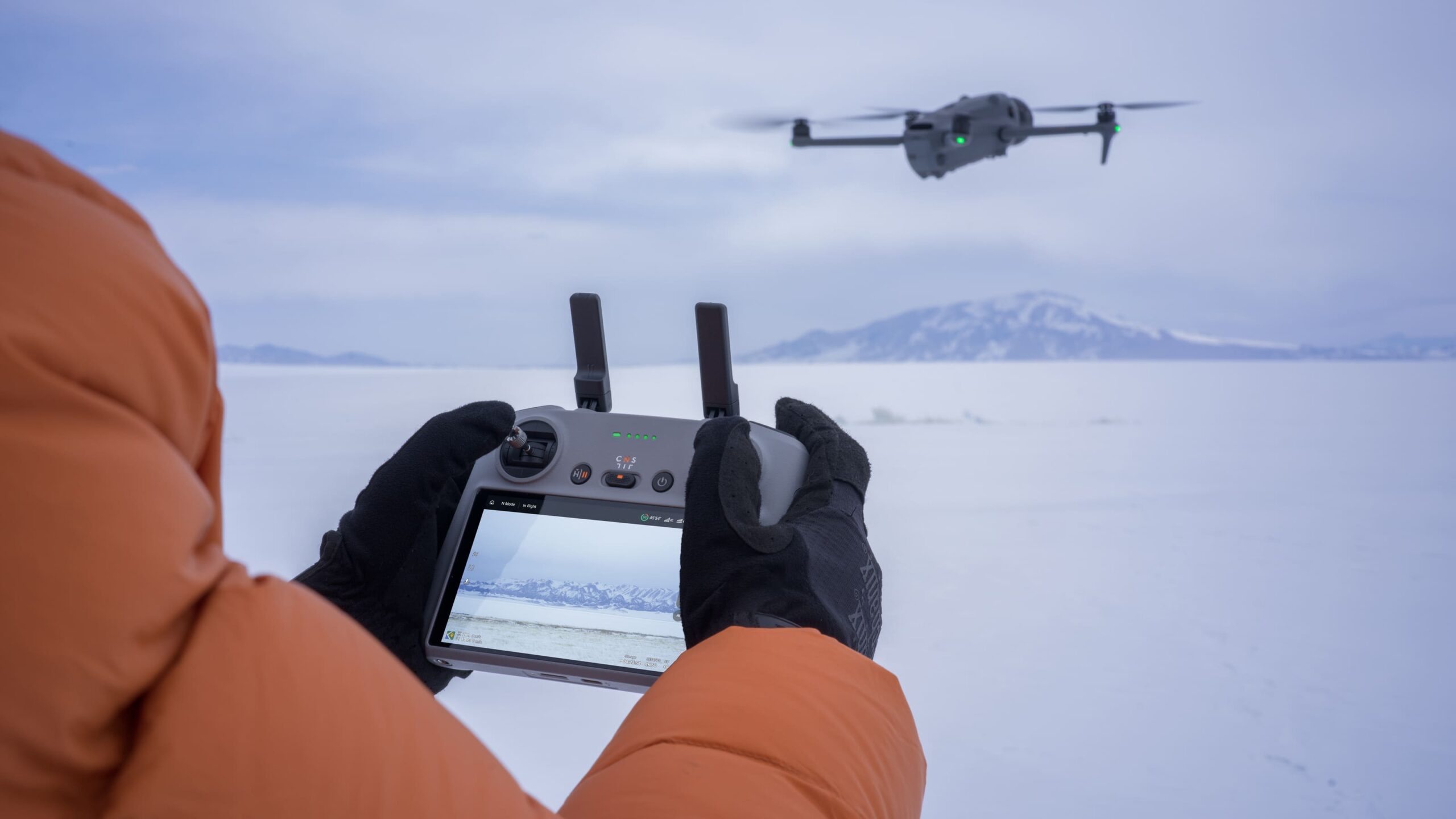
DJI rates the Mavic 4 Pro at up to 51 minutes of flight time per battery, powered by a 95Wh cell, with a top speed of roughly 90 km/h and a maximum transmission range of 30km via the O4+ system. In practice, I don’t get 51 minutes — cold mornings in the Swabian Alps and any real wind cut into that number noticeably. Plan your shot list around something closer to 35–40 minutes of usable flight per battery, not the marketing figure, especially in shoulder-season conditions.
The O4+ transmission system also delivers 10-bit HDR video to the controller, which is a genuine improvement for client-side monitoring during shoots where someone other than the pilot needs to approve framing in real time.
For commercial work, our complete drone videography guide covers how to structure a shot list around battery cycles so you’re not burning daylight on swaps. Run your actual battery math through the Drone Battery Calculator before you plan a multi-location day — 51 minutes rated rarely means 51 minutes usable once you account for wind and RTH margin.
source: mynewsdesk.com
Low-Light and Night Operations
The Mavic 4 Pro’s obstacle sensing works down to 0.1 lux, paired with a front-facing LiDAR sensor specifically for nighttime return-to-home and obstacle detection in near-pitch-black conditions. This is a real safety upgrade, not a spec-sheet number — earlier Mavics relied on optical sensors that effectively stopped being useful once ambient light dropped past dusk.
For blue-hour and night cityscape work, the variable aperture down to f/2.0 on the main camera gives more usable light-gathering than the fixed apertures on older Mavic models, which historically forced higher ISO and more visible noise in twilight shots.
💡 Pro Tip: For blue-hour video, lean on ND filters rather than just stopping the variable aperture down — keeping shutter speed near the standard 180-degree rule still matters for natural-looking motion in your footage. Run your settings through the ND Filter Calculator before you fly so you’re not guessing at exposure once the light starts dropping fast.
The 360° Infinity Gimbal
Every Mavic before this one had a hanging gimbal — the camera physically suspended below the arms, with the drone’s own body blocking anything tilted much past level. In practice, that meant skylights, forest canopy, and anything directly overhead were off the table unless you brought in a different aircraft entirely. It’s also why a clean “straight up” reveal shot — popular in real estate and event work — almost always had to be faked in post or shot from a second rig.
The Mavic 4 Pro’s redesigned Infinity Gimbal sits in line with the body instead of hanging beneath it, rotating a full 360° on the yaw axis with up to 70° of upward tilt. That same redesign is also what lets the Mavic 4 Pro shoot true vertical, portrait-orientation footage by physically rotating the gimbal 90° rather than just cropping a horizontal frame — a real difference if you’re shooting for Instagram Reels or TikTok rather than a 16:9 delivery. This is the one upgrade I’d call genuinely new rather than incremental: I’ve used it to get upward shots through forest canopy and building skylights on commercial jobs — shots that simply weren’t possible with a Mavic 3 Pro’s hanging gimbal, and that previously meant either turning the job down or bringing in an Inspire-class drone I don’t always have on hand.
It’s a small line on the spec sheet that changes what you can pitch to a client without quietly turning down the shot — and unlike most year-over-year camera bumps, it’s the kind of upgrade that shows up in your actual portfolio, not just your spec comparison chart.
source: mynewsdesk.com
EU Regulations: What Category Does It Fall Into
If terms like “C2 classification” or “remote pilot certificate” sound intimidating, that’s normal — here’s the plain version. The Mavic 4 Pro weighs 1063g, which puts it firmly in the C2 class under EU drone regulation — well above the 900g threshold and far beyond the 250g class that exempts drones like the DJI Mini 5 Pro from the same licensing requirements.
Practically, that means:
- You need the EU A2 remote pilot certificate (Kompetenznachweis) to fly it in the Open A2 subcategory.
- Without it, you’re restricted to subcategory A3 — minimum 150m from people and residential areas.
- Registration, remote ID, and valid drone liability insurance are all mandatory.
If you’re a German Mittelstand client weighing a drone purchase against hiring it out, this is exactly the kind of regulatory overhead our Drone Laws & Regulations guide for EU pilots breaks down in full.
⚠️ Warning: The C2 classification isn’t just paperwork once — it’s an ongoing friction cost. The weight and size of the Mavic 4 Pro make it a worse choice than a sub-250g drone for any quick, low-stakes job where you’d rather not deal with A2 certification requirements, insurance checks, and the larger case. I still reach for something lighter when a shoot doesn’t need the sensor.
For Stock Footage Sellers: Is the Resolution Worth It?
If you sell aerial clips on Pond5, Adobe Stock, or Shutterstock, resolution and dynamic range are the two specs that actually move the needle on acceptance rates and licensing tier — not megapixel marketing numbers.
The Mavic 4 Pro’s 6K/60fps HDR video and 100MP RAW stills meet or exceed what most stock platforms list as their top resolution tier, and RAW stacking up to 5 frames gives more flexibility in post for noise reduction on low-light clips, which stock reviewers tend to flag. If your current bottleneck is genuinely resolution or dynamic range getting clips rejected or down-tiered, this is a real upgrade. If your bottleneck is actually keyword/metadata quality or shot selection, the camera upgrade won’t fix that — run new footage through the Stock Footage Metadata Generator before assuming the gear is the problem.
💡 Pro Tip: Don’t upgrade your camera before checking whether your current footage is actually being rejected for resolution reasons versus composition, exclusivity, or metadata reasons — pull your rejection reasons from your contributor dashboard first.
Who Should (and Shouldn't) Buy It
Skip it if: you’re a hobbyist who flies on weekends, or your work is mostly travel and lifestyle content where portability matters more than sensor size — our Best Travel Drones 2026 guide covers better-fit options for that case.
Buy it if: you’re billing clients for aerial photography or video and currently hit a wall on tele reach, upward gimbal angle, or low-light obstacle avoidance with your current drone — or you’re a stock contributor whose clips are genuinely getting rejected for resolution or dynamic range. Not sure if that wall is a real sensor limitation or just spec-sheet anxiety? Compare it directly against your current drone’s sensor before you commit to the Mavic 4 Pro’s price tag.
For lightweight travel and content creation, I recommend the DJI Mini 5 Pro — it stays under the 250g registration threshold and is the drone I actually pack when a job doesn’t justify the Mavic 4 Pro’s weight and case size. Best For: Travel creators and hobbyists who don’t want EU licensing overhead.
For stepping up from entry-level without the full professional price tag, the DJI Air 3S remains the sweet spot — a genuine all-rounder for anyone not yet billing five-figure aerial contracts. Best For: Serious hobbyists and part-time creators.
If you’re upgrading from an older Mavic and want the cost-benefit specifics, our Mavic 4 Pro vs Mavic 3 Pro comparison in the Best Professional Drones 2026 guide walks through it line by line. For [use case: professional work on a tighter budget], the DJI Mavic 3 Pro is still a genuinely capable hybrid stills-and-video tool if the Mavic 4 Pro’s price doesn’t pencil out yet. Best For: Pros who need professional-grade output without the flagship price.
⚠️ Warning: The Creator Combo’s RC Pro 2 controller is the only one with HDMI output. If you need to feed a client monitor or video village directly from the controller, the standard RC 2 won’t do it.
Read Next on Aero Timelapse
Everything on this site is built to help you fly smarter, shoot better, and waste less time on guesswork:
- Best Professional Drones 2026: Cinema & Commercial Grade — full breakdown of the Mavic 4 Pro against the Inspire 3 and Mavic 3 Enterprise for commercial fleets.
- Drone Buying Checklist (2026) — the questions to answer before any drone purchase, professional or hobbyist.
- DJI Mini 5 Pro Review (2026) — the lightweight alternative for travel and sub-250g registration-free flying.
- Best Drones for Photography 2026 — how the Mavic 4 Pro stacks up for stills-first shooters.
- The Complete Drone Videography Guide (2026) — structuring shoots around battery cycles and light windows.
- Best Drones for Beginners 2026 — for readers who land here but aren’t ready for a C2-class drone yet.
- Best Drones Under 500 Euro 2026 — the budget end of the spectrum, for contrast.
- Drone Laws & Regulations — EU Pilot Guide (2026) — full detail on C2 classification and the A2 certificate.
- ND Filter Calculator 🔧 — Free tool: enter your frame rate and target shutter speed, get the exact ND filter strength you need.
- Drone Hyperlapse Calculator 🔧 — Free tool: calculate interval, movement distance, and total path length for smooth hyperlapse sequences.
- Stock Footage Metadata Generator 🔧 — Free tool: generate platform-ready metadata in seconds — works with Shutterstock, Pond5, Adobe Stock, and Getty.
- Timelapse Interval Calculator 🔧 — Calculate the exact shooting interval for any timelapse scenario before you leave home.
- Golden Hour Planner 🔧 — Plan your shoots around golden hour and blue hour for any location in Europe; the most useful pre-shoot tool for landscape and travel footage.
- Drone & Timelapse Storage Calculator 🔧 — Calculate exactly how many minutes of 4K/60fps footage your memory card will hold before you need to offload — critical for remote location planning.
- Drone Shot Planner 🔧 — Build your shot list and Waypoint Mission plan before arriving on location.
- Drone Battery Calculator 🔧 — Real-World Flight Time & Session Planner for DJI Filmmakers
FAQ: DJI Mavic 4 Pro Review
Is the DJI Mavic 4 Pro worth it for professional work?
Yes, if your work involves billing clients for aerial photography or video. The 100MP Hasselblad sensor, dual tele cameras, 51-minute flight time, and 360° gimbal solve real limitations that show up on commercial jobs — tele reach, upward angles, and low-light safety margins.
How long does the DJI Mavic 4 Pro fly on one battery?
DJI rates it at up to 51 minutes per battery, powered by a 95Wh cell — among the longest flight times in DJI’s consumer lineup.
What drone category does the Mavic 4 Pro fall into under EU rules?
At 1063g, it’s classified as C2, requiring an EU A2 remote pilot certificate for closer-range flying in the Open category, plus registration, remote ID, and drone liability insurance.
Does the Mavic 4 Pro support 4:2:2 color video?
Only the 512GB Creator Combo supports ALL-I encoding with 10-bit 4:2:2 color. The standard and Fly More Combo versions don’t include this.
What's the biggest downside of the DJI Mavic 4 Pro for working pilots?
Weight and size. At 1063g and C2-classified, it carries real-world friction — A2 certification, insurance checks, a bigger case — that a sub-250g drone like the Mini 5 Pro avoids entirely. For quick or low-stakes jobs, that overhead isn’t always worth it even if the sensor is better.
Is the Mavic 4 Pro better than the DJI Air 3S?
For commercial image quality, yes — the larger 4/3″ sensor and dual tele cameras are in a different class. For hobbyists or anyone prioritizing portability and budget, the DJI Air 3S is still the better value. Best For: Budget-conscious creators who don’t need the full tele range.
Is the Mavic 4 Pro worth it for stock footage sellers?
Only if resolution or dynamic range is actually causing rejections on your current footage. The 100MP RAW stills and 6K HDR video meet or exceed most stock platforms’ top tier, but if your rejections are about composition or metadata, the camera upgrade won’t fix that.
Final Verdict
If you’re billing clients for aerial work and you’re currently fighting your gimbal angle, your tele reach, or your low-light obstacle margins, the DJI Mavic 4 Pro removes all three problems at once — that’s the actual case for the price tag, not the megapixel count on the box.
Best For: Working pilots and serious stock contributors who’ve hit a real ceiling with their current drone. If none of those are currently costing you shots or clients, save the money and put it toward the Air 3S or your next job’s marketing instead.
Before you commit, run through our Drone Buying Checklist to confirm it actually solves a problem you have today — not one you might have someday. If the Mavic 4 Pro’s price is more than your workload needs, our DJI Air 3S review covers the mid-tier alternative — including the aperture tradeoff you’d be accepting. If you’re still weighing this against a lighter option, here’s how it stacks up against the DJI Air 3S for pilots who don’t need the telephoto reach.
Dipon is a drone and timelapse cinematographer based in Ulm, Germany, with over 15 years of experience turning real spaces and projects into cinematic visuals. With a background in digital marketing, every shot is planned with a clear purpose — where it will appear, who will see it, and what it should help them decide.
You May Also Like

How to Shoot a Little Planet Photo With a Drone
Best Drones for Beginners (2026): Safe, Easy Picks + Buying Guide
Why Sensor Size Matters When You’re Buying a Drone
How Weather Affects Timelapse & Drone Shoots
DJI Lito X1 vs Mini 5 Pro: Which Ultralight Drone Belongs in Your Camera Bag?
DJI Mavic 4 Pro vs DJI Air 3S
DJI Air 3S Review: The Sweet-Spot Drone for Creators and Professionals

Best Prime Week Drone Deals for Creators and Beginners
Drone Laws & Regulations — The Complete Legal Guide for EU Pilots (2026)

DJI Lito X1 Review: The Ultimate Pocket-Sized B-Cam for Creators?
Best Time to Fly a Drone for Photography
DJI Flip vs DJI Neo 2: Which Pocket Drone is Better for Travel Creators?
Need help capturing aerials for your next project but not ready to invest in the gear yet? Check out our Drone Videography to see how Aero Timelapse Studio can help elevate your production.