Best Drones for Beginners (2026): Safe, Easy Picks + Buying Guide
Dipon | February 2026. | Last Updated March 2026
Table of Contents
Affiliate Disclosure
This review contains affiliate links. Purchases made through these links support Aero Timelapse Studio at no additional cost to you. I only recommend products I personally use or carefully research. As an Amazon Associate I earn from qualifying purchases.
The first drone I ever flew nearly ended up in a tree within the first two minutes. No wind warning, no obstacle alert, just a beginner with too much throttle and too little patience. That experience taught me more about what a beginner drone actually needs than any spec sheet ever could.
This guide is built around one question: what drone gives a first-time pilot the best chance of coming home with usable footage and an intact drone? Not the most impressive specs. Not the cheapest price. The best combination of safety systems, ease of control, and room to grow.
If you’re in Germany or anywhere in the EU, there’s an extra layer to consider – weight classes, CE markings, and EASA rules that most international guides skip entirely. This one doesn’t. Every recommendation here accounts for the reality of flying legally and confidently as a beginner in Europe.
Quick Picks (TL;DR)
Best overall beginner drone: DJI Mini 4 Pro for strong safety + “grow-with-you” features like omnidirectional obstacle sensing and ActiveTrack 360° (trade-off: costs more).
Best budget beginner drone: DJI Mini 4K for simple, reliable flying and 4K capture (trade-off: only a basic downward vision system for sensing).
Best safest beginner drone: DJI Mini 4 Pro because omnidirectional obstacle sensing reduces “panic moments” when you misjudge distance.
Best for travel/sub-250g: DJI Mini 3 because it stays under 249 g and supports true vertical shooting (trade-off: sensing is limited compared to Mini 4 Pro).
Best for hands-free/selfie style: HOVERAir X1 for simple Follow/Orbit-style automated shots (trade-off: it’s not a GPS camera drone with classic RTH).
How to Choose a Beginner Drone (The 7 things that matter)
The best drones for beginners are the ones that reduce stress: strong return-to-home behavior, predictable controls, and stable footage without constant tweaking. Use the 7 factors below to avoid “spec-sheet traps” and pick a drone you’ll actually enjoy flying.
1) Safety systems (RTH + obstacle sensing)
A beginner-friendly drone should help you recover from mistakes—especially orientation loss, low battery, or signal issues. Return-to-Home (RTH) is the feature that brings the drone back toward its takeoff “home point” when triggered manually or automatically (exact behavior varies by model and settings).
Beginner-friendly benchmark:
RTH you can configure (especially RTH altitude), plus at least basic sensing to prevent ground/landing mishaps; DJI Mini 3/Mini 4K list a downward vision system, while Mini 4 Pro lists omnidirectional obstacle sensing.
2) Ease of control (controller vs phone-only, stable hover)
Absolute beginners do best with a dedicated controller because it gives you tactile sticks, consistent signal handling, and fewer “app notifications while flying” distractions. Phone-only control can work for short selfie clips, but it often feels less precise and increases the mental load.
Beginner-friendly benchmark:
Stable hover (hands off the sticks briefly without drifting), clear “pause”/brake behavior, and a controller option if you plan to fly regularly.
3) Camera & stabilization (gimbal vs EIS; what beginners should care about)
For beginners, stabilization matters more than resolution. Gimbal stabilization is mechanical stabilization (a moving camera mount) that smooths motion; EIS (electronic image stabilization) is digital smoothing that can look good but may crop/warp in tough conditions.
Beginner-friendly benchmark:
If you want cinematic footage, prioritize a drone marketed around gimbal-stabilized video (e.g., DJI Mini series) and keep camera settings simple at first (auto exposure + gentle movement); DJI positions the Mini line for easy “effortlessly appealing” creation via intelligent modes.
4) Wind handling (why tiny drones struggle; what to expect)
Smaller drones are convenient, but wind is what makes beginners crash. A micro drone can feel “twitchy” because gusts push it around and force aggressive corrections.
Beginner-friendly benchmark:
Choose a drone with a stated wind-resistance rating if available; DJI states “Level 5” wind resistance for Mini 4 Pro, Mini 3, and Mini 4K in its Mini comparison.
5) Battery & real flight time (why “rated” time differs)
Manufacturers quote ideal-case flight time, but beginners burn battery faster (hovering practice, cautious repositioning, and multiple takeoffs/landings). Plan on shorter sessions than the box suggests, especially in cold weather.
Beginner-friendly benchmark:
Get at least one extra battery if you want meaningful practice, and treat “low battery RTH” as a safety net—not a routine.
6) Repairability & ecosystem (props, batteries, support)
Beginners have “first-month mishaps,” so your drone should be easy to maintain. That means spare propellers are available, batteries aren’t discontinued instantly, and the app doesn’t feel like a science project.
Beginner-friendly benchmark:
Buy into an ecosystem where props, batteries, and cases are easy to find; DJI’s Mini line is positioned as a cohesive series with multiple models and bundles.
7) Rules & weight class (sub-250g in EU; link to rules guide)
In Europe (including Germany), the sub-250g category is popular for beginners because lighter drones can reduce regulatory friction and feel less intimidating. That said, rules change and depend on your drone’s class marking, features, and how/where you fly—so keep it high-level and verify before you fly.
Beginner-friendly benchmark:
If you want the easiest start, shortlist sub-250g options first (many “Mini” class drones target this), then confirm what applies to you in: EASA Open Category rules (A1/A2/A3) overview
Key terms beginners should know
GPS/GNSS: satellite positioning used for stable hover and navigation; some brands list multi-system GNSS like GPS + Galileo, etc.
Geofencing (when relevant): software restrictions/warnings near sensitive areas; useful for safety, but it can also block takeoff unexpectedly.
Remote ID concept (high level): a system where a drone broadcasts identification/telemetry; whether/how it applies depends on region and drone category—verify locally.
Obstacle avoidance/sensing: sensors that detect objects; “sensing” may only warn/stop, not fly around obstacles (and performance varies with light and texture).
Prop guards: protective rings/shrouds around propellers for safer training, especially near people or indoors.
Flight modes (Cine/Normal/Sport): Cine is slower/smoother, Sport is faster and often disables some safety features on many drones (always check your model).
Tracking/follow modes: automated subject tracking for solo creators; DJI lists ActiveTrack 360° on Mini 4 Pro in its Mini comparison.
Vertical video: “true vertical shooting” helps you publish to Reels/Shorts without heavy cropping; DJI lists vertical shooting on Mini 3 and Mini 4 Pro.
Comparison Table
The best drones for beginners depend on your risk tolerance (safety tech), your patience (setup/app), and your goal (family memories vs cinematic travel vs hands-free action). Use this table to choose based on beginner pain points, not marketing numbers.
| Drone | Best for | Safety (RTH/sensing) | Camera/stabilization | Ease for beginners | Main downside | Price |
|---|---|---|---|---|---|---|
| DJI Mini 4 Pro | Overall best + future-proof | Omnidirectional obstacle sensing. | Vertical shooting; ActiveTrack 360°. | Strong safety tech reduces panic moments. | Costs more than basic Minis. | Check Latest Price |
| DJI Mini 3 | Travel + vertical content | Downward vision system (limited sensing). | Vertical shooting. | Simple, light, popular “first serious drone.” | Less obstacle sensing coverage than Mini 4 Pro. | Check Latest Price |
| DJI Mini 4K | Budget DJI entry | Downward vision system. | 4K Ultra HD listed in DJI comparison. | Straightforward choice if you want DJI basics. | Fewer advanced modes than Mini 4 Pro (e.g., ActiveTrack 360°). | Check Latest Price |
| DJI Air 3S | Upgrade path + growing into commercial work | Omnidirectional obstacle sensing; APAS 5.0; improved nightscape sensing. | 1-inch CMOS + telephoto dual-camera; 4K/120fps 10-bit D-Log M. | More stable, more capable as ambitions grow. | Not sub-250g; A2 CofC exam required in EU. | Check Latest Price |
| Autel EVO Nano+ | Sub-250g DJI alternative | Three-way binocular vision sensors (front/behind/below) for advanced obstacle avoidance. | 1/1.28-inch sensor. 4K/30fps HDR. 50MP stills. 3-axis gimbal. | Familiar “camera drone” workflow. | Ecosystem/app preference is personal — try before committing. | Check Latest Price |
| Potensic ATOM | Budget alternative with GNSS focus | GPS + GNSS positioning. Downward vision + infrared sensing. RTH included. | Marketed with stabilized 3-axis gimbal and 4K capture. | Good for learning “real drone” basics on a budget. | Support/app consistency can vary vs DJI. | Check Latest Price |
| HOVERAir X1 | Hands-free selfie/action clips | Not a GPS/RTH-style drone; designed around automated modes like Follow/Orbit. | Designed for quick social clips via intelligent flight modes. | Very low “pilot workload.” | Limited use in wind/long-range “drone travel” scenarios. | Check Latest Price |
Best Drones for Beginners (2026): Recommendation
These are beginner-first recommendations with clear trade-offs. If you want the simplest path: start with a sub-250g GPS camera drone, learn in Cine mode, then upgrade only when you know what you’re missing.
DJI Mini 4 Pro — Best for safest “learn fast, crash less”
Who it’s for
You want one of the best drones for beginners that can still be your main drone a year from now.
Why beginners like it
Omnidirectional obstacle sensing for better “oops” protection.
ActiveTrack 360° for solo filming while moving.
Vertical shooting for Reels/Shorts without awkward cropping.
DJI positions the Mini line around intelligent modes to make creation easier.
What you give up
Higher upfront cost than Mini 3 / Mini 4K.
More features means more settings—so you need a simple setup routine.
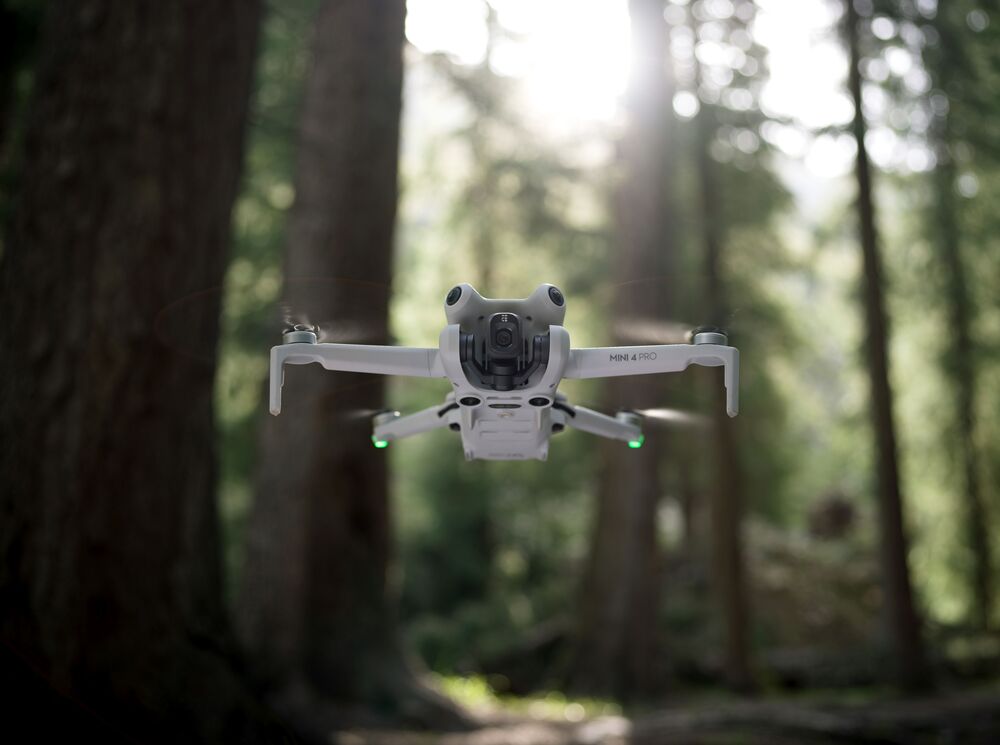
DJI Mini 4 Pro. source: mynewsdesk.com
Setup tips
First flight checklist: update firmware, pick a huge open field, and keep altitude low.
RTH altitude habit: set it before every new location and re-check after updates.
Beginner mode: start in Cine/Normal (avoid Sport until your landings are consistent).
If I were recommending one drone to a complete beginner who asked me in person — this is it. The omnidirectional obstacle sensing gives you a margin for error that downward-only sensing simply doesn’t. That margin matters more in your first month than any camera feature.
Buy it if… / Skip it if…
Buy it if you want maximum safety tech in a small drone.
Skip it if your budget is tight and you’ll only fly a few times a year.
DJI Mini 3 — Best for travel + vertical video on a simpler budget
Who it’s for
You want a lightweight travel drone that’s easy to pack and quick to deploy, with a clear path to improve your filming.
Why beginners like it
Under 249 g (Mini line positioning) so it’s easy to carry anywhere.
Vertical shooting is supported (great for social-first content).
DJI states a “downward vision system” style sensing for basic awareness during takeoff/landing.
What you give up
Obstacle sensing coverage is limited compared to the Mini 4 Pro.
Fewer advanced subject-tracking options than Mini 4 Pro (ActiveTrack 360° is listed on Mini 4 Pro).
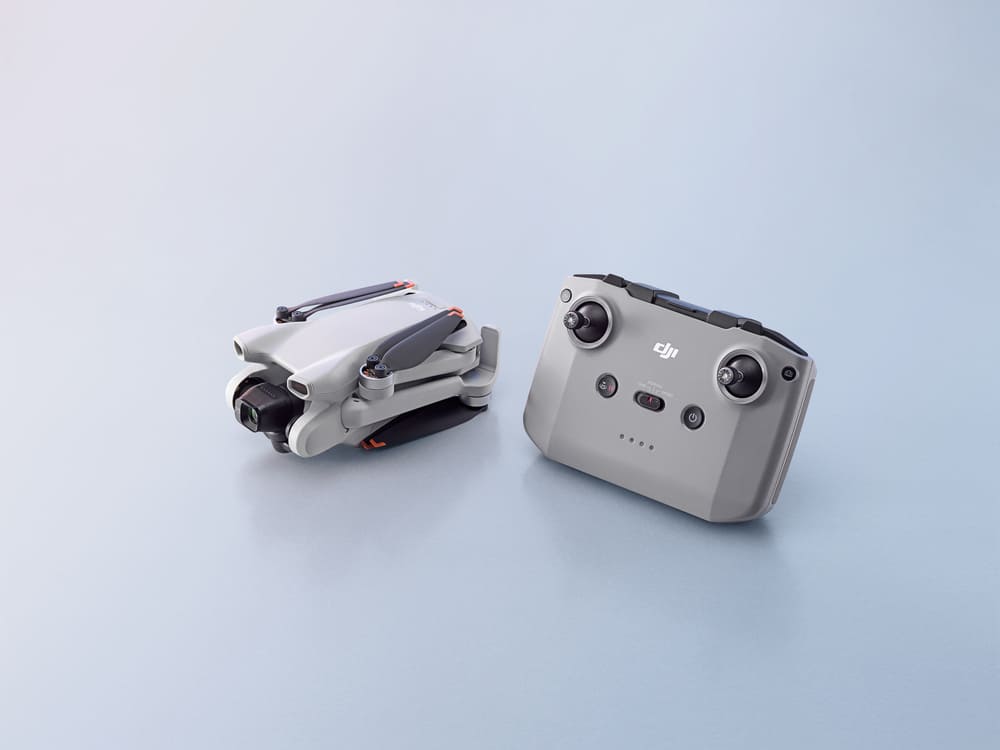
DJI Mini 3. source: mynewsdesk.com
Setup tips
First flight checklist: practice takeoff/hover/landing 10 times before you film anything.
RTH altitude habit: choose a “clear above trees/buildings” value for your area.
Beginner mode: keep speed slow; smooth inputs beat “fast and far.”
Buy it if… / Skip it if…
Buy it if you want one of the best drones for beginners for travel content and family memories.
Skip it if you expect obstacle sensing to “save” you in tight spaces.
If you’re staying budget-focused, also see Best Drones Under 500 Euro.
DJI Mini 4K — Best for budget DJI beginners who want it simple
Who it’s for
You want a reputable ecosystem and a straightforward first drone without paying for top-end tracking/sensing.
Why beginners like it
DJI Mini line weight is listed as under 249 g in DJI’s Mini comparison.
4K Ultra HD capture is listed in DJI’s Mini comparison.
Downward vision system is listed for sensing (basic support during takeoff/landing).
What you give up
Obstacle sensing is downward only — fly carefully around trees and buildings.
You’re buying “the basics,” so you may upgrade sooner if filmmaking becomes your hobby.
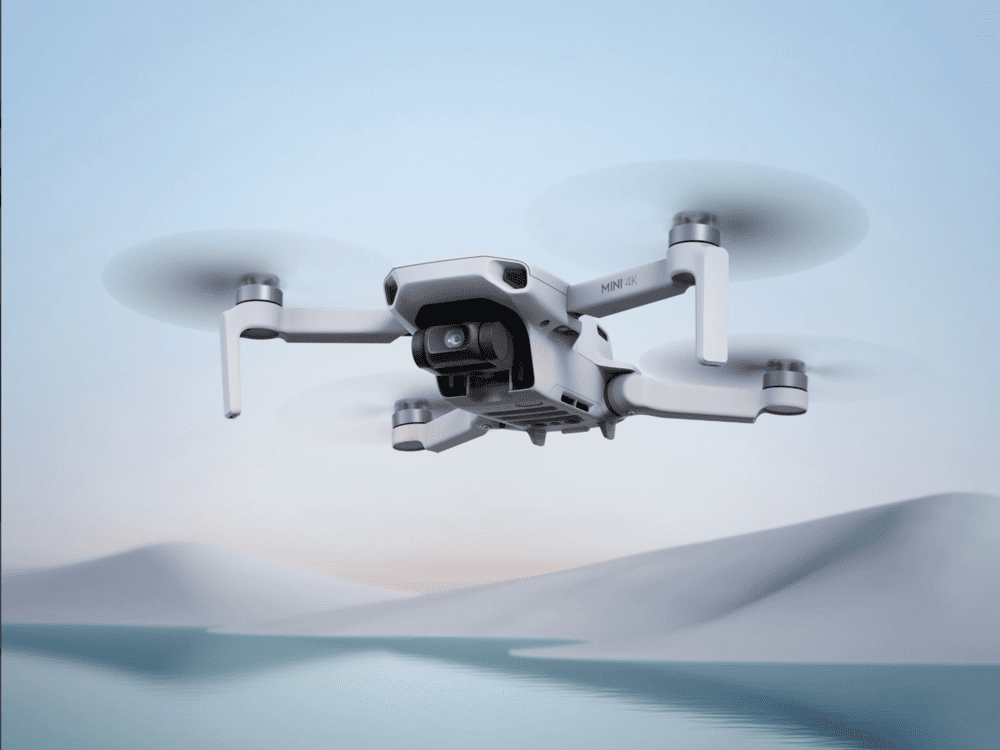
DJI Mini 4K
Setup tips
First flight checklist: fly in zero wind first; build “stick confidence.”
RTH altitude habit: set it every time you change locations.
Beginner mode: fly predictable squares and circles; don’t chase dynamic shots yet.
This is the drone I’d recommend to someone who isn’t sure yet if drones are for them long-term. It costs less than a bad decision. If you fly it for three months and love it, you’ll know exactly what to upgrade to. If you don’t, you haven’t lost much.
Buy it if… / Skip it if…
Buy it if your main goal is low-stress learning with a known brand.
Skip it if you specifically want advanced tracking (Mini 4 Pro lists ActiveTrack 360°).
DJI Air 3S — Best Drone for Intermediate & Growing Pilots
Who it’s for
You’re cautious, but you know you’ll stick with drones — and you want a platform that feels more stable and capable as your ambitions grow into commercial or cinematic work.
Why beginners like it
- Upgrades the primary camera to a full 1-inch CMOS sensor — a significant step up from the Air 3, delivering better dynamic range and cleaner footage in challenging light.
- Dual-camera system combines a 1-inch wide-angle primary with a 1/1.3-inch medium telephoto (70mm equivalent) — two creative perspectives from a single flight.
- 42GB of internal storage built in — a major practical improvement over the Air 3’s 8GB, meaning fewer card-swap interruptions on longer shoots.
- Advanced RTH, ActiveTrack 360°, omnidirectional obstacle sensing, and APAS 5.0 are all carried over from the Air 3 — the safety and intelligent flight system is the same proven platform.
- 4K/120fps in 10-bit D-Log M with 14 stops of dynamic range — footage that holds up to professional colour grading for client deliverables.
What you give up
- Not a sub-250g drone — at 724g it is CE class C1, requiring the EASA A2 CofC exam to fly near uninvolved people in Germany and across the EU. This is an online theory exam, not a practical test — but it is a real step worth planning for before purchase.
- More drone than you need for basic practice — if you’re a true beginner, start with the Mini 4 Pro and come back to the Air 3S when you’re ready for commercial work.
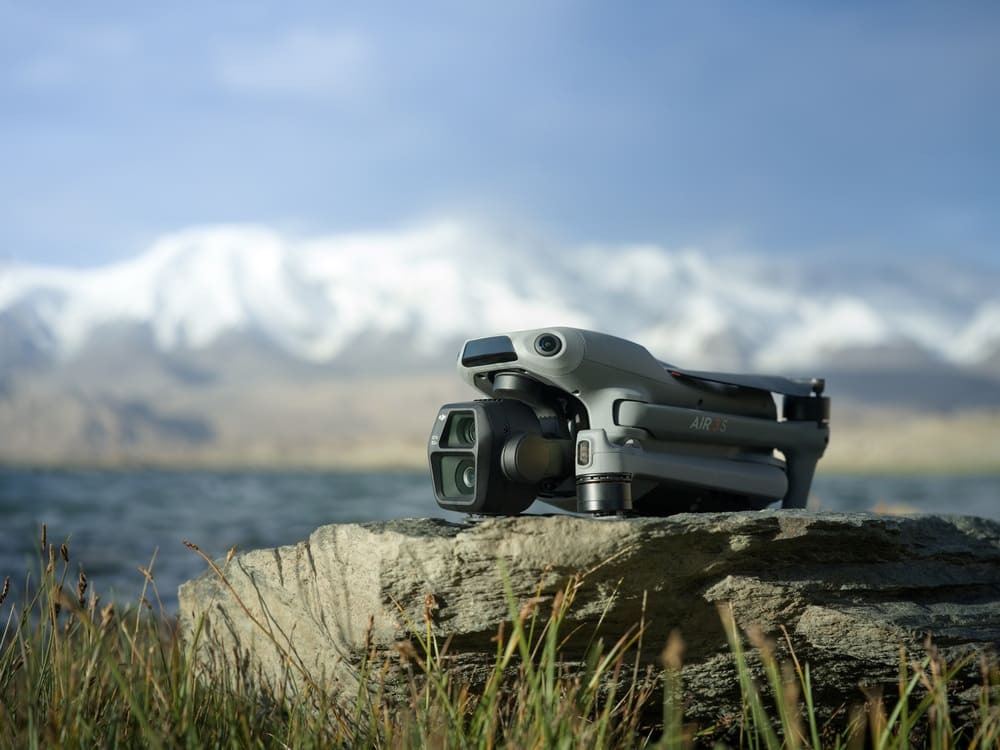
DJI Air 3s
Setup tips
- First flight checklist: treat it like a real aircraft — bigger space, slower first sessions, and run the full drone pre-flight checklist before every launch.
- RTH altitude habit: be conservative in cities — tall buildings and obstacles can surprise you; set RTH altitude higher than you think you need.
- Beginner mode: practise controlled descents and landings until they feel boring before you attempt any cinematic manoeuvres.
Buy it if… / Skip it if…
- Buy it if you want one drone that supports serious learning today and professional commercial shoots as you grow.
- Skip it if you want ultra-light travel simplicity or are still on your very first drone — the Mini 4 Pro is the better starting point.
If you want to focus toward Real Estate Photography Check our article: Best Drones for Real Estate Photography (2026)
Autel EVO Nano+ — Best for a sub-250g alternative with sensing
Who it’s for
Who it’s for: You want a compact drone under 250 g but prefer an alternative ecosystem to DJI.
Why beginners like it
Autel markets the EVO Nano+ as “Under249g.”
Front, rear and downward obstacle sensing – more coverage than most drones at this size and price.
The safety positioning is explicitly about avoiding crashes and preserving the aircraft.
What you give up
The app and tutorial ecosystem is smaller than DJI’s — you’ll find fewer YouTube walkthroughs and community guides if you get stuck.
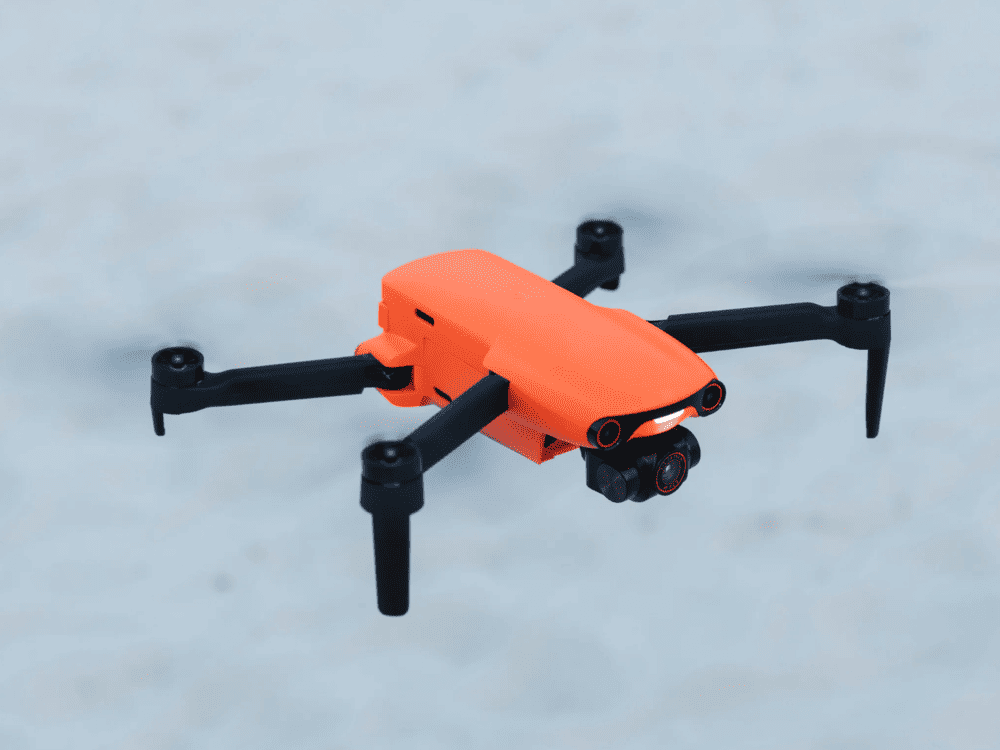
Autel EVO Nano+
Setup tips
First flight checklist: do a slow, high-hover check for drift before you fly away.
RTH altitude habit: set it like you mean it—assume you’ll need it once.
Beginner mode: if there are “Smooth/Standard/Ludicrous” style modes, start smooth.
Buy it if… / Skip it if…
Buy it if you want sub-250g size with a clear obstacle-avoidance pitch.
Skip it if you heavily rely on DJI-specific tutorials and community support.
Potensic ATOM — Best for budget learners who want GNSS + gimbal style
Who it’s for
You want to learn GPS-style flying and basic filming without paying premium prices.
Why beginners like it
Potensic markets ATOM as lightweight (< 249 g) with a stabilized 3-axis gimbal and 4K capture.
Potensic lists GNSS support (GPS + GLONASS + Galileo + BeiDou) in ATOM specs.
Potensic describes stable hovering via GNSS plus a downward vision system and infrared sensing system.
What you give up
RTH is included – set your altitude before every flight and treat it as your safety net, not your routine landing method.
Tutorial/community depth may be thinner than DJI.
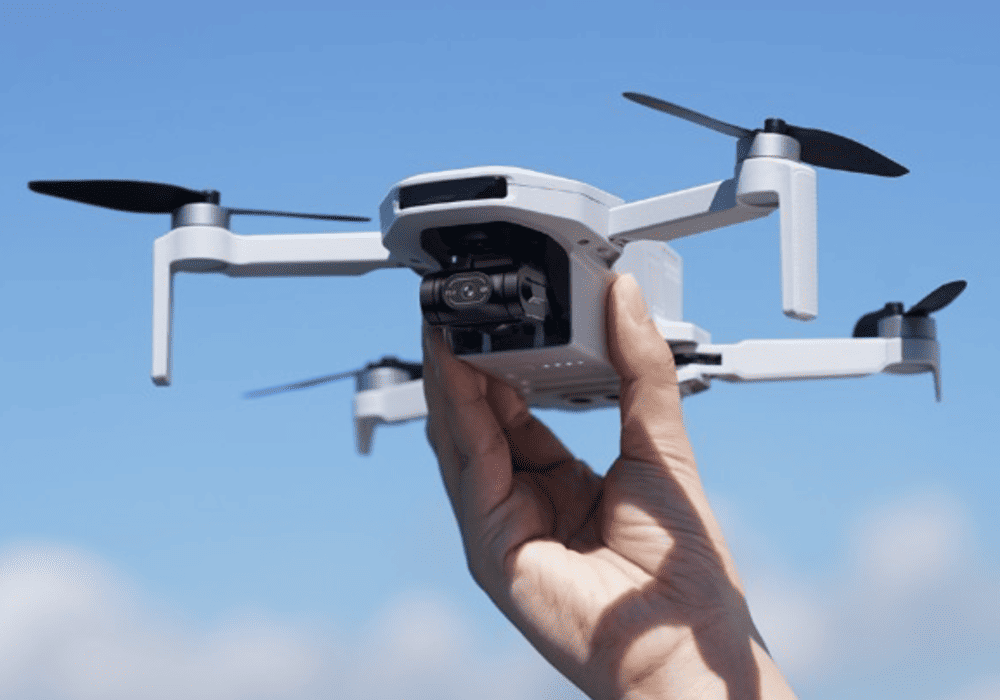
Potensic ATOM
Setup tips
First flight checklist: confirm GNSS lock, then do slow circles at low altitude.
RTH altitude habit: set it only after you understand your local obstacles.
Beginner mode: stick to slow modes until your thumbs stop overcorrecting.
Buy it if… / Skip it if…
Buy it if you want a budget-friendly “proper drone” learning experience.
Skip it if you want maximum plug-and-play support and mainstream tutorial coverage.
HOVERAir X1 — Best for hands-free “self-flying camera” content
Who it’s for
You want quick, low-effort clips of yourself (walking, cycling, family moments) without learning full drone piloting on day one.
Why beginners like it
HOVERAir describes multiple intelligent flight modes including Follow, Orbit, and more.
HOVERAir’s guide describes Follow-mode variants (e.g., classic follow and “dolly track” style options) focused on autonomous tracking.
This category is designed to reduce “pilot workload” by turning flying into mode selection.
What you give up
This is not the same as a GPS camera drone workflow (wind handling, long-range travel shots, classic RTH logic).
You’ll eventually want a GPS camera drone if you get into cinematic travel footage.
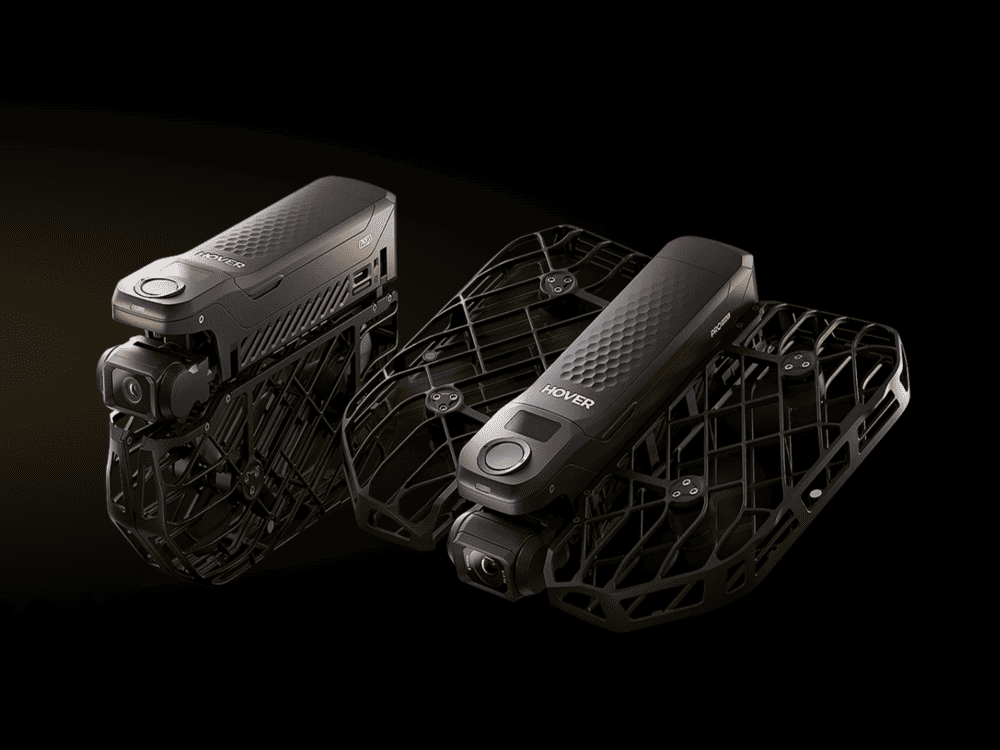
HOVERAir X1
Setup tips
First flight checklist: start outdoors in open space, even if it’s marketed as “easy.”
RTH altitude habit: not applicable in the classic GPS/RTH sense—learn the device’s safety behavior instead.
Beginner mode: pick one mode and master it before trying every mode.
Think of this less as a drone and more as a flying camera that happens to be autonomous. Once you accept that framing, it’s brilliant at what it does. Just don’t expect it to replace a GPS camera drone for landscape and travel cinematography.
Buy it if… / Skip it if…
Buy it if you mainly want hands-free “social first” content with Follow/Orbit-style clips.
Skip it if your goal is traditional drone cinematography in wind and distance.
Beginner Setup Checklist
A beginner-friendly setup is about reducing surprises: lock GPS, set RTH, slow the drone down, and practice boring moves until they’re automatic.
Charge batteries fully and label them (Battery 1/2/3).
Install the official app and create/log into your account.
Update firmware for the drone, batteries, and controller (do this at home on Wi‑Fi).
Insert a known-good microSD card (format it in the drone/app).
Do a physical check: props seated correctly, no cracks, gimbal cover removed.
Go to a wide open field (no people, no trees, no power lines).
Power on and wait for GPS/GNSS lock (enough satellites for stable positioning).
Set your Return-to-Home (RTH) altitude conservatively for the location.
Enable Beginner mode (if available) and select Cine or Normal mode.
Take off, hover 30 seconds, then land—repeat 3 times to build confidence.
Practice slow yaw (rotate) while holding position.
Practice forward flight + gentle braking (learn the “stop/pause” behavior).
Practice a manual RTH trigger at low distance (so it feels familiar).
Review footage, then change one setting at a time (sharpness/exposure) once you’re stable.
What Beginners Should Avoid
Flying in wind too early: Start in calm conditions and build up gradually.
Relying on obstacle avoidance too much: Treat sensing as backup, not autopilot.
Forgetting RTH altitude: Set it every new location; trees/buildings change.
Flying over people/property: Keep your first month in open areas only.
Using Sport mode immediately: Sport is for later; it’s harder to stop smoothly.
Not bringing spare props: A tiny chip can ruin stability; pack spares.
Bad microSD card: Use a reputable card and format it in the drone.
Indoor flight without proper stabilization: Indoors can confuse sensors; go slow and use prop guards.
Low battery pressure: Don’t “stretch it”—land early until you know your drone.
Overconfidence on day 1: Skill compounds; boring practice beats risky shots.
Frequently Asked Questions
What is the best drone for beginners in 2026?
DJI Mini 4 Pro is a top all-around pick because DJI lists omnidirectional obstacle sensing plus creator-friendly features like ActiveTrack 360° and vertical shooting. If that’s over budget, DJI Mini 3 or Mini 4K are simpler entry points with fewer advanced sensing features.
Do I need obstacle avoidance as a beginner?
You don’t need it to learn, but it can prevent expensive mistakes when your depth perception and orientation aren’t trained yet. DJI lists a major difference in sensing coverage between downward-only sensing (Mini 3/Mini 4K) and omnidirectional sensing (Mini 4 Pro).
Is a controller better than phone-only control?
For most beginners, yes: a controller gives you more precise, repeatable inputs and reduces distractions. Phone-only control can be fine for short, hands-free modes, but it’s not the best way to learn “real” piloting.
How much should a beginner spend?
Spend enough to get GPS/GNSS stability, reliable RTH behavior, and a camera you’ll actually use, then stop. If you want a budget cap, start with Best Drones Under 500 Euro and pick the safest option inside your range.
Can a beginner fly a drone indoors?
You can, but it’s a higher-risk environment: walls arrive fast and sensors can behave differently in low light. If you do it, use prop guards, fly slowly, and keep the drone far from people and fragile objects.
What happens if GPS drops?
Many drones will switch behavior when satellite positioning is weak (for example, drifting more and relying on vision sensors if available). Your safe move is to climb slightly (if clear), slow down, and bring it back manuallydon’t assume RTH will behave the same without strong positioning.
How many batteries do I need?
Two is the practical minimum for learning (one in the drone, one charging), and three is ideal for a real practice session. More batteries also reduce the temptation to fly “too low” just to squeeze time out.
What camera specs matter for a first drone?
Stabilization and consistency matter more than big numbers. DJI highlights vertical shooting on Mini 3/Mini 4 Pro for social content workflows, which can matter more than small resolution differences for beginners.
What’s the easiest way to get cinematic footage as a beginner?
Fly slower than you think you should, use Cine mode, and keep your turns wide and gentle. Then learn 3–5 repeatable shot types (reveal, orbit, pull-away).
Conclusion
The best beginner drone is the one you actually fly – not the one with the most impressive spec sheet gathering dust because the learning curve felt too steep.
Start with safety systems, not camera quality. Set your RTH altitude before every flight. Practice in open spaces until takeoff and landing feel boring. Then start worrying about cinematic moves.
The DJI Mini 4 Pro is the safest starting point for most beginners. The DJI Mini 4K is the right call if budget is the priority. The HOVERAir X1 is the right choice if you want clips of yourself without the learning curve of full drone piloting.
Whichever you choose – your first month will feel harder than you expected and more rewarding than you expected. Both at the same time. That’s normal. Stick with it.
Once you’ve chosen your drone, the Complete Drone Videography Guide is the natural next read — it covers camera settings, shot types, EU regulations, and how to turn your flights into passive income, built specifically around the DJI drones featured in this guide.
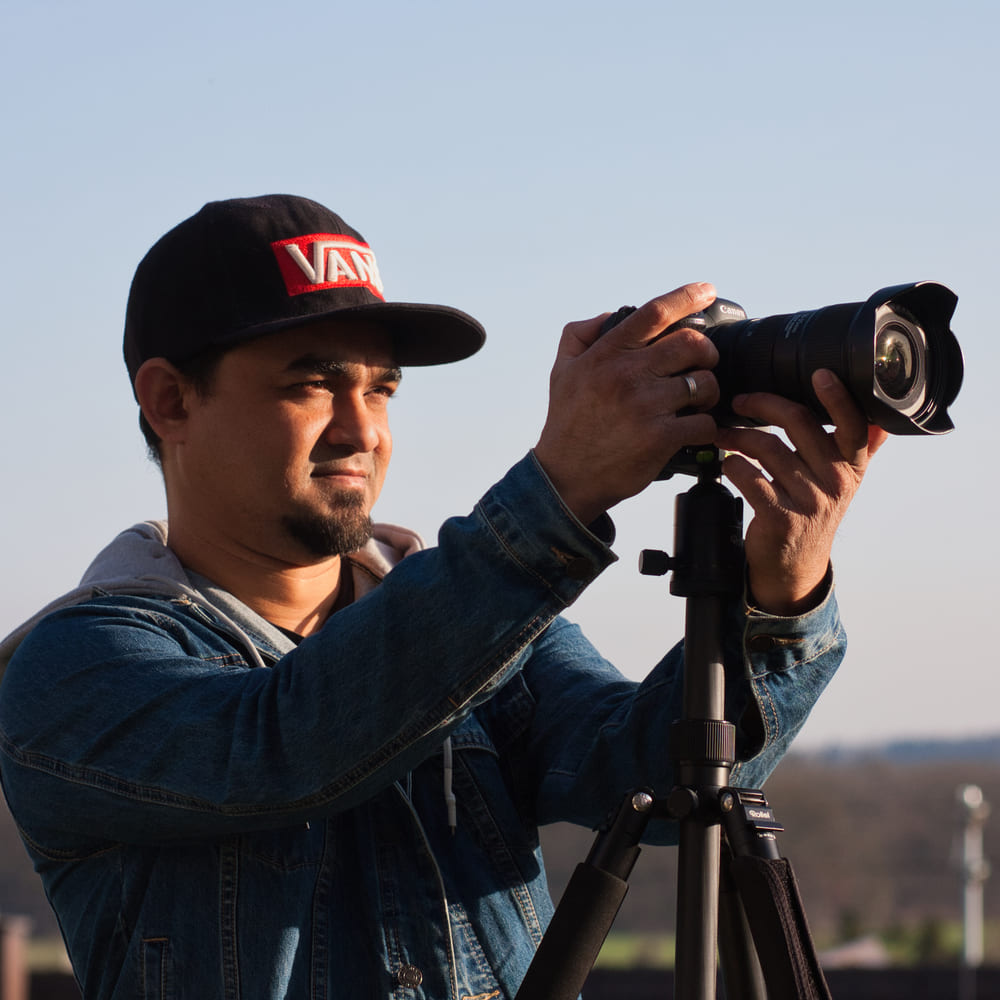
Dipon is a drone and timelapse cinematographer based in Ulm, Germany, with over 15 years of experience turning real spaces and projects into cinematic visuals. With a background in digital marketing, every shot is planned with a clear purpose — where it will appear, who will see it, and what it should help them decide.
You May Also Like

The Complete Drone Videography Guide (2026)
Best ND Filters for Timelapse: Strength Guide & Picks

Best Drones Under 300 Euro 2026: Entry-Level Options That Actually Deliver
Manual Drone Camera Settings: ISO, Shutter, Aperture Explained
Drone Pre-flight Checklist for Beginners: Safety System for Confident Flights
Drone Flying Tutorial : Beginner to Confident Pilot
Best Drones Under 500 Euro (2026) – Top 6 Budget Camera Drones

Best Drones for Real Estate Photography
DJI Mini 5 Pro Review (2026): The Ultimate Travel Drone?
Best Drones for Photography 2026: The Ultimate Buyer’s Guide
Need help capturing aerials for your next project but not ready to invest in the gear yet? Check out our Drone Videography to see how Aero Timelapse Studio can help elevate your production.