
Timelapse Stock Footage Metadata (2026): How to Title, Tag & Describe Clips
Dipon | March 2026
Table of Contents
- Intro
- The 3 Parts of Stock Footage Metadata
- How to Write a Title That Gets Clicks
- Keyword Strategy: Think Like a Buyer
- Writing Descriptions That Convert
- The Timelapse Metadata Advantage
- Platform Differences: One Metadata Set or Multiple?
- 12 Common Metadata Mistakes (and Quick Fixes)
- FAQ
- Where to Start: One Concrete Action
Affiliate Disclosure
This guide contains affiliate links. Purchases made through these links support Aero Timelapse Studio at no additional cost to you. I only recommend products I personally use or carefully research. As an Amazon Associate I earn from qualifying purchases.
Let me be direct with you: the footage isn’t the problem. I’ve seen technically flawless 4K timelapses — hours of setup, perfect light, motion-controlled camera moves, earn almost nothing for years. Meanwhile a simple locked-off city timelapse with strong metadata earns every single month. The difference, almost every time, is metadata.
Stock platforms like Pond5, Shutterstock, and Adobe Stock are search engines first and marketplaces second. When a buyer types “city skyline timelapse golden hour,” the algorithm returns results ranked by metadata relevance — not by how beautiful your thumbnail looks, and not by how many hours you spent on location. The clip with the precise, buyer-focused title gets found. Your carefully crafted timelapse with a vague title sits at page 47.
This guide walks through exactly how to fix that – specifically for timelapse footage, which has its own metadata rules that generic stock advice doesn’t cover. Whether you’re uploading your first batch or refreshing a portfolio of 200 clips, the principle is the same: write metadata from the buyer’s perspective, not from the perspective of someone who just spent three hours in the cold setting up a timelapse shot. If you’re still working out how to turn footage into consistent income – pricing, platform strategy, what actually sells – the full timelapse stock footage earning guide covers all of that.
The 3 Parts of Stock Footage Metadata
1. The Title
The title is your primary search signal. It’s the first thing the algorithm reads and the first thing a buyer scans when they’re comparing results. Buyers search by subject + action + location + context — they’re not searching for poetry.
“Timelapse of Munich city centre at dusk, Germany” will consistently outperform “Beautiful evening over the city.” The first tells a buyer exactly what they’re getting. The second tells them nothing except that you think it looks nice.
What to avoid: Vague or generic phrasing, keyword stuffing, all-caps, duplicate titles across clips, and promotional superlatives like “amazing” or “stunning.” Platforms treat these as low-quality signals, and honestly, they are.
2. The Description
The description is your secondary search signal and your buyer-trust mechanism. It gives context to confirm the clip matches a project before someone commits to a license. Think of it as the brief conversation a buyer has with the footage before they click purchase.
Structure it in layers: lead with what the clip literally shows, add use-case context in the middle, end with technical specs. Keep it focused — 2 to 3 sentences is usually enough. Don’t pad it.
What to avoid: Copy-pasting the title as the description (it wastes the entire field), walls of unbroken text, and jargon that means nothing to a buyer searching for b-roll.
3. Keywords / Tags
Keywords match buyer searches to your clip. Think in categories: subject, motion, location, time of day, mood, industry use case, and technical specs. Quality matters more than quantity — irrelevant keywords waste slots and can actively hurt discoverability if platforms flag your clip for stuffing.
Fill your allowed keyword limit with accurate, varied, buyer-relevant terms. Every empty slot is a search query you won’t appear in.
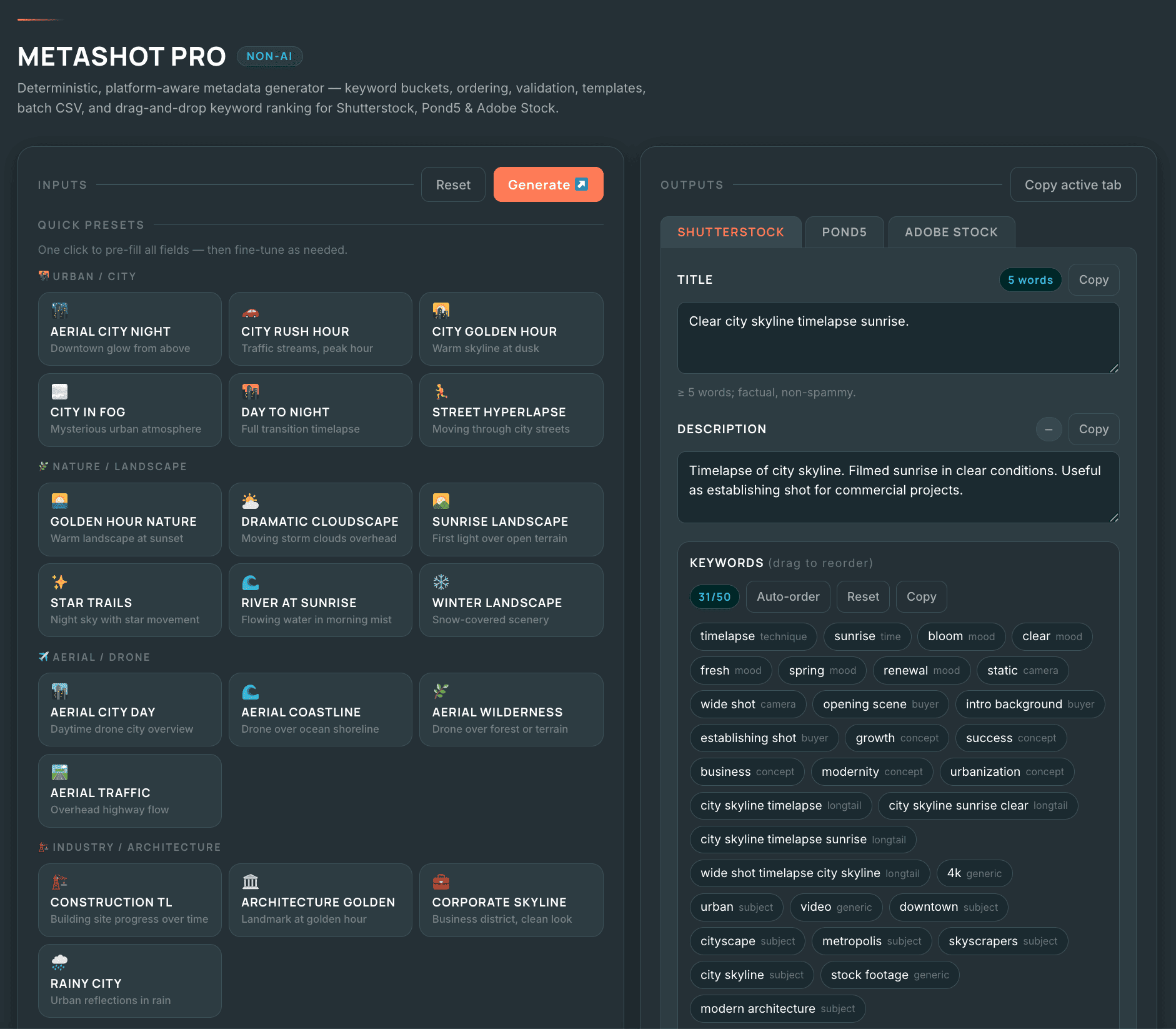
🛠️ Want to skip the manual work? The free Metadata Generator builds a platform-ready title, description, and keyword set for timelapse clips in under two minutes — use it as a starting point, then personalise.
How to Write a Title That Gets Clicks
Here’s the formula I keep coming back to. Not every element applies to every clip, but covering as many as accurately fit produces consistently stronger titles.
| Element | What It Describes | Example (Timelapse) |
|---|---|---|
| Primary subject | What is physically in frame | City skyline, storm clouds, ocean waves |
| Action / motion | What is happening | Timelapse, hyperlapse, time-lapse |
| Location | Specific or general | Munich, Germany; European city |
| Time / light | When or under what conditions | Blue hour, golden hour, day to night |
| Mood or tone | Feel of the clip | Cinematic, dramatic, peaceful, serene |
| Use-case hint | What project it serves | Establishing shot, b-roll, loopable background |
| Technical quality | Resolution or method | 4K, motion control, locked off |
Worked Examples
- Time-lapse of city skyline at blue hour, traffic light trails, loopable, 4K
- Hyperlapse through crowded city street market, fast motion, cinematic b-roll
- Time-lapse of storm clouds rolling over mountain range, dramatic sky, day to night
What Not to Do
Anti-example: Beautiful footage clip 0042.mp4 — This fails on every level. It uses the camera filename, adds a vague adjective instead of a subject, and tells neither the algorithm nor the buyer what the clip contains. A buyer searching “ocean waves timelapse” will never see this.
A practical title length is 5 to 15 words, or roughly 40 to 80 characters. Always check contributor guidelines per platform — Pond5 heavily indexes the title field, making longer descriptive titles especially valuable there.
Keyword Strategy: Think Like a Buyer
Here’s the mental shift that separates high-earning contributors from everyone else: buyers search for what they need, not what you shot. A marketing team looking for background video types “city timelapse loop” – not “urban atmosphere cinematic.” Write for the person staring at a brief, not the person who spent a cold night on a rooftop getting the shot.
| Category | What It Covers | Example Keywords |
|---|---|---|
| Subject | Main content in frame | city, skyline, clouds, ocean, construction |
| Motion / time | What is moving or changing | timelapse, time-lapse, hyperlapse, loopable, day to night, time passing |
| Location | City, region, country | Munich, Bavaria, Germany, European city |
| Time / weather | When captured | golden hour, blue hour, dusk, overcast, storm |
| Mood / style | Atmosphere and feel | cinematic, dramatic, peaceful, serene, dynamic |
| Industry / use case | Who uses it and how | b-roll, establishing shot, documentary, corporate, social media |
| Technical | Method or resolution | 4K, UHD, motion control, locked off, long exposure, interval |
| Emotion | Emotional quality | energetic, contemplative, fast-paced, tranquil |
⚠️ Note: 4K, UHD, and camera brand names are excluded from Adobe Stock keywords per their official contributor guidelines. Use them freely on Shutterstock and Pond5.
Key Keyword Principles
- Singular and plural: include both where natural (“building” and “buildings”). Platforms don’t always stem keywords automatically.
- Layered location: use specific + regional + generic (“Munich” + “Bavaria” + “Germany” + “European city”). This captures buyers at every specificity level.
- Buyer language, not creator language: buyers search “city timelapse loop,” not “urban atmosphere cinematic.”
- Avoid: trademarked names, misleading location tags, and repeated keywords that waste available slots.
If you want a faster starting point, the free metadata generator builds a weighted keyword set for timelapse clips automatically.
Writing Descriptions That Convert
A good description does two jobs: it supports search indexing as a secondary keyword signal, and it gives the buyer enough confidence to click “License.” Think of it as a 3-act structure in miniature.
- Open with a factual sentence describing exactly what the viewer sees (subject + action + context).
- Follow with a use-case sentence — what type of project is this clip suited for?
- End with a brief technical note (resolution, frame rate) if relevant to buyer decisions.
Two Worked Examples
Drone timelapse clip:
Aerial timelapse of Munich city centre at blue hour, captured by drone at 4K/24fps. Ideal for corporate explainers, travel content, and documentary establishing shots. Includes light trails from traffic below.
Construction site clip:
Wide-angle time-lapse of an active construction site showing crane operations and workers over a full working day. Suitable for industrial documentaries, business presentations, and urban development content. Shot in 4K at ground level with a wide 16mm equivalent lens.
The Timelapse Metadata Advantage
Timelapse footage sits in a specific, high-demand category on every major stock platform — but only if your metadata actually signals that. Most generic stock metadata guides treat timelapse as just another video clip. It isn’t. Buyers searching for timelapse content use completely different search terms, filter differently, and have different project needs than buyers searching for standard video. A clip tagged “city video” misses every single one of them. This is the most common and most costly mistake I see in timelapse contributor portfolios.
The core issue: “timelapse” and “time-lapse” are both actively searched, and neither is obviously wrong. Use both. Every time.
Always Include These Motion Keywords
- time-lapse and timelapse (both spellings are searched — include both)
- hyperlapse if the camera moved through space during capture
- time passing, day to night, loop ready, loopable — where accurate
- Traffic trails, star trails, cloud movement, sun arc — the specific motion visible in frame
Name What You Shot, Not Just What's in Frame
A locked-off city timelapse and a motion-controlled timelapse are different products to a buyer. Title and tag them differently. Here’s a before/after example:
| Before (weak) | After (strong) |
|---|---|
| City at night video | Aerial drone timelapse, city skyline at blue hour, light trails, 4K |
| Sky clouds moving | Time-lapse of storm clouds moving over mountain range, dramatic sky, loopable |
| Busy street footage | Hyperlapse through crowded urban street market, fast motion, cinematic b-roll |
| Sunset drone shot | Aerial drone timelapse, golden hour sunset over coastline, slow motion, 4K UHD |
The “after” versions aren’t longer for the sake of it — each added word is a new search query you can appear in. The technique keyword (timelapse, hyperlapse), the light condition (blue hour, golden hour), and the format signal (loopable, 4K) are all things buyers actively filter by.
Platform Differences: One Metadata Set or Multiple?
The core principle is simple: build one strong master set, then adapt per platform. Your foundational metadata — subject, location, motion, use case — can and should be consistent. What changes is how you weight and format it per platform.
- Pond5: indexes both title and description heavily. Treat both fields like additional keyword space and fill them richly.
- Shutterstock: requires a minimum title of five words and between 7 and 50 keywords. Explicitly disallows promotional superlatives in titles.
- Adobe Stock: accepts 5 to 49 keywords and places emphasis on accurate, literal description of what is actually depicted.
Not sure which platform to prioritise first? The Pond5 vs Shutterstock guide breaks down earnings rates, exclusivity trade-offs, and which platform consistently performs better for timelapse specifically.
A practical workflow: write your best metadata once as a master template, save it, then do one light tailoring pass per platform before uploading. The 10 minutes this takes per batch is recovered quickly in improved discoverability.
12 Common Metadata Mistakes (and Quick Fixes)
I’ve made most of these mistakes myself at some point. They’re listed roughly in order of how much they cost you.
- Using the camera filename as the title. Replace it immediately with a subject + action + location + condition title.
- Writing a description that repeats the title. Use the description to add use-case context and technical details.
- Using 5 to 10 keywords when the platform allows 30 to 50. Empty slots are discoverability you’ve left on the table.
- Keyword stuffing with irrelevant terms. Platforms can penalise clips for this. Every keyword must honestly describe what’s in frame.
- Ignoring use-case keywords. Searches like “b-roll corporate” or “establishing shot travel” are high-value terms most contributors miss.
- Not including location layers. Use specific + regional + country + generic descriptor (“Munich” + “Bavaria” + “Germany” + “European city”).
- Missing mood and emotion keywords. Terms like “dynamic,” “serene,” and “energetic” help buyers filter by tone, not just subject.
- Forgetting technical filter keywords. “4K,” “aerial,” “Timelapse,” “hyperlapse,” “loopable” are all actively filtered by buyers.
- Copy-pasting identical metadata across a whole batch. Even similar clips differ in light condition or composition. Tailor at minimum the title and first 10 keywords.
- Using trademarked or protected landmark names incorrectly. When in doubt, use a generic descriptor and check current contributor guidelines.
- Never revisiting old metadata. Your oldest clips are most likely underperforming on outdated keyword sets. A metadata refresh is the highest-ROI task you can do this week.
- Skipping the description entirely. Even platforms that weight titles most heavily still index descriptions. A blank description signals low effort to review teams.
Frequently Asked Questions
Does metadata really affect stock footage sales?
Yes — and more than most contributors expect. Platforms rank clips on metadata relevance, not visual quality. Two identical clips with different metadata can produce dramatically different download rates. I’ve seen this play out in my own portfolio more times than I can count.
How many keywords should I use?
Fill as much of the platform’s allowed limit as you can with accurate, relevant terms. Pond5 allows up to 50; Shutterstock accepts 7 to 50; Adobe Stock accepts 5 to 49. Aiming for 20 to 30 well-chosen keywords is a solid baseline, but use the full limit whenever you can fill it honestly.
Does the title or keywords matter more?
Both matter, but they serve different functions. The title is the primary search and click signal — what buyers see first and what most platforms weight most heavily. Keywords extend your surface area across long-tail and secondary searches. Get the title right first, then fill keywords thoroughly.
Can bad metadata actively hurt sales?
Yes, in two distinct ways. First, thin metadata means your clip simply doesn’t appear in searches — zero visibility means zero downloads. Second, irrelevant or stuffed keywords can trigger platform demotion, pushing your clip below cleaner competitors. Bad metadata isn’t neutral; it’s a liability.
How long does it take for metadata updates to affect downloads?
Platforms don’t publicise their re-indexing timelines, but practically speaking, most update within days to a few weeks of a metadata change. Refreshing metadata on underperforming older clips is one of the fastest levers available to improve earnings without shooting anything new.
Where to Start: One Concrete Action
Here’s what I’d suggest: open your timelapse portfolio right now and sort by lowest earnings. Pick the worst-performing clip that you know is genuinely good footage – the one where you nailed the interval, the light was perfect, and the motion looks exactly how you planned it. Now look at its title. Does it say “timelapse”? Does it specify the technique (locked-off, hyperlapse, motion-controlled)? Does it include the location, the light condition, and at least one use-case keyword?
If the answer is no to any of those, fix it today. That single clip is your proof of concept. Once you see it move up in search results and start earning, you’ll have all the motivation you need to work through the rest of the portfolio.
Metadata isn’t glamorous work. It doesn’t feel as satisfying as nailing a perfect golden hour timelapse. But it’s the work that determines whether anyone ever sees the footage you already have. Start there.
When you’re ready to go beyond metadata and build a real stock footage income, start with our guide to Make Money Selling Timelapse Stock Footage
Free tool: The AeroTimelapse Stock Footage Metadata Generator generates platform-ready titles, descriptions, and keyword sets in under two minutes. Use it as a starting point, then review and personalise before publishing — no tool can replace your direct knowledge of what’s actually in the clip.
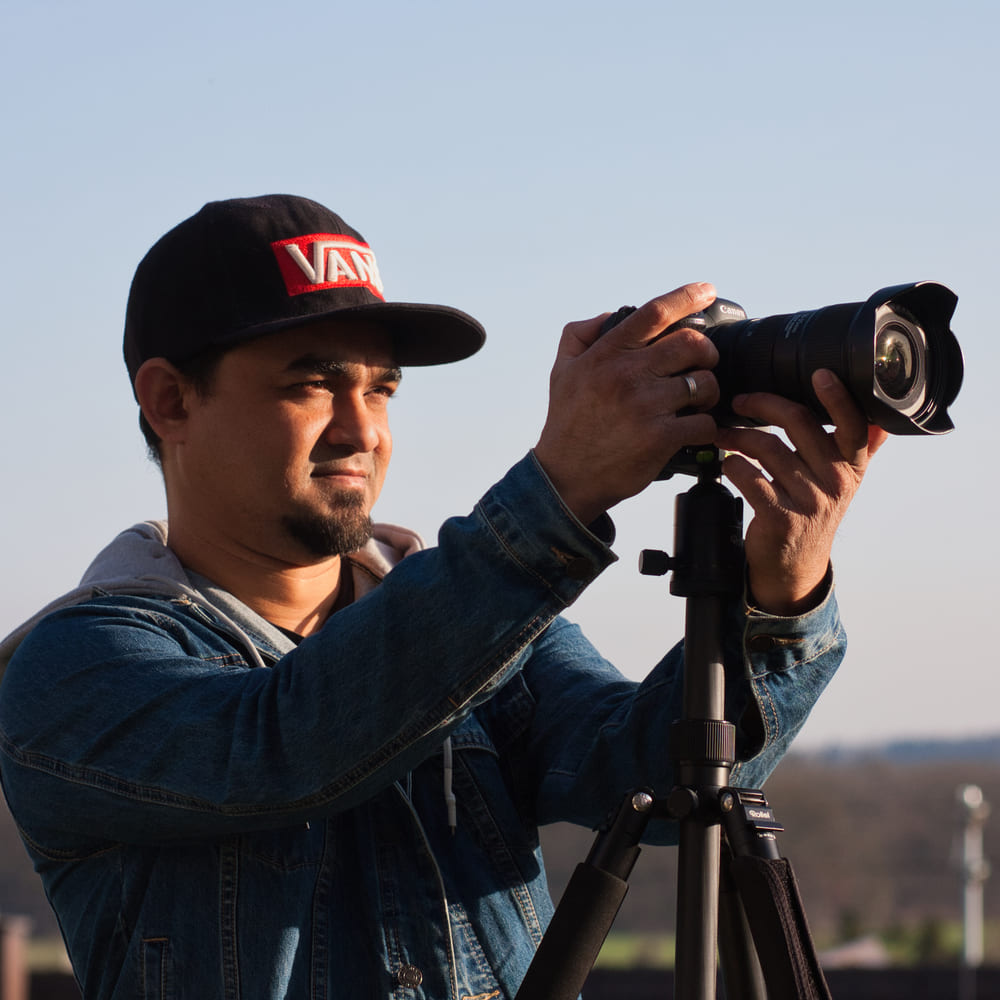
Dipon is a drone and timelapse cinematographer based in Ulm, Germany, with over 15 years of experience turning real spaces and projects into cinematic visuals. With a background in digital marketing, every shot is planned with a clear purpose — where it will appear, who will see it, and what it should help them decide.
You May Also Like

Milky Way Timelapse: Settings, Gear & Locations

The Complete Drone Videography Guide (2026)
Best ND Filters for Timelapse: Strength Guide & Picks
Manual Drone Camera Settings: ISO, Shutter, Aperture Explained

Timelapse Interval Guide : Pick the Right Interval Fast

Best Stock Platforms for Timelapse: Pond5 vs Shutterstock (2026 Guide)
Drone Flying Tutorial : Beginner to Confident Pilot

What Timelapse Sells: Best Timelapse Subjects for Stock Footage

Timelapse Stock Footage Earnings: $3K/Month Case Study
Make money selling timelapse stock footage

7 Timelapse Mistakes Beginners Make

Ultimate Timelapse Photography Tutorial: Settings, Techniques & Gear
Need help capturing professional timelapse for your next project but not ready to invest in the gear yet? Check out our Timelapse Video Production service to see how Aero Timelapse Studio can help elevate your production.