
Make Money Selling Timelapse Stock Footage: 90-Day Plan
Dipon | February 2026
Table of Contents
Affiliate Disclosure
This guide contains affiliate links. Purchases made through these links support Aero Timelapse Studio at no additional cost to you. I only recommend products I personally use or carefully research. As an Amazon Associate I earn from qualifying purchases.
Did you know the global stock video market is growing at nearly 12% annually and is projected to reach $9.98 billion by 2032? Yet most timelapse photographers have no idea how to tap into this demand [verifiedmarketresearch.com]. While countless creators spend thousands on equipment chasing YouTube sponsorships, there’s a simpler income stream waiting: selling timelapse footage on stock platforms where it generates passive income month after month.
The reality is that stock footage licensing is one of the most underserved yet consistently profitable opportunities for content creators today. Unlike YouTube, where algorithm changes devastate channels overnight, stock platforms provide steady, predictable earnings for creators who understand the mechanics.
Here's what you'll discover in this guide:
You’ll learn exactly how stock footage monetization works, why timelapse is uniquely positioned as high-demand and low-competition, and the realistic income potential at different experience levels. We’ll break down which platforms pay best and when to use exclusive versus non-exclusive licensing strategies. You’ll get a clear 90-day action plan to upload your first profitable clips, master the metadata system that determines discoverability, and understand why certain timelapse subjects consistently outsell others by 10-to-1 margins.
Most importantly, you’ll learn why 10-15% of creators hit $1,000+ monthly while 85% earn next to nothing and exactly how to position yourself in that profitable minority.
Whether you’re a timelapse photographer monetizing your passion, a filmmaker with unused footage, or a beginner curious about passive income, this guide gives you everything needed to start earning immediately.
If you want real proof that this can scale, read my case study: Timelapse Stock Footage Earnings: $3K/Month Case Study. It breaks down the clip targets, timelines, and platform mix behind realistic four-figure stock income.
The Opportunity and Why Timelapse Matters
What Is Stock Footage Licensing, and Why Should You Care?
Stock footage licensing is the practice of uploading video content to platforms where buyers search for specific shots, license them, and you earn a percentage commission on each sale. Unlike client work (one video, one client), stock footage gets licensed repeatedly across different projects, generating ongoing income.
When I started uploading timelapse to stock platforms, I expected it to feel like a business decision. Instead, my first three months felt like shouting into a room with no one in it. No sales, barely any views, and a growing suspicion that the whole thing was overhyped. Then month four happened. A morning clip sold twice in the same month. Then 4 other clips sold the month after. The income was still small*,** but the pattern was clear: the clips weren’t getting worse, the platform was just taking time to index and promote them. Everything I tell you about the 4–6 month patience window comes from sitting through that silence myself.
Timelapse is particularly valuable because it’s visually distinctive, difficult to replicate quickly, and extremely in-demand for marketing, real estate, documentaries, and corporate videos. A well-shot sunset timelapse or construction sequence can generate income for years after initial upload.
The magic is passive income: once uploaded and optimized, your clips work for you while you sleep. You’re not trading time-for-money like a freelancer; you’re leveraging work you’ve already completed to generate ongoing revenue.
Why Timelapse Stock Footage Demand Is Booming
The timelapse opportunity exists at the intersection of two powerful trends: video content demand has exploded across all industries, and timelapse supply is severely undersupplied relative to demand.
Every company now needs videos for marketing, social media, websites, and internal communications. This creates a permanent, growing buyer pool looking for affordable, high-quality stock footage rather than shooting custom content. Meanwhile, while stock platforms house millions of standard video clips, timelapse remains niche. Most creators ignore it or treat it as a side project. This undersupply is your advantage.
The numbers back this up: the stock video market grew $1.2+ billion in 2024 alone and continues accelerating [verifiedmarketresearch.com]. Construction timelapse specifically is experiencing surge demand from real estate companies, project management firms, and architectural firms that use these clips for marketing, investor relations, and project documentation.
Who Actually Makes Money from Stock Footage?
Approximately 10-15% of active stock creators hit $1,000+ monthly, which is meaningful passive income. Most creators earn between $100-$500 monthly if they stay consistent for 6+ months. The top 5% earn $3,000+ monthly.
The difference between the 85% and the 15% isn’t talent—it’s knowledge about what sells, proper metadata optimization, and understanding that timelapse stock is a numbers game. Successful creators build 500-1,000+ clips in portfolio, which creates momentum. One experienced timelapse creator shared that after years of building a portfolio, they earn approximately $3,000 monthly from stock footage licensing despite no longer actively producing new clips [timelapsenetwork.com]. A single Frankfurt construction timelapse generated €4,000 across multiple platforms. These aren’t flukes; they’re the result of systematic portfolio building and smart platform selection. Want the full breakdown and a replicable blueprint? Read the $3K/month timelapse stock footage earnings case study
How Stock Footage Monetization Actually Works
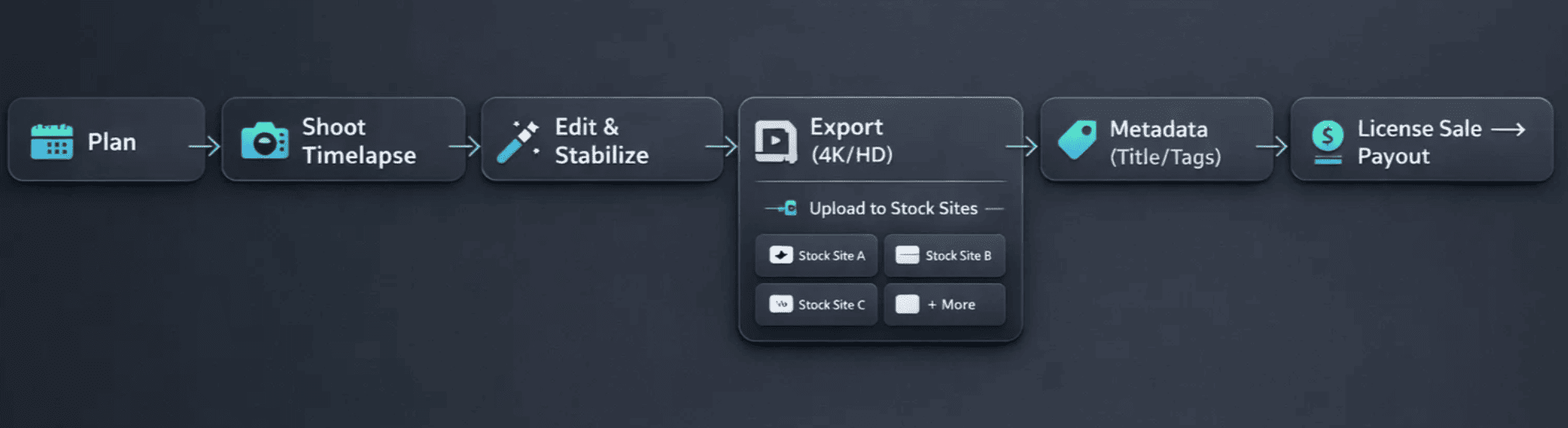
The Mechanics: From Upload to Payment
Stock footage operates on a commission-based model. A buyer licenses your clip through a platform, paying a licensing fee ($10-$100+ depending on usage rights). The platform takes a percentage, you receive the remainder as commission. Some platforms use tiered commissions where your percentage increases with sales volume. Others offer flat rates regardless of sales.
Here’s how the money flows: When a buyer licenses your clip, the platform receives a licensing fee. Your share depends on the platform’s structure:
- Pond5 non-exclusive: You earn 30% of the license fee
- Adobe Stock: You earn a flat 35% on video sales
- Shutterstock: You earn 15%-40% depending on your sales tier
Payment processing is straightforward. Most platforms pay monthly via PayPal, Payoneer, or Skrill with minimum thresholds ($25-35) before payments process. You’ll typically see your first earnings 30-60 days after uploading, which is how long it takes for platforms to index and promote fresh content.
The key insight: you’re not getting paid a flat fee per clip. You’re earning a percentage of every license sale that clip generates. One viral clip can generate hundreds of dollars over time. An overlooked clip might never sell. This is why metadata and subject selection matter so much.
Platform Commission Comparison: Where You Actually Make Money
Not all platforms are created equal. Here’s the breakdown of the major platforms competing for your timelapse footage:
| Platform | Exclusive commission | Non-exclusive commission | Minimum payout | Best for |
|---|---|---|---|---|
| Pond5 | 40% | 30% | $25 | Beginners & diversified portfolios |
| Adobe Stock | N/A | 35% (flat) | $25 | Professional creators with premium content |
| Shutterstock | Up to 40% (tiered) | 15%–40% (tiered) | $35 | High-volume producers |
| Getty Images / iStock | 20%–40% | 20%–40% | Varies | Premium, unique timelapse content |
Pond5 is the beginner’s sweet spot. Non-exclusive contributions earn a consistent 30% commission, meaning you keep $30 of every $100 sale. Exclusive contributors earn 40%, doubling your per-sale earnings. Pond5 has strong traffic and high discoverability for new content, making it ideal if you’re building your first portfolio. The $25 minimum payout threshold is the lowest in the industry.
Adobe Stock offers a flat 35% on all video sales, which simplifies planning. More importantly, Adobe Stock integrates directly into Creative Cloud apps (Premiere Pro, After Effects, Photoshop). This means professional editors can discover and license your timelapse directly while working, frictionless discovery. Per-download earnings average $0.33-$3.30, higher than competitors.
Shutterstock processes the most volume of any platform. Its tiered commission structure means you start at 15% but progressively earn more (up to 40%) as you hit download milestones. For prolific creators uploading 500+ clips, the tiered model eventually pays significantly more than flat-rate competitors.
Getty Images/iStock operates as a premium marketplace with selective submission policies. Commissions are lower (20%-40%), but your content reaches high-value enterprise buyers. This works best if you have genuinely exceptional timelapse footage.
source: [pond5.com]
Recommendation:
For most beginners, Pond5 non-exclusive + Adobe Stock is optimal. Upload to both, see which performs better with your content, then consider exclusive arrangements once you understand your portfolio’s strengths.
Revenue Models Explained: Exclusive vs. Non-Exclusive Licensing
Non-exclusive means you can sell the same clip on unlimited platforms simultaneously, earning 30% on Pond5 and 35% on Adobe Stock. Exclusive means you sell on only one platform, earning 40% on Pond5 but restricting your audience.
Non-exclusive licensing advantages:
Multiple promotion channels increase discovery
Fastest path to first earnings (each clip benefits from multiple platforms)
Lower risk (if one platform underperforms, others compensate)
Best for building first portfolio
Exclusive licensing advantages:
Higher per-sale revenue (33% more on each sale)
If a clip generates 10 licenses annually: exclusive pays $40 per license ($400 annually) vs. non-exclusive at $30 per license ($300 annually)
Strategic for proven bestsellers
Recommended strategy:
Start non-exclusive on Pond5 + Adobe Stock. Upload your first 50 clips non-exclusively. Track which platform generates more sales over 3-6 months. Identify your top 20% performing clips and consider uploading new exclusive content to Shutterstock to maximize per-sale earnings on proven winners.
Content That Actually Sells: Why Subject Matter Dominates
Subject selection determines 70% of your success. High-demand timelapse subjects consistently outsell others by 10-to-1 margins. Here’s what actually sells:
High-demand subjects:
Construction and demolition consistently rank as top sellers. Real estate firms, project management companies, and architectural firms license this footage constantly. A construction timelapse from an interesting angle (crane movement, structural progress, ground-level perspective) can generate dozens of downloads annually.
Sunsets and sunrise timelapses appeal to filmmakers, marketing agencies, and media companies. These are evergreen subjects with permanent demand.
Cloud formations in various weather conditions are surprisingly valuable. These shots appear in documentaries, weather-related content, background loops, and mood-setting scenes.
Cityscapes and traffic timelapses appeal to urban marketing and real estate videos. A street intersection timelapse with busy foot traffic or skyline day-to-night transition has multiple use cases.
Nature sequences including seasonal changes, water movement (rivers, waterfalls), and landscape transformations generate steady sales.
Less competitive niches:
Unusual industrial processes
Drone perspectives of rural areas
Weather phenomena (rain, snow, hail)
Night-to-day transitions in specific locations
Event setups and breakdowns
What doesn't sell:
Oversaturated content like generic office scenes
Poorly lit timelapses with flicker
Footage with obvious copyright issues
Technical failures like color banding or aliasing artifacts
Key insight:
The best-selling timelapses aren’t the “prettiest”, they’re the most useful. Subjects that buyers repeatedly need (construction progress, traffic flow, weather movement, city transitions) get licensed because they solve recurring project briefs, not because they look artistic.
Want a practical, shoot-ready breakdown of the best timelapse subjects for stock videos (plus shot recipes and keyword angles)? Read: What Timelapse Sells: Best Timelapse Subjects for Stock Videos
If you’re still dialing in your shooting workflow, use this as your baseline setup guide: Ultimate Timelapse Photography Tutorial: Settings, Techniques & Gear.
Make Money Selling Timelapse Stock Footage: Your 90-Day Action Plan
Choosing Your Platform(s): A Decision Framework
Choose Pond5 if you’re a beginner with your first portfolio. Choose Pond5 + Adobe Stock if you’re producing high-quality footage. Choose Shutterstock exclusively if you have 200+ proven clips. Apply to Getty Images only after 100+ successful clips on other platforms.
This sequential approach lets you learn platform mechanics without overwhelming yourself and generates data showing which subjects sell best before making exclusivity decisions.
Pro Tip:
Start with Adobe Stock. The AI keywording will help you understand how to tag your work, and the integration with Premiere Pro ensures your clips are in front of the right people.
Cross-post to Pond5. Since you’ve already done the work for Adobe, upload the same clips to Pond5 but price them higher to reflect the effort of the timelapse.
Avoid exclusivity. As a beginner, do not sign “exclusive” deals with one site. Spread your portfolio across all three to see which one “hits” for your specific style of photography.
Decision matrix:
| Your situation | Best platform(s) | Strategy |
|---|---|---|
| First 50 clips | Pond5 (non-exclusive) | Test market, learn mechanics |
| 50–200 clips proven | Pond5 + Adobe Stock | Diversify reach, see which performs better |
| 200+ clips & proven winners | Shutterstock exclusive (new content) | Maximize tiered commissions on volume |
| Premium/award-winning quality | Getty Images (application-based) | Access enterprise buyers |
Creating Content That Converts: The Subject Selection System
Your success depends on shooting content that solves buyer problems. Follow this five-step process:
Step 1: Research trending subjects
Before shooting, check what's actually selling. Look at bestseller lists on Pond5 and Adobe Stock in the "timelapse" category. Construction appears more than sunset. Drone footage appears more than ground-level. Urban scenes appear more than rural. This is data-driven strategy.
Step 2: Identify your competitive advantage
What's accessible to you that others don't have? Are you in a major city with interesting architecture? Near scenic landscapes? Do you have drone piloting skills? Your advantage determines your best-selling niches.
Step 3: Shoot with specific keywords in mind
Don't shoot generic "sunset." Shoot "sunset over water with cloud movement" or "urban sunset reflection skyscrapers." Specificity in production means easier, more detailed metadata later.
Step 4: Maintain consistent technical quality
All timelapse must be flicker-free, properly exposed, and stable. Shoot in at least 1080p, preferably 4K. Frame rate of 24-30fps is standard.
Successful creators build large portfolios. This gives platforms enough inventory to discover what sells and generate compounding earnings. A portfolio of 50 clips is a hobby; a portfolio of 1000 is a business.
Your first month should target 10-20 high-quality clips across 2-3 subject areas. Analyze sales data, then double down on winners in months 2-3.
Want to add aerial timelapse to your stock portfolio? Start here: Best Drones for Photography 2026: The Ultimate Buyer’s Guide.
Keywords, Metadata, and the Hidden Ranking System
Stock platforms rank clips through keyword relevance. A buyer searches “construction timelapse New York” and the algorithm returns clips tagged with those keywords. Poor metadata means your clip never appears in searches.
Here's the exact metadata strategy:
Title:
Include your primary keyword in the first three words. Example: “Construction Timelapse: Mixed-Use Tower Steel Frame Erection” is infinitely better than “Construction Site Time Lapse.” Aim for 8-12 words. Make it specific.
Description:
Write 2-3 sentences describing the content. Include your primary and secondary keywords naturally in the first 150 characters, as platforms weight early text heavily.
Example: “High-definition timelapse of downtown construction project showing steel frame assembly, concrete pouring, and crane operations over 8-month period. Suitable for real estate, documentary, corporate, and marketing applications. Shot in 4K.”
Tags:
Add 15-25 relevant tags covering keywords with search volume. For a construction timelapse, use: “construction timelapse,” “timelapse construction,” “building construction,” “real estate timelapse,” “urban development,” “commercial construction,” “construction site,” “time lapse,” “4K timelapse,” “construction project,” “crane,” “steel frame,” [location], etc.
If writing this from scratch for every clip sounds like a bottleneck, it is. The Stock Footage Metadata Generator automates this entirely — input your clip details and get a platform-ready title, description, and keyword set in seconds.
Pricing strategy:
Pond5 allows you to set your own price. Start at $29 for standard clips. Research shows successful creators raise prices by $10 after each sale (to $39, $49, $59, up to $79 for premium timelapse). This finds your price ceiling naturally.
Common mistake creators make:
They overthink metadata instead of shipping content. Your second clip with good metadata will generate more income than your first clip with perfect metadata. Upload consistently, monitor performance, and optimize as you learn your audience.
Your First 90 Days: The Exact Roadmap
Weeks 1-4 build foundation with 15-25 clips. Weeks 5-8 expand and optimize based on early performance. Weeks 9-12 scale and analyze for future strategy.
Weeks 1-4 (Build foundation):
Create your Pond5 account and familiarize yourself with the platform. Audit your existing footage library: identify 10-15 clips meeting technical standards (flicker-free, 1080p minimum, properly exposed). Upload these with optimized metadata. While these are uploading and indexing, shoot 5-10 new clips across two subject areas (e.g., construction + sunsets).
Weeks 5-8 (Expand and optimize):
Your initial uploads should generate first views within 2-3 weeks. Check your analytics: which clips are getting impressions? Which subjects appear in searches? Upload 15-20 new clips, prioritizing subjects showing early traction. Refine your metadata based on what’s working. Create an Adobe Stock account and start non-exclusive uploads of your best performers.
Weeks 9-12 (Scale and analyze):
You should have 40-50 clips across platforms. By now, you’ve likely made your first sales ($25-100 range is typical). Analyze which clips generated sales, then intentionally create similar content. Upload another 20-30 clips. Document your earnings by platform and subject. This data determines your future strategy.
Realistic month 3 expectations:
First payout ($25-50), 100-200 total impressions, 2-5 sales, $50-150 revenue. These numbers seem small, but they’re the foundation for compounding income. In month 6 with 100+ clips and optimization, creators typically see $100-300 monthly. Month 12 shows $300-$1,000+ monthly for consistent, focused creators.
Platform Recommendation: Who should choose which platform
If you’re a beginner with your first 20 clips, start with Pond5 non-exclusive. The platform is forgiving, traffic is strong, and commissions are straightforward.
If you’re producing high-end, professional-quality footage with unique perspectives, prioritize Adobe Stock alongside Pond5. Adobe’s creative professional audience values technical quality and pays higher per-download rates than competitors.
If you’re a volume creator comfortable managing multiple platforms and have 200+ proven clips, add Shutterstock exclusive for new content. Shutterstock’s massive buyer base and tiered commission system reward consistent, high-volume producers.
If you’re producing exceptional, publication-quality timelapse (award-winning cinematography, rare locations, premium production value), apply to Getty Images after establishing success elsewhere.
Frequently Asked Questions
How long before I make my first dollar with stock footage?
Expect 30-60 days from first upload to first sale. Platforms need time to index and promote new content. Your first payout will likely be small ($10-50), but real momentum builds at 4-6 months when you have 50+ optimized clips generating ongoing licenses.
Do I need expensive equipment to create saleable timelapse?
No. Most successful stock creators use basic cameras, smartphones, or entry-level DSLRs. Quality and originality matter far more than gear. What’s non-negotiable is technical quality: your timelapse must be flicker-free, properly exposed, and stable. You can achieve this with a $200 used camera and a $50 tripod.
What copyright issues should I worry about?
Two main areas: First, model releases, if people’s faces are clearly visible, you should have model releases. Second, location permissions, filming on private property or protected land may require permits. Do your due diligence before uploading.
Can I sell the same timelapse on multiple platforms?
Yes, absolutely—but only if your agreement is non-exclusive. Non-exclusive clips can sell on unlimited platforms simultaneously. Exclusive clips lock you into a single platform. Read each platform’s terms carefully; exclusive restrictions apply to timelapse more than other content types.
What percentage of creators actually make $1,000+ monthly?
Approximately 10-15% of active stock creators hit $1,000+ monthly. Most earn $100-500 monthly if they stay consistent for 6+ months. The top 5% earn $3,000+ monthly. The difference isn’t talent; it’s portfolio size, consistency, and understanding buyer needs.
What mistakes do beginners make?
Most beginner failures fall into these categories: shooting oversaturated subjects without differentiation; uploading clips with zero metadata optimization; giving up after 3-4 months without waiting for portfolio momentum (takes 4-6 months minimum); not analyzing performance data to understand what sells; and not maintaining consistent upload schedules. Success requires learning from your data and iterating.
Do I need professional video editing skills?
Not really. Timelapse is often just footage plus optional music. You don’t need fancy transitions or effects. Basic color correction (fixing exposure or white balance) is helpful. Free tools like DaVinci Resolve work fine. More important than editing skills is shooting discipline: proper exposure, no flicker, stable framing.
Why This Matters and Your Next Step
The timelapse stock monetization opportunity is genuinely underserved. Most photographers never try because they don’t understand the mechanics or expect it to be more complex than it is. That’s your advantage.
The core insight: the supply of quality timelapse is far lower than demand, which means creators entering this space today will face less competition than those entering in 2027. Additionally, your existing timelapse footage—clips you’ve already created—can generate income for years. You’re not giving anything up; you’re leveraging work you’ve already invested in.
Here’s what separates successful creators from the 85% who fail:
They understand that stock footage is a numbers game. 10 clips might generate $0 income. 100 clips might generate $200 monthly. 500 clips might generate $2,000+ monthly. This isn’t random; it’s algorithmic. More content means more discovery opportunities, better platform optimization, and higher earning potential.
They track performance obsessively. Successful creators know exactly which subjects sell, which platforms perform best, and which price points maximize revenue. They use this data to decide what to shoot next.
They maintain consistent production schedules. One clip uploaded per month builds slowly. Ten clips uploaded per month compounds. The difference between $0 monthly and $1,000+ monthly isn’t inspiration; it’s production discipline.
Your action steps this week:
Step 1: Create your Pond5 account (free, takes 10 minutes).
Step 2: Audit your existing timelapse footage. Identify 5-10 clips that are technically sound (flicker-free, properly exposed, stable).
Step 3: Write metadata for your first clip using the framework in this guide — or use the Stock Footage Metadata Generator to build a platform-ready title, description, and keyword set automatically. Include specific title, detailed description, and 20+ relevant tags.
Step 4: Upload your first 5 clips this week. Not next month, this week.
Step 5: Set a reminder to check your analytics in 60 days. By then, you’ll have real data showing what’s working.
The difference between dreamers and earners is action. You have all the information now. The question is: will you upload your first clip today?
Your first sale might come in 45 days, generating $10. It might not seem significant until you realize that clip will likely generate $10-50 annually for the next 5+ years. Your second clip might generate $20. By clip 50, your portfolio is generating $100-200 monthly passively. By clip 200, you’re looking at consistent four-figure monthly income.
I earned my first money in the third month after my first stock uploads. It was not enough to meet the minimum payout threshold that month. It felt insignificant. Four years later those same clips are still being licensed. The portfolio around them grew to several hundred clips, and the monthly deposits became something I could actually plan around.
Nobody starts with momentum. You build it one upload at a time. The 90-day plan in this guide is exactly how I’d approach it if I were starting from zero today. Start with the clips you already have. Optimize them properly. Upload this week, not next month.
Related deep-dives
Use these guides as “pick your next step” depending on what you’re trying to improve:
If you want a realistic benchmark and what it takes to reach it, read Timelapse Stock Footage Earnings: $3K/Month Case Study
If you want to choose where to upload (and why platform choice matters), read Best Stock Platforms for Timelapse: Pond5 vs Shutterstock
If you want to fix the most common issues that get clips rejected or ignored, read 7 Timelapse Mistakes Beginners Make (And Fix Fast)
If you want to master camera settings, interval math, and essential gear from scratch, start with Ultimate Timelapse Photography Tutorial
If you want a shoot-ready list of high-demand categories plus shot recipes and keyword angle, read What Timelapse Sells: Best Timelapse Subjects for Stock Videos
- If you want to learn how to write metadata that can boost your stock footage earnings read Timelapse Stock Footage Metadata for Contributors: How to Title, Tag & Describe Your Clips
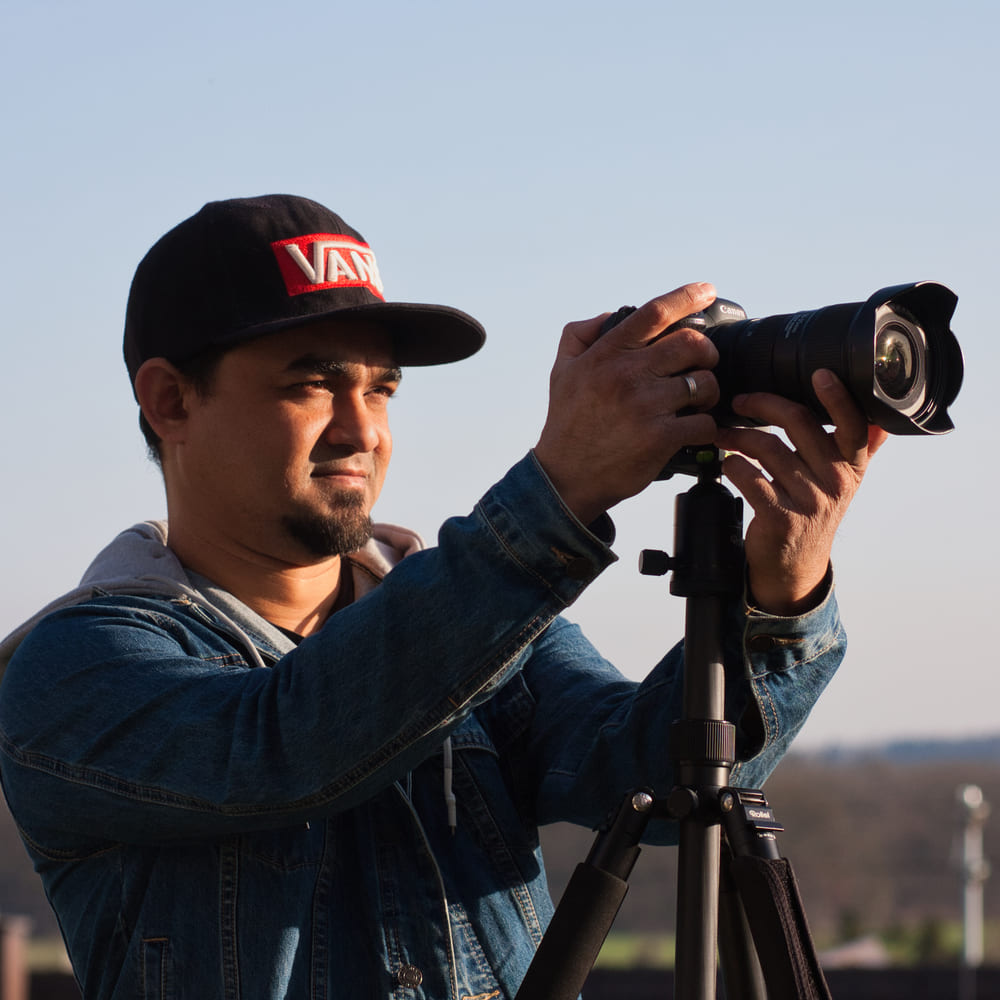
Dipon is a drone and timelapse cinematographer based in Ulm, Germany, with over 15 years of experience turning real spaces and projects into cinematic visuals. With a background in digital marketing, every shot is planned with a clear purpose — where it will appear, who will see it, and what it should help them decide.
You May Also Like

Milky Way Timelapse: Settings, Gear & Locations

The Complete Drone Videography Guide (2026)
Best ND Filters for Timelapse: Strength Guide & Picks

Stock Footage Metadata for Timelapse Contributors: How to Title, Tag & Describe Your Clips
Manual Drone Camera Settings: ISO, Shutter, Aperture Explained

Timelapse Interval Guide : Pick the Right Interval Fast

Best Stock Platforms for Timelapse: Pond5 vs Shutterstock (2026 Guide)
Drone Flying Tutorial : Beginner to Confident Pilot

What Timelapse Sells: Best Timelapse Subjects for Stock Footage

Timelapse Stock Footage Earnings: $3K/Month Case Study

7 Timelapse Mistakes Beginners Make

Ultimate Timelapse Photography Tutorial: Settings, Techniques & Gear
Need help capturing professional timelapse for your next project but not ready to invest in the gear yet? Check out our Timelapse Video Production service to see how Aero Timelapse Studio can help elevate your production.