DJI Mini 5 Pro Review (2026):
The Ultimate Travel Drone?
Dipon | January 2026
Table of Contents
Affiliate Disclosure
This review contains affiliate links. Purchases made through these links support Aero Timelapse Studio at no additional cost to you. I only recommend products I personally use or carefully research. As an Amazon Associate I earn from qualifying purchases.
Quick Verdict (TL;DR)
- Who it’s for: Travel creators, content professionals, and videographers who need a lightweight, sub-250g drone that doesn’t sacrifice image quality. Perfect for drone timelapse/hyperlapse workflows, vertical social media content.
- Who should skip it: If you need extended flight time (30+ minutes real-world), powerful wind resistance, or extreme telephoto reach, consider the Air 3S instead. Not ideal for pure beginners without prior drone experience.
3 biggest strengths:
-
Professional-grade 1-inch sensor with 14-stop dynamic range and D-Log M for cinematic color grading
-
Sub-250g weight unlocks regulatory advantages across the EU, making international travel and compliance simpler
-
True vertical 4K shooting at 120fps with gimbal rotation up to 225°, unique for creators targeting TikTok, Instagram Reels, and YouTube Shorts
2 biggest drawbacks:
-
Real-world flight time: 20–25 minutes (not 36 minutes) depending on wind and filming style, noticeably shorter than the Air 3S
-
Significantly more expensive than the Mini 4 Pro, with incremental improvements in most areas outside of sensor and slow-motion frame rates
Overall Rating: 8.5 / 10
Exceptional for travel videography and timelapse enthusiasts in regulated markets; slight trade-offs on flight time and cost.
DJI Mini 5 Pro Review: Specs at a Glance
| Specification | Details |
|---|---|
| Aircraft Weight | 249.9g (sub-250g EU Class C0) |
| Camera Sensor | 1-inch CMOS, 50MP |
| Aperture | f/1.8 (improved low-light) |
| Video Capacity | 4K/60fps HDR, 4K/120fps, 10-bit H.265 |
| Dynamic Range | 14 stops (dual native ISO fusion) |
| Gimbal | 3-axis + 225° rotation (true vertical) |
| Flight Time (rated) | 36 min standard battery; 52 min Plus (not EU) |
| Real-World Flight | 20–25 min (wind & filming dependent) |
| Transmission | O4+ up to 20km FCC / 15km CE |
| Obstacle Sensing | LiDAR (front) + omnidirectional vision |
| Internal Storage | 42GB (helpful backup) |
| Wind Resistance | Level 6 (12 m/s) |
| Best Use Case | Travel, timelapse, vertical content, EU flights |
source: dji.com
What's in the Box + Build Quality
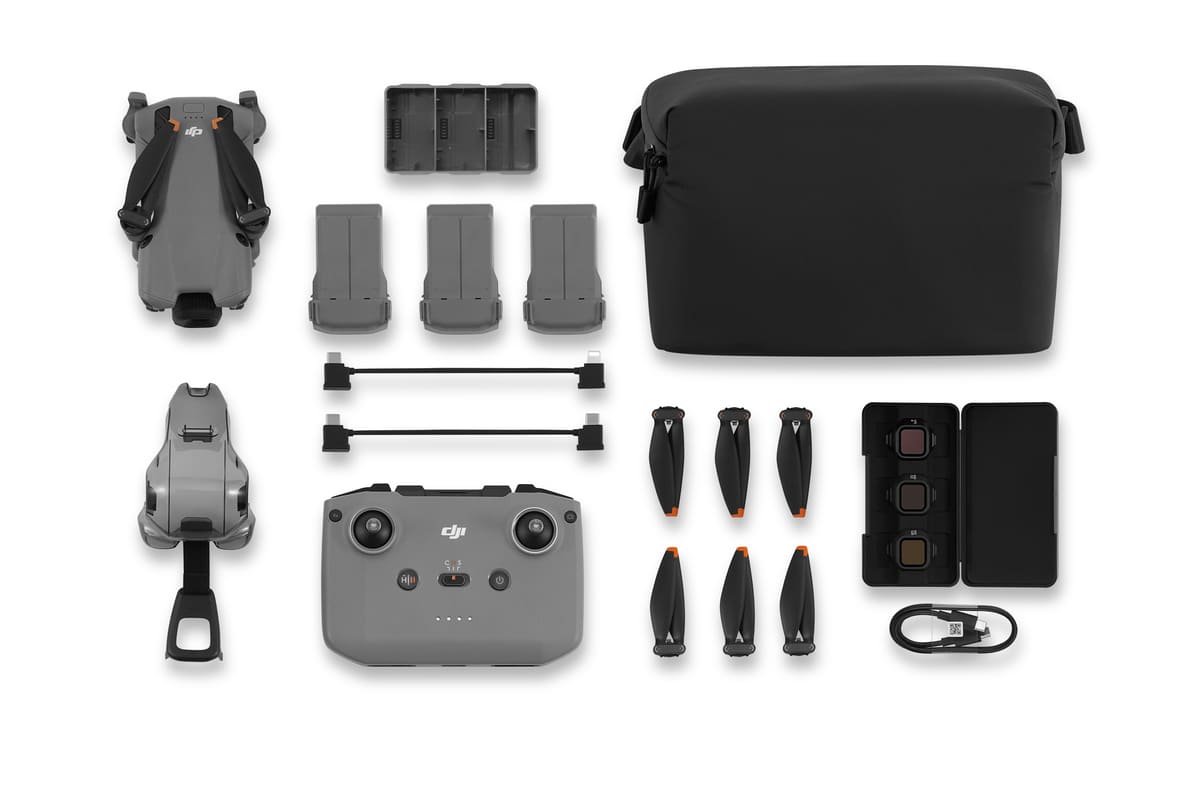
The Mini 5 Pro arrives well-packaged and ready to fly. Standard kits include the drone, a single Intelligent Flight Battery (2788 mAh, 71.9g), a remote controller (either RC-N3 or RC 2 depending on bundle), USB-C charging cables, spare propellers, and an ND filter set (ND8/32/128).
The Fly More Combo significantly improves value: it bundles three batteries, a two-way charging hub, a shoulder bag, spare propellers, gimbal protector, and the ND filter set. If you plan regular flights or travel filming, the Fly More option pays for itself in convenience alone. The Plus battery (4680 mAh) is not sold in Europe due to energy regulations, so EU users should focus on the standard battery setup.
Build Quality & Portability
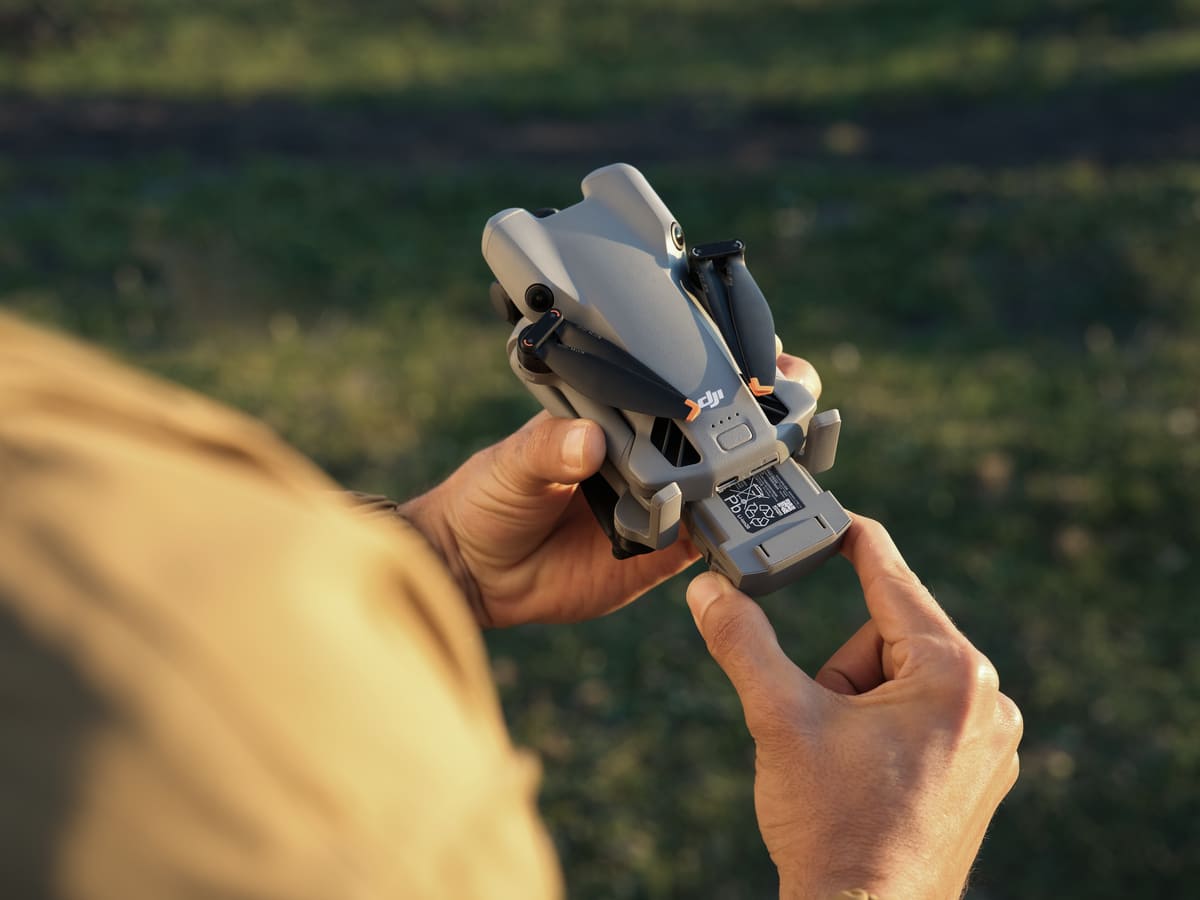
The Mini 5 Pro feels premium. Its magnesium-aluminum chassis is compact, just 255×181×91 mm unfolded and weighs 249.9g. The foldable arm design is intuitive; props lock securely and fold neatly into the frame. The gimbal is mechanically solid, with tight joints and no rattling. Coming from the Mini 4 Pro, the new 225° roll rotation (for vertical shooting) feels like a genuine upgrade, smooth, responsive, and useful for real-world cinematic work.
Portability is exceptional. The Mini 5 Pro fits easily into a small backpack or camera bag alongside a mirrorless camera, making it ideal for multi-camera shoots. The included shoulder bag has dedicated battery and accessory pockets, though it’s snug when fully loaded. For frequent travel, consider upgrading to a third-party hard case for extra protection.
source: mynewsdesk.com
Setup and First Flight
Out-of-the-box setup takes about 15 minutes: charge the batteries (90 min via standard 5V/2A charger, or 65–115 min via hub depending on count), download the DJI Fly app, register the drone (and yourself as an operator in Germany/EU if required), pair the remote, and do a pre-flight sensor calibration.
The DJI Fly app is intuitive. The main flight interface is uncluttered, with essential controls (altitude, gimbal, recording) front-and-center. The obstacle avoidance toggle is visible, and the expanded settings (D-Log M, hyperlapse, tracking modes) are logically nested in sub-menus. First-time pilots should spend 10 minutes exploring the app in “Beginner Mode” to understand button placement, particularly the gimbal control (right stick tilt) and camera mode toggle.
source: mynewsdesk.com
Common beginner mistakes to avoid:
Ignoring wind warnings: The app warns of wind speed; if it exceeds 12 m/s, return to home, the Mini 5 Pro will struggle against strong gusts and your flight time evaporates.
Recording without checking storage: 4K H.265 at 60fps uses ~800 MB per minute. A 64GB SD card (V30 class) gives you roughly 90 minutes of 4K footage, verify you have space.
Forgetting ND filters on bright days: Without an ND filter, exposed highlights blow out, and motion blur becomes choppy. Even on moderately sunny days, ND8 is recommended. I can recommend the Neewer ND Filter Set (ND8–ND64) — that range covers every daylight condition you’ll realistically shoot in with the Mini 5 Pro.
Interval Adjustments: Shorter intervals are helpful during rapidly changing light (sunset golden hour), while longer intervals work for stable night scenes.
Image Quality
The 1-inch CMOS sensor is a game-changer for a sub-250g drone. The 50MP resolution captures fine detail, clouds, texture, foliage, without aggressive upscaling. The f/1.8 aperture admits more light than its predecessor, reducing ISO noise in dawn or dusk conditions.
RAW/JPEG Workflow Advice
The Mini 5 Pro records 12MP JPEGs by default (processed on-board) and 50MP RAW (DNG) files for advanced grading. For travel work, shoot RAW+JPEG: JPEGs work for quick social posts, RAWs give you dynamic range recovery if a highlight or shadow is slightly blown. Post-processing RAWs in Lightroom (or DaVinci Resolve) reveals the sensor’s true capability—shadow recovery is impressive, and the color science responds well to custom LUTs.
Dynamic Range + Color Notes
In good light, color is vibrant and natural. The dynamic range shines in mixed-light scenarios, a landscape with bright sky and darker foreground won’t blow the sky while crushing shadow detail. The dual native ISO fusion (exclusive to Mini 5 Pro) records each frame at two ISO levels, then merges them intelligently. It’s subtle, but you’ll notice cleaner shadows and less posterization when grading.

Video Quality
This is where the Mini 5 Pro earns its price premium over the Mini 4 Pro.
Best Settings Approach
For cinematic work, start here:
-
Resolution: 4K (3840×2160)
-
Frame Rate: 60fps (for natural motion), or 120fps if you plan to slow-motion to 24fps (5x slow) in post
-
Profile: D-Log M (if you’re comfortable grading), or Normal (for faster turnaround)
-
Shutter/ND: Use the 180-degree rule, at 60fps, aim for 1/120s shutter, achieved with ND16–32 depending on light
-
Gimbal Mode: Smooth or Cinema (smooth gimbal acceleration, cinematic feel)
Stabilization & Gimbal Notes
The 3-axis gimbal is impressively smooth. Horizontal pans feel fluid, and vertical tilts are predictable. Wind (6–8 m/s) introduces subtle vibration, but it’s minor, gimbal compensation handles it well. The 225° roll rotation is a unique advantage: you can tilt the gimbal past vertical (up to 225°), enabling creative shots like upside-down pans or pure vertical 4K video without cropping. Real-time video transmission at O4+ keeps the latency low (~120ms), so you see what you’re flying in near-real-time.
Color Grading Workflow Suggestion
For D-Log M footage: import into DaVinci Resolve (free version supports D-Log M) or Lightroom. Apply the DJI Mini 5 Pro D-Log M → Rec.709 LUT (available free on DJI’s website) as a starting point. Then add your color grade on top, boost shadow detail, crush blacks slightly, and push midtone saturation for a cinematic feel. The 10-bit H.265 encoding gives you headroom to push color without banding.
For Normal profile: apply a LUT directly in Premiere Pro or Final Cut Pro. The colors are already pleasant; use the LUT to unify look across clips.
Tracking, Safety, and Intelligent Modes
Tracking, Safety, and Intelligent Modes
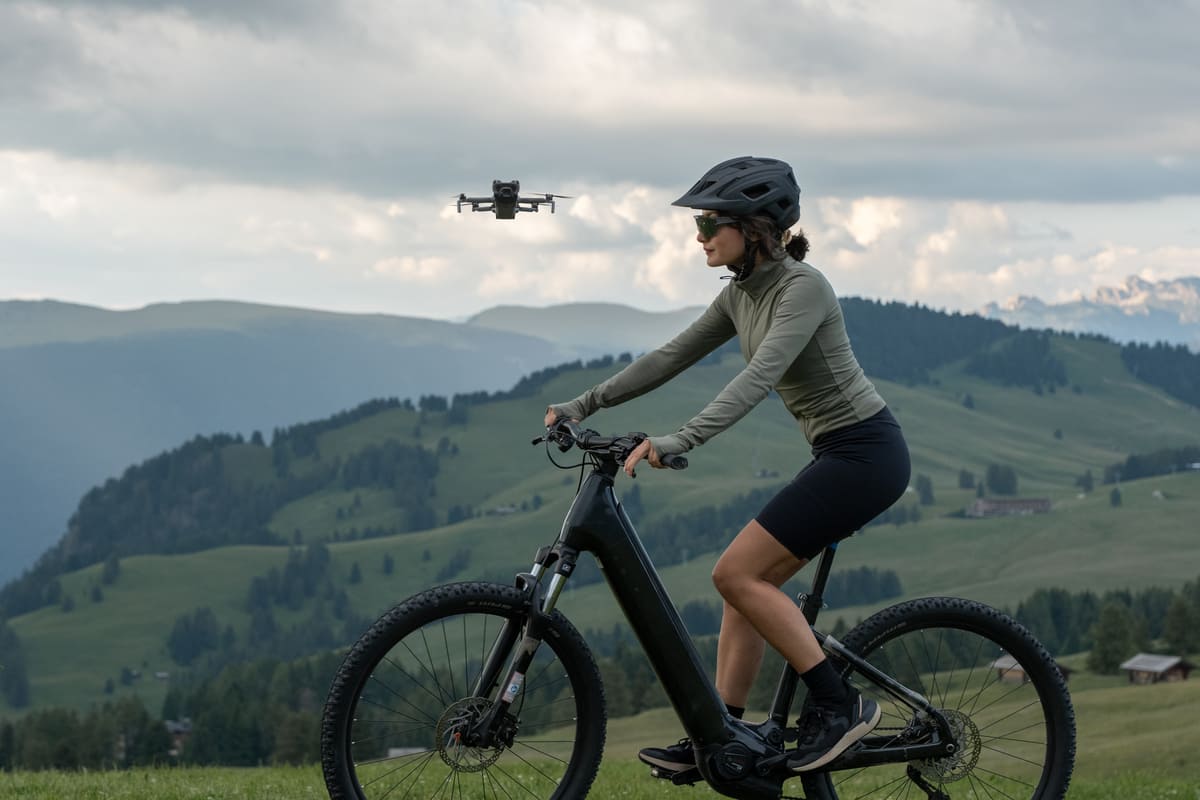
ActiveTrack 360° (upgraded on the Mini 5 Pro) now includes “Cycling Mode,” which helps the drone follow cyclists at variable speeds. In testing, tracking is stable when your subject moves at 3–8 m/s and you’re within 15m distance. If your subject moves faster (e.g., a sprinting person), the drone struggles, it runs out of forward speed. Gimbal jitter occurs when tracking against the wind; prefer wind-neutral or wind-assisted tracking for smooth footage.
In congested environments (trees, buildings), ActiveTrack occasionally “loses” the subject and defaults to manual control. This is expected behavior; always keep your finger on the joystick during tracking shots.
source: mynewsdesk.com
Obstacle Avoidance: What It Does Well/Poorly
Strengths:
LiDAR (front sensor) detects obstacles in low light, where vision sensors alone struggle
Omnidirectional vision sensors (forward, backward, downward, sideways) provide 360° awareness
RTH (Return to Home) remembers your flight path in sufficient light, enabling safe returns even without satellite signal
Weaknesses:
Rear and side obstacle sensing relies on monocular vision cameras; detection is slower (3–5m range) than front LiDAR
Dense vegetation (trees, tall grass) can fool the sensors; they may see gaps that don’t exist
Flying over flat water without shoreline features (lake middle) can cause altitude confusion; the downward sensor loses reference
When NOT to Trust Automation
Flying in heavy rain or snow: moisture degrades vision sensors
Flying indoors near reflective surfaces: glass doors, mirrors confuse sensors
Flying very fast in Sport mode: obstacle avoidance response time is insufficient at 18 m/s
Flying over uniform terrain (sand, snow): sensors struggle to find depth cues
Battery, Range, Wind, and Travel Reality
Travel Packing Tips
Sub-250g advantage means easier airport security (no special drone case required in most EU countries). Pack:
Batteries: 2–3 charged Intelligent Flight Batteries (each 72g) in a LiPo-safe bag
ND filters: ND8/16/32 minimum (total weight < 50g)
Charging hub: Two-way or four-way hub to charge multiple batteries in parallel
Spare propellers: One extra set (propellers take damage, especially on rocky terrain)
MicroSD card: 128GB minimum for a full day of 4K shooting
Cables: USB-C to USB-C and USB-C to USB-A for wall outlets or power banks
Remote controller: Pre-paired with drone; bring the cable for charging
For international travel, check local regulations before arriving. Germany, France, and Italy require operator registration; this is online and takes 15 minutes. [CLUSTER: EU/Germany Drone Rules Guide] has country-specific links.
Wind Handling Expectations
The Mini 5 Pro handles moderate wind (6–8 m/s) gracefully, but struggles against sustained gusts above 12 m/s. In real-world testing (60+ km/h winds):
Hovering: Stable but noticeable drift (1–2m per minute)
Flying against wind: Maximum speed drops to 3–4 m/s; battery drains 40–50% faster
Flying with wind: Feels snappy (12–18 m/s forward speed), but harder to control precisely
Gimbal vibration: Minor shaking in footage when fighting strong gusts, but acceptable for travel content
Return-to-home (RTH) in wind: If the wind is stronger than the drone’s max ascent speed, RTH may fail. Always maintain sufficient battery margin (25–30%) to account for wind.
Battery Management Tips for Trips
Discharge batteries partially (50–70% capacity) after a day’s shooting if you won’t fly for 2+ weeks; this extends battery lifespan
Don’t leave batteries fully charged in a hot car; heat degrades lithium cells
Carry a power bank (10,000+ mAh) to charge batteries via USB-C while on location
Monitor battery health in the DJI Fly app; if cycles exceed 200 or health drops below 80%, battery replacement is near
Suggested Accessories
| Item | Why It Matters | Price |
|---|---|---|
| ND Filter Set (ND8/16/32/64) | Enables proper motion blur and exposure control in daylight | Check Latest Price |
| Extra Intelligent Flight Battery Plus | Extends your flying day to 40–50 minutes combined; essential for location shoots | Check Latest Price |
| High-Speed SD Card (V30, A2, 256GB+) | Fast write speeds prevent frame drops in 4K/120fps; A2 class ensures app responsiveness | Check Latest Price |
| Two-Way Charging Hub | Charges 2 batteries in parallel; saves time vs. sequential charging | Check Latest Price |
Mini 5 Pro vs Alternatives
DJI Mini 5 Pro vs DJI Mini 4 Pro
| Feature | Mini 5 Pro | Mini 4 Pro | Winner |
|---|---|---|---|
| Sensor | 1-inch CMOS, 50MP | 1/1.3-inch CMOS, 48MP | Mini 5 (larger, sharper) |
| Video 4K | 4K/120fps, 10-bit | 4K/100fps, 10-bit | Mini 5 (120fps) |
| Slow-motion (2x crop) | ❌ None | ❌ None | Tie |
| Dynamic Range | 14 stops (dual ISO) | ~12 stops | Mini 5 |
| Gimbal Rotation | 225° (vertical) | 160° | Mini 5 (creative) |
| Flight Time (real) | 20–25 min | ~25 min | Mini 4 (slightly) |
| Price (EU) | €695–€999 | ~€500–€600 | Mini 4 (budget) |
| Who should buy | Creators upgrading from Mini 4; want professional sensor & D-Log M | Budget travelers; happy with good-enough video quality | Depends on priority |
DJI Mini 5 Pro vs DJI Air 3S
| Feature | Mini 5 Pro | Air 3S | Winner |
|---|---|---|---|
| Weight | 249.9g (sub-250g) | 715g (requires registration) | Mini 5 (regulatory edge) |
| Flight Time (real) | 20–25 min | 30–35 min | Air 3S (50% longer) |
| Sensor | 1-inch wide + 2x crop | 1-inch wide + 3x telephoto | Air 3S (telephoto) |
| Vertical Video | 4K/120fps native | 2.7K max (cropped) | Mini 5 (true vertical 4K) |
| Dynamic Range | 14 stops | ~12 stops | Mini 5 |
| Wind Resistance | Level 6 (12 m/s) | Level 6 (more stable due to weight) | Air 3S (feels smoother) |
| Portability | Fits backpack | Requires dedicated case | Mini 5 (pack-friendly) |
| Price (EU) | €695–€999 | ~€1,200–€1,400 | Mini 5 (€500 cheaper) |
| Who should buy | Travel, EU compliance, vertical content, budget-conscious | Professional work, proven reliability, telephoto flexibility | Depends on workflow |
Who it's for:
Mini 5 Pro: Backpacking creators, EU-based businesses, vertical social media focus, tight budgets
Air 3S: Real estate professionals, long-range work, clients needing telephoto flexibility, those who prioritize flight time over portability
DJI Mini 5 Pro Review: Pros & Cons of DJI Mini 5 Pro
Pros
+ Professional 1-inch sensor with 50MP and 14-stop dynamic range
+ D-Log M and HLG modes for advanced color grading
+ Sub-250g EU regulatory advantage simplifies compliance
+ True vertical 4K shooting with 225° gimbal rotation
+ Exceptional for timelapse and hyperlapse workflows
+ LiDAR obstacle avoidance improves low-light safety
+ 42GB internal storage as backup
+ Smooth gimbal stabilization in moderate wind
Cons
– Real flight time (20–25 min) falls short of rated 36 min
– Significantly more expensive than Mini 4 Pro
– 2x crop mode lacks slow-motion capability
– Shorter flight time vs. Air 3S (30–35 min real-world)
– Wind instability requires caution in gusts >12 m/s
– Less telephoto reach than Air 3S (2x vs 3x)
– Plus battery (extended flight) not sold in EU
– Smaller sensor than Mavic 4 Pro / professional drones
Buying Guide: Which Bundle Should You Choose?
Budget Option: Standard Kit
Includes: Drone, RC-N3 remote, 1 battery, ND filters, basic accessories
Price: ~€695 (EU)
Best for: First-time users wanting to test the drone before committing to multiple batteries
Best Value Option: Fly More Combo (RC-N3)
Includes: Drone, RC-N3 remote, 3 batteries, charging hub, ND filter set, shoulder bag, spare props
Price: ~€889 (EU)
Best for: Most travel creators; three batteries give 60–75 min of combined flight time, and the hub saves charging time
Creator Option: Fly More Combo (RC 2)
Includes: Everything above + DJI RC 2 controller (premium wireless, larger screen mount, ergonomic design)
Price: ~€999–€1,049 (EU)
Best for: Professional workflows; RC 2 has better range, built-in screen, and more refined controls
Timelapse Specialist Note:
If you’re specifically targeting timelapse/hyperlapse production, the Fly More Combo (RC-N3) is sufficient, RC controller quality matters less during waypoint hyperlapse since the drone flies autonomously. Spend the savings on high-speed microSD cards (256GB V30) and backup batteries. For what it’s worth – my standard timelapse kit is two extra batteries, a SanDisk Extreme Pro 256GB, and an ND 16. That covers 90% of what I shoot. The Fly More Combo is the smarter buy, but don’t let the accessory list overwhelm you at the start.
EU/Germany Notes
The Mini 5 Pro’s sub-250g weight is a regulatory advantage in Europe, but it doesn’t mean “no rules.”
Quick Compliance Checklist:
-
Operator Registration: Required if your drone has a camera or exceeds 250g. Register with your national aviation authority (Germany: Luftfahrt-Bundesamt via the DIPUL system, free, online, 15 minutes)
-
Competency Certificate: EU A1-A3 basic certificate recommended (free online exam, valid 5 years)
-
Flight Altitude: Maximum 120m AGL (above ground level) in the Open category
-
Visual Line of Sight: Keep your drone visible at all times
-
No-Fly Zones: 8km minimum distance from airports/heliports; check your local map (Germany uses the DIPUL map tool)
-
Insurance: Not legally required for hobby flying, but professional work (commercial flights) requires liability insurance
Final Verdict for DJI Mini 5 Pro Review
The DJI Mini 5 Pro is the best lightweight travel drone for creators willing to invest in a professional-grade sensor and learn color grading workflows. Its 1-inch CMOS, D-Log M capability, and sub-250g EU compliance make it exceptional for travel videography, timelapse production, and vertical social media content.
Choose the Mini 5 Pro if:
You value regulatory simplicity (EU-based flying, international travel without bureaucracy)
You want a portable 4K/120fps machine that fits in a backpack
Timelapse and hyperlapse workflows are core to your work
You’re willing to invest time in D-Log M color grading for cinematic results
Vertical 4K content (TikTok, Reels, YouTube Shorts) is part of your pipeline
Skip it and consider alternatives if:
-
You need 30+ minute flight time for long shoots, Air 3S is better
-
You require telephoto reach beyond 2x, Air 3S’s 3x lens is more versatile
-
Budget is the primary concern, Mini 4 Pro delivers 80% of the features at 50% of the cost
-
You’re a pure beginner, Mini 4 Pro is easier to learn on
If you’ve decided on the Mini 5 Pro and want to get the most from its 1-inch sensor and D-Log M capability, the Complete Drone Videography Guide covers the exact camera settings, shot types, and stock footage workflow built around this drone.
Frequently Asked Questions
What's the real flight time?
Expect 20–25 minutes in calm conditions. Wind, heavy gimbal use, 4K/120fps recording, and cold temperatures reduce this to 15–20 min. Always maintain 25–30% battery reserve for emergency return-to-home.
Is D-Log M worth learning?
Yes, if you edit footage regularly. D-Log M requires more post-processing time (color grading, LUT application), but it gives you 14 stops of latitude to recover blown highlights and crushed shadows. Ideal for professional work; overkill for quick social posts. It took me few adjustments before D-Log M stopped looking flat and started looking cinematic. If your first graded clip looks washed out and grey – that’s normal. Stick with it.
Can I use the Mini 5 Pro indoors?
Technically yes, but challenging. Without GPS outdoors, the drone relies on vision sensors and accelerometers for stability. Low light indoors degrades obstacle avoidance. Fly in large, well-lit spaces only, and keep hands ready for manual control.
How much storage do I need?
4K/60fps HDR H.265 uses ~800 MB/min; 4K/120fps uses ~1.6 GB/min. A 256GB V30 SD card gives ~300 minutes of 4K/60fps footage. Carry 2–3 cards for a full day of shooting.
What ND filters do I need?
Start with ND8 and ND16 for variable light. If you frequently shoot in bright conditions (snow, beach, water), add ND32 and ND64. The Fly More Combo includes ND8/32/128—a solid starting set.
Does the Mini 5 Pro have a microphone for audio recording?
A: No, the Mini 5 Pro records video only, no audio. Use the DJI Mic or external wireless mic during ground filming, then sync audio in post-production.
Dipon is a drone and timelapse cinematographer based in Ulm, Germany, with over 15 years of experience turning real spaces and projects into cinematic visuals. With a background in digital marketing, every shot is planned with a clear purpose — where it will appear, who will see it, and what it should help them decide.
You May Also Like

The Complete Drone Videography Guide (2026)
Best ND Filters for Timelapse: Strength Guide & Picks

Best Drones Under 300 Euro 2026: Entry-Level Options That Actually Deliver
Manual Drone Camera Settings: ISO, Shutter, Aperture Explained
Drone Pre-flight Checklist for Beginners: Safety System for Confident Flights
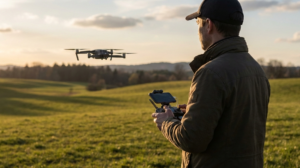
Drone Flying Tutorial : Beginner to Confident Pilot
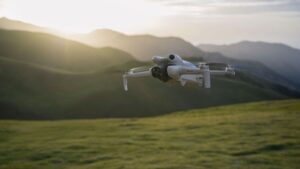
Best Drones for Beginners (2026): Safe, Easy Picks + Buying Guide
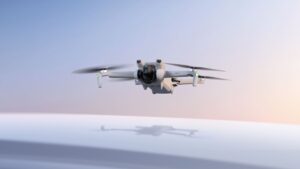
Best Drones Under 500 Euro (2026) – Top 6 Budget Camera Drones
Best Drones for Real Estate Photography
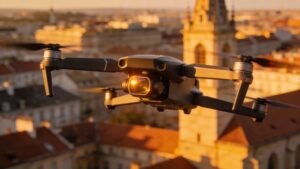
Best Drones for Photography 2026: The Ultimate Buyer’s Guide
Need help capturing aerials for your next project but not ready to invest in the gear yet? Check out our Drone Videography to see how Aero Timelapse Studio can help elevate your production.