
Best Stock Platforms for Timelapse: Pond5 vs Shutterstock (2026 Guide)
Dipon | February 2026
Table of Contents
- Intro
- Quick Verdict
- How we’re comparing platforms
- Pond5 vs Shutterstock: Fast Comparison Table
- Deep Dive: Pond5 for timelapse contributors
- Deep Dive: Shutterstock for timelapse contributors
- Which platform should you choose?
- The 30-day 80/20 upload plan
- Metadata templates
- Compliance + releases
- Common pitfalls
- FAQ
- Conclusion
Affiliate Disclosure
This guide contains affiliate links. Purchases made through these links support Aero Timelapse Studio at no additional cost to you. I only recommend products I personally use or carefully research. As an Amazon Associate I earn from qualifying purchases.
When I started uploading timelapse stock footage I did what most people do – I picked the platform I’d heard of most and uploaded everything I had. No strategy, no metadata system, no understanding of what each platform’s buyers actually wanted. Three months later I had clips on one platform and almost nothing to show for it.
The platform wasn’t the problem. The mismatch was.
Pond5 and Shutterstock are both legitimate income paths for timelapse contributors – but they reward different things. Pond5 rewards premium, cinematic clips positioned for buyers willing to pay more. Shutterstock rewards consistent, useful coverage built around what editors need under deadline pressure. Choosing the wrong one for your clip style doesn’t mean you won’t earn – it means you’ll earn less and learn slower.
This guide helps you pick the right starting platform, build a metadata system that actually works, and avoid the compliance mistakes that get clips rejected or accounts flagged.
Quick Verdict
Start on Pond5 if your timelapses are premium/cinematic and you want to lean into fewer, stronger clips. Start on Shutterstock if you can produce consistent “useful” timelapses in batches and want a workflow built around volume and variations.
Best for premium/cinematic timelapse: Pond5
Best for volume/utility timelapse: Shutterstock
Best for drone timelapse use cases: Tie (depends on releases + whether your shots are commercial-safe vs editorial)
Best for beginners who want simplicity: Shutterstock if you want clear step-by-step rules to follow; Pond5 if you prefer uploading fewer, higher-quality clips and keeping your portfolio “premium.” Choose the one you’ll realistically upload to every week.
Key takeaways
Pick a platform that matches your clip style first, then optimize metadata and releases.
Your first 30 days matter more than your first 30 clips: build templates, not perfection.
“Commercial-safe” timelapse sells smoother than “cool but risky” timelapse (logos, private property, recognizable people).
Don’t guess policy details—verify current contributor terms before you scale.
How we’re comparing platforms
Choosing a stock platform is choosing a production system – not just a website to upload to. The right comparison covers more than commission rates: it covers who buys on each platform and why, what metadata and compliance they expect, how their review process works, and what portfolio strategy actually compounds over time.
The comparison below is built around those criteria. Revenue share numbers and payout thresholds are included where confirmed, but always verify current contributor terms directly in your account before making exclusivity or earnings decisions.
Buyer intent and marketplace focus (who buys, and why).
Discoverability patterns (search-driven keywords vs “browse collections” behavior).
Licensing fit: royalty-free (RF) basics, and how “editorial vs commercial” affects what you can upload.
Review and QC friction (how strict it feels, and how often you’ll need resubmits).
Metadata tools and expectations (titles, descriptions, keywords, categories, location fields).
Portfolio strategy (premium curation vs broad coverage; variations and batching).
Exclusivity options (non-exclusive vs exclusive: what it means, and when it’s worth considering).
Payout reliability and admin (tax forms, payout thresholds, payment schedule, reporting clarity).
Long-term risk and diversification (don’t build your whole income on one distribution channel).
Pond5 vs Shutterstock: Fast Comparison Table
| Factor | Pond5 | Shutterstock | What it means for timelapse creators |
|---|---|---|---|
| Marketplace focus / buyer intent | Footage-first marketplace feel; buyers often search for specific shots and styles | Broad stock marketplace (photo + video + more); many buyers want quick “usable” clips | Pond5 can reward standout “hero timelapses,” Shutterstock can reward coverage and usefulness. |
| Timelapse discoverability patterns | Keyword/search-driven; strong titles + clean keywords matter | Keyword-driven plus buyer browsing across many categories | Either way: metadata is your distribution—treat it like packaging. |
| Typical winning clip styles | Cinematic, longer arcs, premium establishing shots, “film look” | Utility: business, backgrounds, simple establishing shots, loops, generic concepts | Your shooting plan should match platform demand, not your personal showreel. |
| Editorial vs commercial fit (principles; releases) | Both exist in stock in general; always upload what you can legally license | Shutterstock defines editorial categories and requires proper metadata formatting for documentary editorial (CITY, STATE/COUNTRY – MONTH DAY, YEAR: factual sentence). | If your travel timelapse has brands/people/property issues, editorial may be safer—if accepted and correctly labeled. |
| Upload/review workflow (high level) | Upload, add metadata, submit; review timing can vary | Upload, add metadata, submit; review timing can vary | Plan for QC time: keep a “ready to upload” folder so you don’t stall. |
| Metadata/keywording workflow | Strong descriptive titles + accurate keyword sets; avoid spam | Shutterstock warns against title/keyword spamming and repeated errors. | One great keyword set beats 200 random tags. |
| Earnings model | Pond5 states 30% revenue share for non-exclusive video and 40% for exclusive video contributors; dataset earnings are 20%. | Varies by license type and contributor level—verify in current Shutterstock contributor terms/earnings schedule | Don’t build projections from guesses; build a repeatable upload system. |
| Payout/admin basics | Pond5 states payouts on the 15th, with a $25 minimum balance to receive payout. | Shutterstock requires an approved tax form to receive royalty payments. | Admin is part of the job—set it up once, then create consistently. |
| Pricing control (if applicable) | Pond5 says it’s “one of the few marketplaces” that gives you the ability to set your own prices. | Verify current pricing rules | Price control can help premium positioning, but only if your clips justify it. |
| Best starting strategy (what to upload first) | 10–30 premium “problems solved” clips (traffic, skylines, clouds, tech, industry) | 30–80 utility clips with variations (day/night, angles, speeds, seasons) | Start with what you can produce monthly, not what you can produce once. |
Deep Dive: Pond5 for timelapse contributors
Use Pond5 when you can deliver fewer, higher-impact timelapses that buyers will pay for because they look expensive to shoot.
What tends to sell
City traffic + skylines (day-to-night, blue hour, rainy reflections).
Clouds, weather fronts, dramatic light, sunrise/sunset transitions.
Industrial/process: logistics, factories exteriors, construction progress (release/property/IP caution).
Nature: fog rolling, mountains, forests, coastal waves (clean and versatile).
Technology/abstract: server rooms, data visuals (if you can shoot real, commercial-safe scenes).
Portfolio strategy
Upload “finished” clips: stable, deflickered, neutral grade, and clean highlights. Treat your first 50 uploads like a curated gallery, buyers judge your portfolio fast.
If you shoot drone timelapse, prioritize shots that are clearly commercial-safe (no identifiable people, no sensitive locations, no obvious private property issues). For EU/DE specifics, keep a checklist (see compliance section).
Metadata strategy
Title formula (Pond5 style):
[Subject] timelapse, [location or type], [time of day/season], [camera angle], [use-case]
This comma-separated structure matches Pond5’s official title format. For Shutterstock, convert it into a factual sentence instead: “City skyline time-lapse captured at golden hour for establishing shot, Munich, Germany.
Keyword buckets
Subject nouns: skyline, traffic, clouds, construction, harbor, solar, wind turbines.
Motion/time: timelapse, time lapse, hyperlapse (only if true), day to night, sunset, sunrise.
Light/mood: blue hour, golden hour, night, dramatic, moody, cinematic, minimal.
Location: country, city, region (only if accurate; avoid “keyword tourism”).
Use-case: establishing shot, background, transition, intro, corporate, documentary.
Common mistakes + quick fixes
Mistake: Over-grading (crushed blacks, neon saturation). Fix: deliver a natural master; keep a “creative grade” version for YouTube, not stock.
Mistake: Titles like “Beautiful Timelapse 01.” Fix: describe what it is and why a buyer wants it.
Mistake: Keyword stuffing. Fix: remove synonyms you wouldn’t search as a buyer.
Mistake: Visible logos/brands everywhere. Fix: shoot cleaner angles or label editorial (only if allowed and accurate).
Mistake: Uploading 200 similar clips at once. Fix: batch, but curate; keep “near-duplicates” only if they truly serve different use-cases.
Before uploading to Pond5…
Deflicker and check for banding (especially skies and gradients).
Stabilize micro-jitter (tripod bumps, wind, drone drift).
Confirm clip is long enough to edit (aim for usable sequences, not micro-snippets).
Verify releases/editorial labeling decision before you upload.
Write metadata once, then reuse the structure (not the same keywords).
Deep Dive: Shutterstock for timelapse contributors
Use Shutterstock when you can produce practical, broadly useful timelapses and you’re willing to win through consistency, variations, and clean compliance. The Shutterstock mindset took me longer to adapt to. My instinct was always to upload the most cinematic version of a scene. Shutterstock buyers often want the most useful version – the clean wide establishing shot with neutral grading that an editor can drop into three different projects. Once I started shooting variations deliberately (same location, different times of day, different speeds), my acceptance rate improved and downloads followed.
What tends to sell
Business/corporate: offices exteriors, commuting, transit, “city life,” generic workday concepts.
Backgrounds/textures: moving clouds, soft light changes, simple skylines, abstract bokeh (loop-friendly).
Establishing shots: neighborhoods, infrastructure, transport hubs (with editorial/commercial awareness).
Seasonal coverage: winter mornings, autumn color shifts, summer tourism (but mind releases/brands).
“Story glue” clips: weather changes, crowds moving (if legally licensable), time passing in public spaces.
Portfolio strategy
Think like a buyer building a sequence: they need options. Upload variations on purpose: wide/medium, day/night, different speeds, and “clean” vs “dramatic” versions.
Avoid resubmitting the same rejected clip without fixing the real issue. Shutterstock notes that repeatedly resubmitting rejected content without correcting legal/compliance, technical quality, or metadata issues can cause repeated problems.
Metadata strategy
Your best keywords are “what the buyer is trying to communicate,” not what you felt while filming. Shutterstock explicitly treats title and keyword spamming as a policy issue – irrelevant or repetitive keywords can hurt your contributor standing over time.
Shutterstock requires a specific title format for documentary editorial content: CITY, STATE/COUNTRY – MONTH DAY, YEAR: factual sentence describing what is shown. Use that format when it applies and keep it factual – do not editorialize.
Common mistakes + quick fixes
Mistake: Generic keywords (“cool,” “nice,” “beautiful”). Fix: replace with search terms buyers use (traffic, commute, fintech, logistics, tourism).
Mistake: Wrong “editorial vs commercial” choice. Fix: decide based on releases/IP risk and intended licensing type; verify current rules.
Mistake: Too much noise/NR artifacts in night timelapse. Fix: denoise carefully, export a cleaner master, avoid plastic textures.
Mistake: Shaky hyperlapse labeled as timelapse. Fix: label accurately; buyers hate mismatches.
Mistake: Missing tax/admin setup. Fix: You must submit a completed tax form before Shutterstock can process any royalty payments. Do this during account setup, not when your first sale arrives.
Before uploading to Shutterstock…
Check for technical rejects: flicker, banding, compression artifacts, dust spots.
Confirm correct usage labeling (commercial vs editorial).
Ensure keywords are accurate and not repetitive/spammy.
Prepare releases if needed (or don’t submit commercially).
Keep filenames and project naming consistent for tracking.
Which platform should you choose?
Choose based on your clip style and your tolerance for admin work—premium positioning favors Pond5, while “useful coverage at scale” favors Shutterstock.
| Your situation | Best starting platform | Why | Upload these 5 clips first |
|---|---|---|---|
| Beginner with 20–50 timelapses | Shutterstock | Faster learning loop through volume, clearer “utility” feedback | 1) Clouds background loop, 2) City wide establishing, 3) Office district day, 4) Sunset skyline, 5) Rainy traffic |
| Drone creator with cityscapes/real estate exteriors | Tie (start where your clips are most commercial-safe) | Drone adds compliance/release complexity; clean shots win everywhere | 1) Wide skyline (no people close), 2) River/bridge establishing, 3) Suburb sunrise, 4) Industrial area wide, 5) “Golden hour neighborhood” wide |
| Cinematic night timelapses (stars, traffic trails) | Pond5 | Premium look can justify premium buyer intent | 1) Traffic trails hero shot, 2) Blue hour to night skyline, 3) Stars (clean, minimal noise), 4) Neon street wide (logo-safe), 5) Night clouds over city |
| Travel creator with landmarks (release/editorial caution) | Shutterstock (editorial-capable workflow) | Editorial structure and factual metadata expectations are clearly defined | 1) Landmark wide (editorial-ready), 2) Crowd flow (if permitted), 3) Transit hub exterior, 4) Street scene wide, 5) Weather over landmark |
| Creator optimizing for “$ per clip” (principles only) | Pond5 | Fewer, better clips; pricing/positioning mindset (no promises) | 1) Industry-specific factory exterior (release-safe), 2) Premium skyline, 3) Nature fog reveal, 4) Construction progress (safe/legal), 5) High-end neighborhood wide |
| Creator optimizing for “steady downloads” (principles only) | Shutterstock | Breadth + variations can compound (no promises) | 1) Generic commute, 2) Business district, 3) Simple cloud loop, 4) Day-to-night transition, 5) Seasonal establishing shot |
The 30-day 80/20 upload plan
Use this plan if you want results without turning your life into “metadata hell.” Your goal is simple: ship consistently, learn what gets accepted, and iterate.
Week 1: Pick winners + fix fundamentals
Select 30 clips with clear buyer value (not your most artistic, your most usable).
Deflicker + stabilize the whole batch using one repeatable workflow. LRTimelapse is the tool I use for this – it handles deflicker, holy grail transitions, and batch export in one pass.
Create export presets.
Build a “release risk” shortlist (logos, people, private property).
Week 2: Build metadata templates
Write 10 perfect titles and reuse the structure.
Create keyword buckets per subject (city, nature, industry, weather).
Save a master CSV or notes doc for copy/paste consistency.
Start a simple tracker: clip name → platform → status → notes → downloads.
Week 3: Upload cadence + feedback loop
Upload in smaller batches (5–15 clips/day) so you can react to rejections.
Fix rejects once, then resubmit (don’t brute-force).
Improve your “top 3 subjects” based on acceptances and early downloads.
Add 10 new clips from your best-selling subject list — see What Timelapse Sells: Best Timelapse Subjects for Stock Footage for the full decision matrix.
Week 4: Iterate like a product
Create variations of what works (angle, time, season, speed, focal length).
Upgrade your worst 10 clips (re-export, improve metadata, or delete).
Plan next month’s shoot list around proven categories.
Document your workflow so you can scale.
If you want the broader strategy (portfolio math, diversification, pricing mindset), read Make Money with Timelapse Stock Footage.
Metadata templates
1) Title formula
[Primary subject] timelapse, [location/type], [time/season], [camera angle], [use-case]
2) 45-keyword template
Subject (10): ___, ___, ___, ___, ___, ___, ___, ___
Motion/time (6): timelapse, time lapse, fast motion, day to night, transition
Location (5): ___, ___, ___, ___, ___
Mood/light (6): blue hour, golden hour, dramatic light, night
Use-case (4): establishing shot, background, intro, transition, cinematic
Industry (4): business, travel, infrastructure
- Technical / format (4): locked off, wide angle, aerial view, loop ready
Rules:
Only include location keywords if they’re accurate.
Don’t repeat the same word 6 times (platforms can consider this spam).
If a keyword doesn’t match what’s visible, delete it.
3) Three filled examples
Example A: City traffic timelapse
Title: City traffic timelapse, urban intersection, rainy night, wide angle, establishing shot
Keywords: traffic, cars, urban, city, intersection, street, commute, transportation, timelapse, time lapse, night, rainy, wet road, reflections, headlights, taillights, rush hour, infrastructure, road, travel, downtown, wide angle, establishing shot, background, transition, cinematic, Europe, Germany, city life, motion
Example B: Construction timelapse
Title: Construction timelapse, building site, daytime, wide shot, development progress
Keywords: construction, building, crane, development, architecture, site, progress, industry, timelapse, time lapse, daytime, work, engineering, infrastructure, urban, real estate, growth, economy, wide shot, establishing shot, documentary, planning, project, renovation, skyline, city, Europe, Germany, business, logistics
Example C: Clouds/sunset timelapse
Title: Clouds timelapse, dramatic sunset sky, golden hour, wide shot, background
Keywords: clouds, sky, sunset, golden hour, dramatic, weather, nature, landscape, timelapse, time lapse, light change, background, atmosphere, moody, horizon, evening, dusk, scenic, wide shot, peaceful, calm, cinematic, travel, outdoors, season, summer, Europe, Germany, transition, abstract
Building these templates by hand takes time. If you want to skip the blank page, the Stock Footage Metadata Generator will build a platform-ready title, description, and keyword set for your clip in under a minute.
Compliance + releases
Timelapse stock is “creative,” but it’s also documentation. Be conservative when you’re unsure, and don’t treat this as legal advice.
Drone rules: follow your local drone regulations, no-fly zones, and permit requirements (EU/DE can be strict); keep a flight log and location notes.
Privacy: avoid publishing identifiable people when you don’t have permission; be extra careful with crowds, windows, and private spaces.
Recognizable faces/license plates: if it’s identifiable, assume it may need a release or editorial-only handling.
Logos/brands/trademarks: For commercial submissions, Shutterstock requires that content does not contain trademarks or logos, and that any copyrighted material is accompanied by a release from the rights owner.
Property/model releases: for commercial use, get releases when required; if you can’t, consider whether editorial is allowed and correctly labeled. If you cannot obtain the necessary releases, submitting as Editorial Use Only is an option – provided the content genuinely meets editorial standards and is correctly labeled.
Editorial vs commercial: Editorial content illustrates newsworthy or human-interest topics. It is labeled “Editorial Use Only” and cannot be used in advertising or product promotion. If your clip has logos, crowds, or property issues you cannot clear, editorial is the safer submission path – not a workaround.
Common pitfalls
Flicker: Use a deflicker pass and consistent exposure strategy.
Banding in skies: Export higher quality, reduce aggressive gradients, avoid over-compression.
Micro-jitter: Stabilize lightly; reshoot with more rigid support if needed.
Over-grading: Deliver a neutral, flexible master; avoid crushed blacks and clipped highlights.
Wrong keywords: Describe what’s visible + buyer use-case; delete “vibes-only” tags.
Too-short clips: Give editors enough duration to cut (avoid ultra-short micro-clips).
Visible trademarks/logos: Reframe, blur (if allowed), or don’t submit commercially.
Missing releases: Don’t “hope it passes”. Either get releases or choose safer content.
Inconsistent naming/versions: Use a simple naming system (SUBJECT_LOCATION_TIME_VERSION) so you can track what sells.
Frequently Asked Questions
Which is the best stock platform for timelapse?
The best platform is the one that matches your clip style and your upload consistency. Pond5 can be a strong fit for premium, cinematic timelapse, while Shutterstock can be a strong fit for broad, utility-first libraries. If you’re unsure, start with one platform for 30 days, then expand.
Can I upload the same clip to both?
Often yes if you’re non-exclusive, but exclusivity programs can restrict where you’re allowed to upload. Pond5 has an exclusive video option (and also a non-exclusive option), so you must verify what you’ve agreed to before cross-posting. Pond5 states exclusive video contributors receive a higher revenue share than non-exclusive video contributors.
Do I need releases for city timelapses?
If people are recognizable, if you’re on private property, or if branded/trademarked elements dominate the frame, releases may be required for commercial licensing. For commercial submissions, content must not contain copyrighted material unless accompanied by a release from the rights owner, and must not contain trademarks or logos. When you can’t clear rights, editorial may be an option if the platform accepts it and you label it correctly.
What timelapse subjects sell best?
The “best sellers” are usually the ones that solve common edit needs: establishing shots, transitions, backgrounds, and clear concepts (commute, weather, growth, industry). City traffic, clouds, and business/urban infrastructure tend to stay useful year-round. Your goal is repeatable categories you can refresh seasonally. Read What Timelapse Sells: Best Timelapse Subjects for Stock Videos for more details.
Best frame rate for timelapse stock?
Pick a frame rate that matches common editing timelines and looks natural for the motion you captured. If you’re exporting from photo sequences, keep motion smooth and avoid stutter from overly aggressive speed changes. Consistency across your portfolio helps buyers.
How long should a stock timelapse clip be?
Aim for “editor-usable” duration: long enough to cut (intros/outros, speed ramps, overlays), not just a 3-second snippet. If your clip is short, make it loopable and clearly label it as a background/loop use-case. Build a mix of short loops and longer establishing shots.
How to avoid flicker?
Shoot in manual exposure, lock white balance, and avoid auto ISO changes. In post, use a deflicker workflow and check gradients (skies) for banding. If you still see flicker, fix it before uploading. Buyers will reject it in editing.
How to get first downloads faster?
Upload consistently, not randomly once a month. Start with proven buyer needs (clouds, traffic, establishing shots), nail metadata, and avoid borderline legal/IP clips that limit licensing options. Then iterate from what gets accepted and viewed, not what you personally like most.
Conclusion
The platform decision is smaller than it feels. Most timelapse creators overthink it, spend three weeks researching commission rates, and upload nothing. Pick the platform that matches the clips you already have. Upload consistently for 30 days. Let the data tell you what to do next.
What actually determines your stock income is not which platform you chose — it’s whether you built a metadata system you can repeat, whether your clips are commercially safe, and whether you show up every month with new footage in the categories buyers are already searching for.
Start on Pond5 if your timelapses are premium and cinematic. Start on Shutterstock if you’re building volume. Then read the make money with timelapse stock footage guide for the longer-term portfolio strategy.
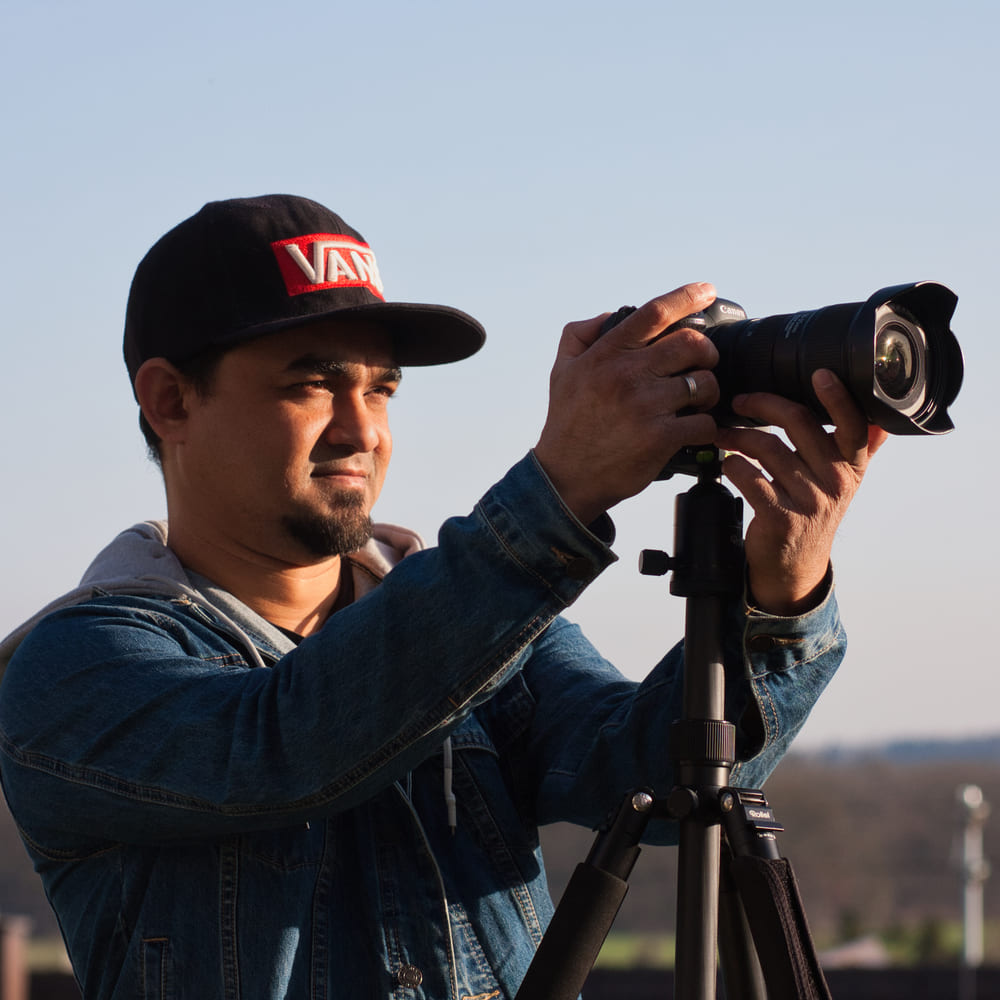
Dipon is a drone and timelapse cinematographer based in Ulm, Germany, with over 15 years of experience turning real spaces and projects into cinematic visuals. With a background in digital marketing, every shot is planned with a clear purpose — where it will appear, who will see it, and what it should help them decide.
You May Also Like
The Complete Drone Videography Guide (2026)
Best ND Filters for Timelapse: Strength Guide & Picks

Stock Footage Metadata for Timelapse Contributors: How to Title, Tag & Describe Your Clips
Manual Drone Camera Settings: ISO, Shutter, Aperture Explained
Timelapse Interval Guide : Pick the Right Interval Fast
Drone Flying Tutorial : Beginner to Confident Pilot

What Timelapse Sells: Best Timelapse Subjects for Stock Footage
Timelapse Stock Footage Earnings: $3K/Month Case Study
Make money selling timelapse stock footage

7 Timelapse Mistakes Beginners Make
Ultimate Timelapse Photography Tutorial: Settings, Techniques & Gear
Need help capturing professional timelapse for your next project but not ready to invest in the gear yet? Check out our Timelapse Video Production service to see how Aero Timelapse Studio can help elevate your production.