Best Drones: The Complete Buyer's Guide (2026)
Dipon | March 2026
Best Drones Buyer's Guide - Table of Contents
- What Makes a Drone the “Best”?
- EU Drone Laws: What German Buyers Actually Need to Know
- How to Choose: 5 Questions + a Decision Guide
- 2026 Drone Comparison: Side-by-Side
- Best Drones by Use Case — Honest Picks
- Gear & Accessories That Actually Matter
- Three Camera Settings That Change Everything
- Go Deeper: Related Guides
- Need It Done Professionally?
- FAQ
Affiliate Disclosure
This guide contains affiliate links. Purchases made through these links support Aero Timelapse Studio at no additional cost to you. I only recommend products I personally use or carefully research. As an Amazon Associate I earn from qualifying purchases.
Finding the right drone is harder than it looks — this best drones buyers guide cuts through the noise before you spend a single euro.
It was a Sunday morning in November. Cold, barely above zero, the kind of light that makes everything look like a film still. I’d driven two hours from Ulm to shoot aerials of a medieval town centre — church spire, cobblestone square, the whole thing dusted with the first frost of the season. Perfect conditions. The kind of shot you plan for weeks.
I unpacked the Mavic Air 2, powered it up, and got a geofencing warning I’d never seen before. I dismissed it — probably just a formality — and hit takeoff.
Three minutes later, a local police officer was standing next to me.
Not aggressive. Actually quite polite. But the conversation ended with me packing the drone back into its case and driving home with two hours of empty footage and a very clear understanding of something I should have read before I ever spent €800.
The Mavic Air 2 weighs above 250g. Flying it near buildings, over pedestrian areas, anywhere within 50 metres of uninvolved people — all of that sits in a different regulatory lane than the lightweight sub-249g drones. I needed an A2 Certificate of Competency I’d never heard of. I needed authorisation I hadn’t applied for. I needed, frankly, to have done about four more hours of reading before I bought anything.
The drone was fine. The research was the problem.
And this is the thing nobody puts in the spec comparison videos: the most expensive drone buying mistake isn’t choosing the wrong sensor size or missing a feature. It’s buying a drone that doesn’t match where and how you’re legally allowed to fly it.
This is the best drones buyers guide I wish had existed back then. It covers everything that actually matters before you spend a cent — EU weight categories and what they mean in Germany, a full side-by-side comparison of every major DJI model worth considering in 2026, honest use-case picks for every type of buyer, the accessories that make or break footage quality, and the three camera settings that separate cinematic aerials from every generic drone clip on YouTube.
By the end, you’ll know exactly which drone fits your situation — and why.
Key Takeaways
- There is no “best drone” — there’s a best drone for your weight class, use case, and budget
- Sub-249g DJI Mini models sit in the lightest EU regulatory tier — no paid exam, minimal paperwork
- Commercial flying in Germany requires an A2 CofC licence, LBA registration, and liability insurance — even one paid job changes the rules
- Manual exposure mode, the 180° shutter rule, and shooting in D-Log M are the three settings that make or break aerial footage quality
- A proper working kit — drone, batteries, ND filters, fast card — costs €150–€300 more than the drone price alone
- The DJI Mavic 4 Pro is the professional benchmark in 2026; the DJI Mini 4K is the best budget entry point
- If you need footage for a client and don’t want the regulatory headache — professional drone production is often the smarter financial decision
What Makes a Drone the "Best"?
A “best drone” is a consumer or professional UAV that matches your specific use case, your EU regulatory category, and your honest budget — not just the one with the highest spec sheet.
That sounds obvious. But most drone buying guides ignore it completely. They rank by camera resolution or brand prestige, and then readers buy a Mavic 4 Pro when a Mini 4K would have done everything they needed — or worse, they buy a Mini 4K and immediately hit its ceiling and feel stuck.
A drone buyer’s guide worth reading has to start with this: the “best drone” category is really five or six different categories that happen to share a name. Best for a hobbyist hiking in the Allgäu. Best for a real estate agent in Stuttgart who needs property aerials twice a month. Best for a commercial pilot building a client roster. These are different products with different tradeoffs.
The best drones buyers guide approach is a matching process. Work through the sections below in order and the right answer will emerge on its own.
EU Drone Laws: What European Buyers Actually Need to Know
Buy the drone before you understand the regulations, and you might be buying something you can’t legally fly where you want to fly it.
I’ve watched this happen more than once. Someone spends €1,100 on an Air 3S, takes it to Neuschwanstein for the weekend, and discovers the area around the castle sits in a restricted zone that requires a separate permit from the Bavarian State Office. The drone wasn’t the problem — the planning was.
Here’s the framework that actually matters in Germany.
The Weight Categories That Drive Everything
The EU EASA Open Category system sorts drones into classes by weight. These classes determine your paperwork, your licence requirements, and where you can fly.
Under 249g — Class C0 (DJI Mini series): This is the golden weight class for European drone pilots. A sub-249g drone can be flown in Open Category A1 after completing a free online EASA theory test and registering as a UAS operator with the LBA (also free). No paid exam. No physical test. Just an online course you can finish in an afternoon. This is specifically why the DJI Mini series is so dominant in Europe — not because it’s the best camera drone, but because it carries the lightest regulatory burden.
250g–900g — Class C1 (DJI Air 3S, some configurations): Requires the same free A1/A3 test and LBA operator registration. You can still fly in Open Category A1 but with stricter rules about proximity to uninvolved people. The additional requirement over C0 is more careful site selection, not an additional exam.
900g–4kg — Class C2 (DJI Mavic 4 Pro, Mavic 3 Pro): Here it gets more serious. Same base requirements plus, if you want to fly closer than 30m to uninvolved people, you need the A2 Certificate of Competency — a paid, proctored online exam. Most commercial pilots in Germany will have this anyway. The A2 CofC is not difficult — I passed mine over a long weekend with maybe eight hours of self-study — but it costs around €150–€300 depending on the training provider.
⚠️ Warning: Commercial drone operations in Germany — where “commercial” means you are being paid, or footage is being used for a client’s business purposes — require third-party liability insurance (Drohnen-Haftpflichtversicherung) regardless of drone weight or registration status. Flying commercially near airports, in national parks, or over controlled airspace requires specific authorisation from the DFS (Deutsche Flugsicherung). Always cross-check the DJI Fly app geofencing layer against the LBA authorisation portal before any commercial shoot. They don’t always agree, and when in doubt, the LBA is the legally binding source.
The Short Version
Hobbyist with a Mini drone: free online test, free LBA registration, fly in open areas. Done in an afternoon.
Paid commercial work with any drone: A2 CofC, LBA registration with UAS operator number on the drone, liability insurance. Budget a weekend for the exam prep and €80–€150/year for insurance.
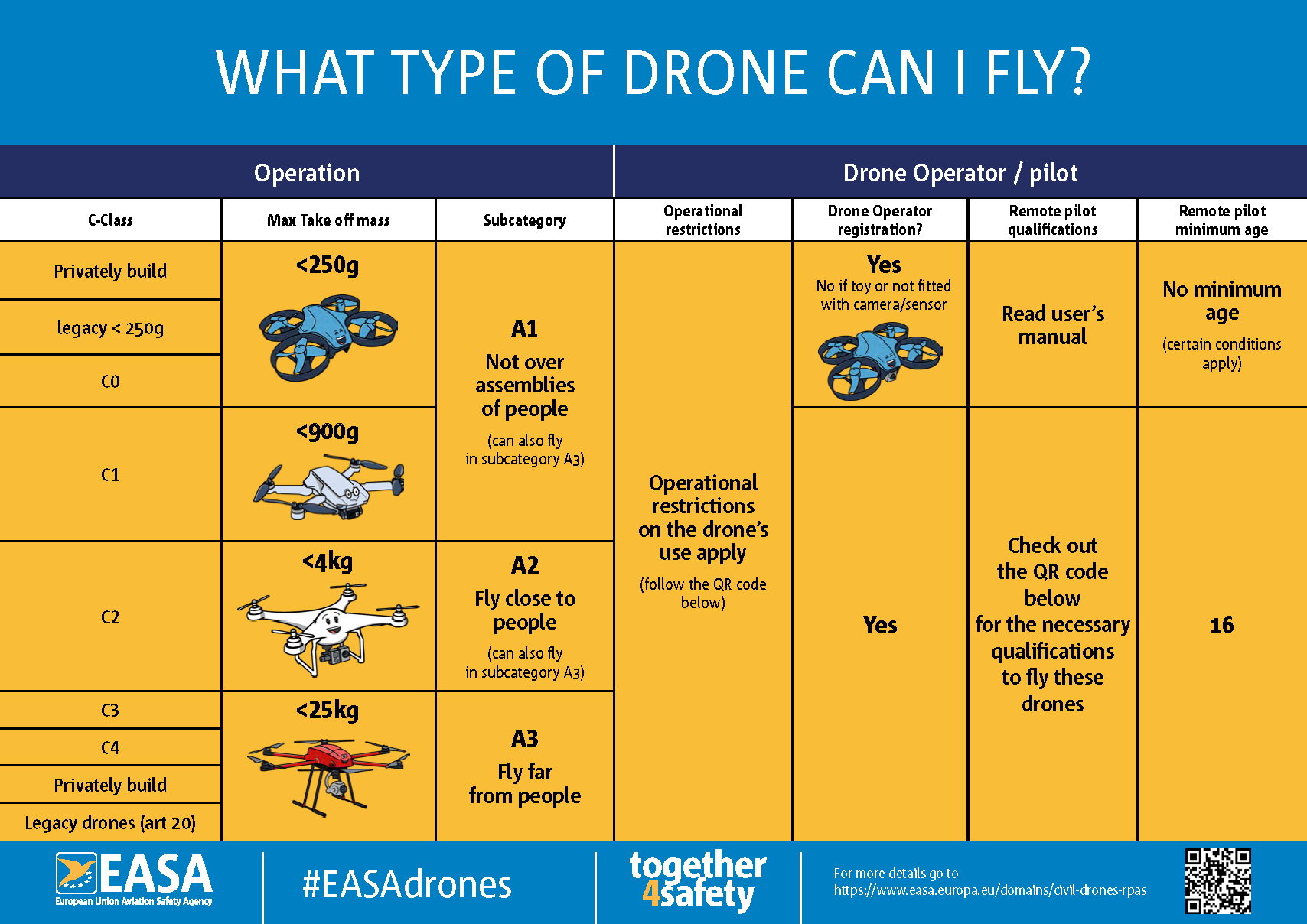
EASA Open Category diagram. Source: easa.europa.eu
How to Choose: 5 Questions + a Decision Guide
Answer these five questions honestly before you look at a single spec sheet. They’ll narrow the field to two or three options at most.
1. Where will you actually fly?
Open landscape — alpine meadows, coastal areas, farmland — gives you maximum freedom with any drone. Urban environments, nature reserves, and tourist landmarks in Germany come with restrictions that you need to look up location by location. If most of your planned flying is in and around cities, obstacle avoidance becomes much more important than raw camera quality.
2. Will you ever get paid for this footage?
Even once? Even selling a single clip on Pond5? That counts as commercial in most interpretations of the regulation. If there’s any chance of commercial use, budget for the A2 CofC and insurance from day one. The licence costs less than one day’s commercial shoot rate — it pays for itself immediately.
3. What does your honest total budget look like?
The drone is never the complete cost. Here’s a realistic breakdown at each tier:
| Kit Tier | Drone | +Batteries ×2 | +ND Filters | +256GB Card | Total | |
|---|---|---|---|---|---|---|
| Beginner | DJI Mini 4K (€320) | €70 | €50 | €30 | ~€470 | Check Latest Price |
| Enthusiast | DJI Mini 5 Pro (€820) | €100 | €75 | €35 | ~€1,030 | Check Latest Price |
| Creator | DJI Air 3S (€1,099) | €120 | €85 | €35 | ~€1,340 | Check Latest Price |
| Pro | DJI Mavic 4 Pro (€1,999) | €180 | €110 | €45 | ~€2,335 | Check Latest Price |
The accessories column is not optional. Flying without ND filters or with a slow card will cost you footage quality and, in the card’s case, dropped frames you only discover on the drive home.
4. How important is obstacle avoidance?
For first-time flyers: it matters a lot. The spatial awareness required to judge distances from a first-person camera perspective takes time to develop. The DJI Mini 4K has no obstacle avoidance — which I actually think is fine for open-field practice, because it forces you to fly more deliberately. But if you’re flying anywhere near trees, buildings, or other obstacles as a beginner, the omnidirectional sensing on the Mini 5 Pro, Air 3S, or Mavic 4 Pro is real crash prevention, not marketing.
5. How often will you carry it on foot?
A Multi-day hike in the Karwendel with a Mavic 4 Pro in your pack is miserable. A Mini 5 Pro in a side pocket barely registers. If portability matters — and for landscape and nature shooting it often does — the under-249g category wins on practical grounds that have nothing to do with cameras.
So Which One Is Actually For You?
| Your situation | The honest pick |
|---|---|
| First drone ever | DJI Mini 4K |
| Serious hobbyist, hiking, travel content | DJI Mini 5 Pro |
| YouTube / Instagram content creator | DJI Air 3S |
| Real estate, tourism, hotel campaigns | DJI Mavic 4 Pro |
| Commercial timelapse, branded production | DJI Mavic 4 Pro |
| Hobbyist who might go pro eventually | DJI Air 3S |
| Budget conscious, want obstacle avoidance | DJI Mini 4 Pro |
2026 Drone Comparison: Side-by-Side
Here’s the table I wish existed when I started. No marketing language — just the specs that determine whether a drone fits your workflow.
| DJI Mini 4K | DJI Mini 4 Pro | DJI Mini 5 Pro | DJI Air 3S | DJI Mavic 4 Pro | |
|---|---|---|---|---|---|
| Weight | 243g | 249g | ~249g | 723g | 956g |
| EU Category | C0 / A1 | C0 / A1 | C0 / A1 | C1 / A1–A3 | C2 / A1–A3 + A2 CofC |
| Primary Sensor | 1/2.3-inch | 1/1.3-inch | 1-inch (est.) | 1/1.3-inch | 4/3-inch Hasselblad |
| Max Video Res | 4K/30fps | 4K/60fps | 4K/60fps+ | 4K/120fps | 6K/60fps |
| Slow Motion | No | 4K/60fps | Yes | 4K/120fps | 4K/120fps |
| Log Colour Profile | No | D-Log M | D-Log M | D-Log M | D-Log M / D-Log |
| Obstacle Avoidance | None | Omnidirectional | Omnidirectional | Omnidirectional | Omnidirectional |
| Battery Life | ~31 min | ~34 min | ~35 min | ~42 min | ~43 min |
| Wind Resistance | Level 5 | Level 5 | Level 6 (est.) | Level 7 | Level 7 |
| Number of Cameras | 1 | 1 | 1 | 2 (wide + tele) | 3 (wide/std/tele) |
| RAW Photo | No | Yes | Yes | Yes | Yes |
| Price | Check Latest Price | Check Latest Price | Check Latest Price | Check Latest Price | Check Latest Price |
A few things to flag that don’t show up in a table:
The Mini 5 Pro specs are estimated based on DJI’s release trajectory — confirm current specs at DJI.com before buying. The Air 3S’s 4K/120fps slow motion is genuinely remarkable for the price; it’s what pushes it ahead of the Mini 4 Pro for creators who want cinematic slow-motion sequences. And the Mavic 4 Pro’s jump from a 1/1.3-inch to a 4/3-inch sensor is not incremental — in low light and in high-contrast alpine scenes, it’s a completely different class of image.
Best Drones by Use Case — Honest Picks
If you’re still deciding between the first two or three options after the table above, these sections should settle it. I’ve tried to be specific about why each drone wins in its category rather than just restating specs.
If you’re completely new to flying and want a dedicated breakdown of the learning curve, safety ratings, and beginner-specific considerations, the best drones for beginners 2026 guide goes into more detail than I’ll cover here.
Best for Beginners: DJI Mini 4K
I’ve recommended this drone to probably a dozen people over the past year. Not because it’s the most impressive machine — it isn’t — but because it’s the right machine for where most beginners actually are.
For learning to fly, I recommend the DJI Mini 4K — because at €320 it lets you crash without a financial crisis, and the lack of obstacle avoidance teaches you to fly with real spatial awareness rather than relying on sensors to bail you out.
The 4K/30fps footage is genuinely good. It won’t match the Air 3S in dynamic range, but your first ten flights aren’t about dynamic range — they’re about not hitting a tree. Get comfortable here, then upgrade.
Best for: First-time buyers, casual travel footage, anyone who wants to fly before committing to a higher budget.
What you give up: No obstacle avoidance, no slow-motion, no log colour profile, no RAW photos. You know going in.
Best for Enthusiasts and Hikers: DJI Mini 5 Pro
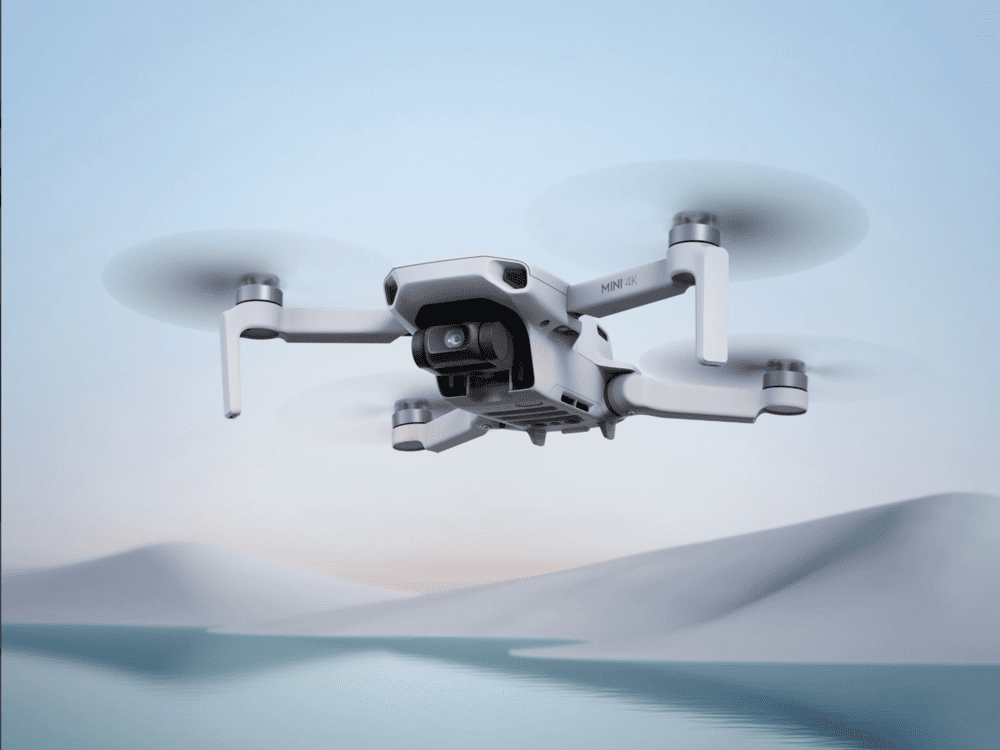
The Mini 5 Pro is what the Mini 4 Pro always wanted to be. A 1-inch sensor in a sub-249g body means you’re getting significantly better dynamic range — more detail in highlights, more latitude in shadows, more room to push in post — while still flying under the lightest EASA category.
Last autumn I carried a Mini 5 Pro equivalent setup across three days of hiking in the Gesäuse in Austria. The total kit — drone, two extra batteries, four ND filters, a card — fit in the hip pocket of my pack. That kind of portability without meaningful image quality compromise is not something you get at any other price point.
For serious hobbyists, landscape creators, and anyone who wants professional-quality footage without the heavier regulatory weight, I recommend the DJI Mini 5 Pro — the combination of 1-inch sensor and sub-249g remains rare enough to be genuinely valuable.
Best for: Landscape photography, travel vlogging, hikers, photographers moving from ground-based work to aerials.
What you give up: Dual-camera system, the highest slow-motion frame rates, and the absolute best low-light performance. But for most hobbyists, none of those are real limitations.
Best for Content Creators: DJI Air 3S
The dual-camera system changes what’s possible creatively. That’s the story of the Air 3S. The ability to switch mid-shot between a wide perspective and a medium telephoto — without landing, swapping anything, or losing the moment — is something you only appreciate once you’ve had to work around not having it.
I used a setup equivalent to the Air 3S on a tourism project near Lake Como last spring. We were shooting a sailing regatta from above, and being able to cut from a wide aerial establishing shot to a tighter compressed telephoto of the boats mid-race — all from the same drone in the same flight — saved us from having to charter a second aircraft. The client was ecstatic. I can’t stress enough how useful a second focal length is once you’re shooting anything that moves.
For content creators building a YouTube or Instagram presence, and for anyone doing early commercial work, I recommend the DJI Air 3S — the dual-camera flexibility and 4K/120fps slow motion together justify the price jump over the Mini 5 Pro.
Best for: YouTube channels, social media content, tourism and hospitality brands, commercial videographers taking on their first client projects.
What you give up: Heavier than the Mini series (723g puts it in C1), and the primary sensor is 1/1.3-inch rather than the Mavic 4 Pro’s 4/3-inch. Visible in difficult lighting — not in most circumstances.
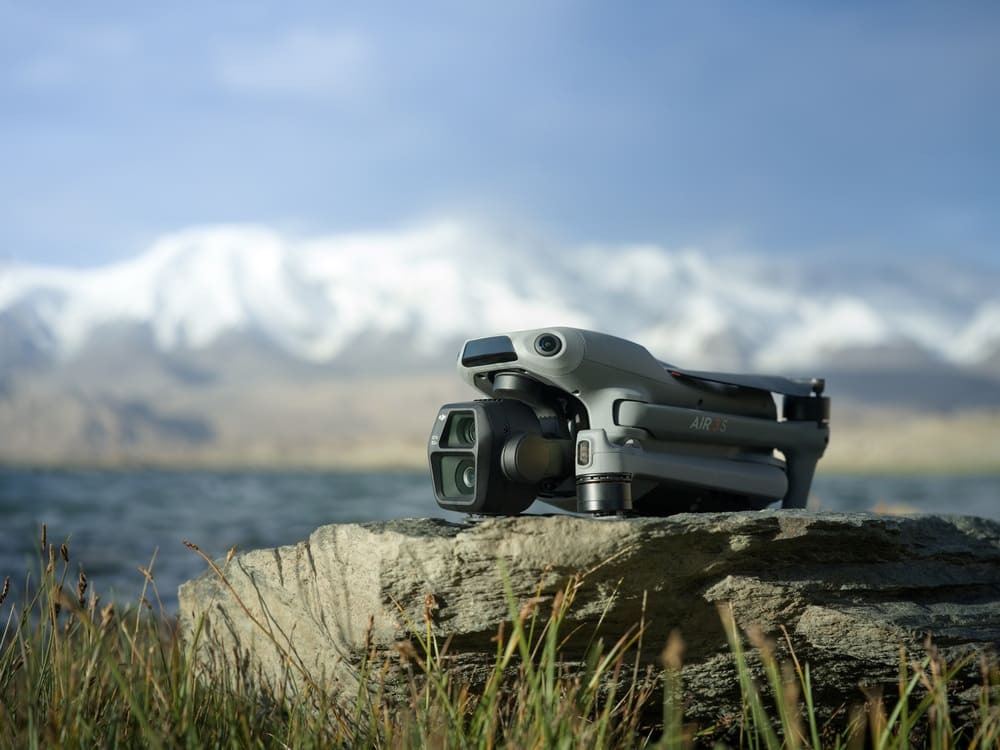
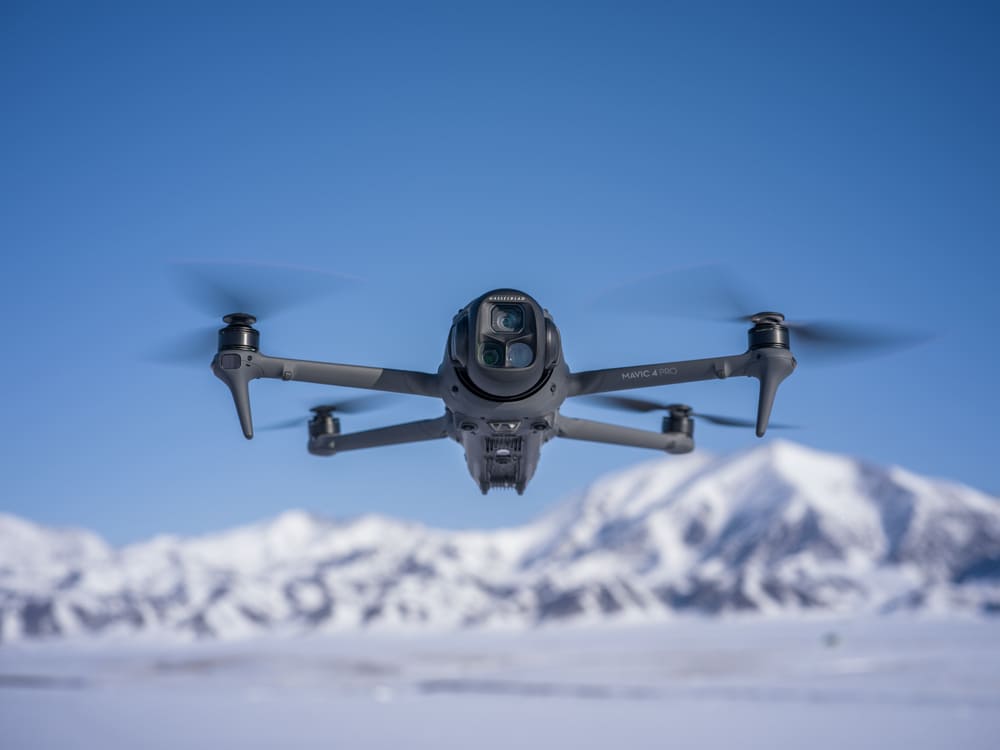
Best for Professional & Commercial Work: DJI Mavic 4 Pro
This is the drone I reach for on client work. Not always — for a quick real estate aerial in good light, an Air 3S does the job — but whenever a project demands the highest possible image quality, a 6K deliverable, or shooting in conditions that would push a smaller sensor, the Mavic 4 Pro is what I bring.
A 4/3-inch Hasselblad-tuned sensor is in a completely different league when you’re dealing with high-contrast Alpine scenes — think a bright snowfield against a dark valley floor, or a sunrise behind castle ruins. The dynamic range is wide enough to hold detail in both ends of that exposure simultaneously. That means less time in post fighting blown highlights, and more time on the actual grade.
On a construction timelapse project I ran for a client in Ulm — an 18-month sequence covering a commercial development from foundation to façade — the Mavic 4 Pro’s GPS hold accuracy was what made the project viable. Returning to within a metre of the same position every week, automatically, isn’t something you can manage manually on a 78-week shoot.
For commercial real estate, destination campaigns, construction documentation, and anything where the footage quality directly affects your rate, I recommend the DJI Mavic 4 Pro — it’s the drone I’d buy if I were building a commercial operation from scratch today.
Best for: Commercial pilots, real estate cinematographers, tourism boards, branded production, long-term timelapse projects.
What you give up: Price (€1,999 body), weight (956g means C2 category and A2 CofC if flying near people), and portability on foot. None of these are surprises — they’re the tradeoff for the professional imaging system.
For a deeper breakdown of which drone wins specifically for property shoots, the best drones for real estate photography guide covers HDR workflows, low-light interior-exterior combos, and the practical differences between the Air 3S and Mavic 4 Pro on an actual listing shoot.
Best for Aerial Timelapse
Aerial timelapse has one requirement most drone comparison articles skip entirely: the drone needs to hold a GPS-locked position for 30 to 90 minutes in full manual exposure mode, often in open locations where the wind picks up. Automated hyperlapse modes don’t count — those move the drone through the air, which is useless for a stationary holy grail sequence where you need the camera sitting in one spot while the light shifts around it.
This is where the Mini 5 Pro runs into a real problem.
It’s rated to 12 m/s wind resistance, which is better than the Mini 4 Pro and handles light to moderate conditions well enough. But at 249g, it’s simply too light when things get gusty. In exposed spots — a ridge, a summit, an open hillside — it wobbles. That wobble shows up in the final timelapse as a subtle but annoying jitter between frames. Not a dealbreaker in a sheltered valley on a calm morning. Absolutely a dealbreaker on a Dolomites ridgeline in October.
The Mavic 4 Pro is the better drone for serious aerial timelapse work. It’s heavier (956g), built for Level 7 wind conditions, and holds its GPS position much more accurately over long shoots. That stability matters when your timelapse is running for an hour and the wind is changing direction every few minutes.
The short version: take the Mini 5 Pro to locations you hiked to, where it’s calm and the weight saving was worth it. Take the Mavic 4 Pro anywhere exposed, elevated, or on a client job.
And whichever drone you use, the timelapse interval calculator will give you the right shooting interval in about ten seconds.
Gear & Accessories That Actually Matter
The drone is the headline cost. The accessories are what determine whether it’s useful.
I see people buy a €1,100 drone and a €12 ND filter set from Amazon. The filters are optically terrible — you can see colour cast and sharpness loss that the drone’s lens was never designed to introduce. It defeats half the point of buying a good camera system.
Here’s what’s actually worth spending money on.
ND Filters — Non-Negotiable for Outdoor Flying
The 180-degree shutter rule is not a suggestion. It’s the shutter speed that produces natural-looking motion blur in video — double your frame rate. At 4K/25fps (standard in Europe for PAL compatibility), that’s 1/50s. In direct afternoon sunlight, a bare sensor at 1/50s overexposes by four or five stops. ND filters correct this.
For drone ND filters, I recommend the Freewell ND Filter Set — purpose-built for DJI models, magnetic quick-swap system, and the ND8/16/32/64 range that covers everything from overcast days to full midday sun. A four-filter set runs around €60–€85. It pays back on your very first outdoor shoot.
For working out exactly which ND filter you need in any lighting condition, the ND filter calculator removes the guesswork entirely.
Storage — Faster Than You Think You Need
Drone cameras generate large files, fast. A 4K/60fps clip from the Air 3S or Mavic 4 Pro can fill a 128GB card in under an hour of continuous recording. More importantly, a card with inadequate write speed causes dropped frames — the drone records nothing and the error message appears after the moment has passed.
For storage, I recommend the SanDisk Extreme Pro in 256GB. It handles write speeds for 4K/60fps and 6K ProRes-level recording without hesitation, and it’s been reliable across three years of regular field use. Avoid unrated or off-brand cards — the write speed difference only shows up when it costs you footage.
Extra Batteries — The Math You Need to Do Before Every Trip
Rated flight times are laboratory numbers. Real-world performance with any wind, in temperatures below 10°C, or flying aggressively, drops 15–25% from the rated figure. A Mini 5 Pro rated at 35 minutes gives you 26–30 minutes of practical flight on a calm day in good weather. In the Alps in October — cold, occasionally gusty — you’re looking at 22–24 minutes.
Two spare batteries minimum for any shoot longer than ninety minutes. Three if you’re hiking to a location and can’t charge between flights.
💡 Pro Tip: In cold weather — anything below 5°C, which is four or five months of the year in Southern Germany and the Alps — keep spare batteries in an inside jacket pocket between flights. Cold lithium cells lose up to 30% capacity before the first prop spin. Two minutes of body warmth before inserting a battery is a habit worth building.
Three Camera Settings That Change Everything
The drone is responsible for maybe 40% of footage quality. The camera settings are the other 60%.
I say this having reviewed footage from a lot of beginners over the years, and the pattern is almost always the same: a capable drone, auto mode, footage that looks exactly like everyone else’s drone video. Sharp but flat. No motion feel. Nothing cinematic about it.
Three settings fix most of that.
Manual Exposure — Stop Using Auto
Lock your ISO at the lowest setting your scene allows. On most DJI drones in good daylight, that’s ISO 100. Lock your aperture — on the Air 3S or Mavic 4 Pro, f/2.8 in low light, f/4–f/5.6 in bright conditions. Then use your ND filters to control exposure rather than letting the camera bounce the shutter speed around.
Auto-ISO in video mode is the single biggest quality killer in drone footage. It fluctuates in real time to maintain exposure, and that fluctuation creates a low-frequency flicker that’s visible on any decent monitor. You often don’t see it on a phone screen, which is why people think their footage is fine until they edit it on a laptop.
The 180-Degree Shutter Rule
Shutter speed equals double your frame rate. 4K/25fps means 1/50s. 4K/50fps for slow-motion playback means 1/100s. This is not adjustable — it’s the setting that produces the motion blur our visual system associates with cinema. Deviate above this and footage looks too sharp and video-game-like. Deviate below and you get motion smear.
Use ND filters to achieve correct exposure at the right shutter speed. That’s their entire purpose.
Shoot in D-Log M
Log footage looks wrong on set. That’s correct. D-Log M is a flat, low-contrast, desaturated colour profile that preserves maximum dynamic range across the full exposure range. In the Alps, where you’re frequently exposing for bright snowfields and dark valley shadows in the same frame, this matters enormously. A normal colour profile clips those highlights permanently. D-Log M holds them for the grade.
If you’re uploading straight to Instagram without editing: shoot in the standard or vibrant profile. But if you’re editing in DaVinci Resolve or Premiere Pro — which you should be, if you’re shooting commercially — D-Log M is the standard, and your grades will look several times better for it.
The manual drone camera settings guide goes through all three of these settings with actual worked examples from real shoots, if you want the detail.
Read Next on Aero Timelapse
Drone Buying Guides
- Best Drones for Beginners 2026 — Detailed crash-resistance ratings, ease-of-use breakdowns, and the exact setup I recommend for first-time buyers
- Best Drones Under 500 Euro 2026 — Honest rankings of every viable option under the €500 mark with no filler
- Best Drones for Photography 2026 — Sensor size, RAW capability, and colour science compared across the full DJI lineup
- Best Drones for Real Estate Photography — Which drone wins for property shoots, HDR stills, and the low-light interior-exterior challenge
- DJI Mini 5 Pro Review 2026 — In-depth real-world review with field footage examples from Southern Germany
Technique & Production
- The Complete Drone Videography Guide (2026) — EU regulations, cinematic movement, camera settings, and full post-production workflow in one place
- Manual Drone Camera Settings — ISO, shutter, and aperture explained for drone pilots without a photography background
- Drone Pre-Flight Checklist for Beginners — The safety routine that prevents most beginner crashes and regulatory problems
- Drone Flying Tutorial: Beginner to Confident Pilot — Step-by-step progression from first flight to confident independent flying
- Best ND Filters for Timelapse — Filter strength guide with specific product picks for drone and ground-based timelapse work
Timelapse & Stock Footage
- Milky Way Timelapse: Settings, Gear & Locations — The complete guide to astrophotography timelapse from Southern Germany and the Alps
- What Timelapse Sells: Best Subjects for Stock Footage — The clip types that earn consistently on Pond5 and Shutterstock
- Best Stock Platforms for Timelapse (2026) — Pond5 vs Shutterstock commission, exclusivity, and metadata requirements compared honestly
- Timelapse Stock Footage Earnings: Case Study — A real breakdown of what a timelapse portfolio earns monthly and how to grow it
Free Tools
- Timelapse Interval Calculator — Enter shoot duration, target clip length, and fps — get the exact interval in seconds
- ND Filter Calculator — Find the right ND filter for any lighting condition without guesswork
- Stock Footage Metadata Generator — Tool that writes Pond5 and Shutterstock-optimised titles, descriptions, and keyword lists for your clips
- Milky Way Exposure Calculator – Perfect Tool to calculate the exact maximum shutter speed for your specific camera, lens, and sensor and plenty other features to plan your astrophotography.
FAQ: Best Drones Buyer's Guide
What is the best drone to buy in 2026?
It depends on what you’re doing with it. For beginners, the DJI Mini 4K is the best starting point — under €330, sub-249g, real 4K footage, and the lowest regulatory burden in the EU. For enthusiasts, the Mini 5 Pro or Air 3S step up the camera system significantly. For professional commercial work, the DJI Mavic 4 Pro is the most capable consumer cinema drone available in 2026, with a 4/3-inch Hasselblad sensor, triple camera system, and 6K recording. There is genuinely no single “best” — there’s a best for your situation, and the comparison table in this guide is designed to help you find it in under five minutes.
What is the best drone for beginners in Germany?
The DJI Mini 4K is the most sensible first drone for German buyers. Under 249g means Open Category A1 — just a free online EASA theory test and free LBA operator registration. It shoots 4K video, folds compact for travel, and costs under €330. The main limitation is no obstacle avoidance, which means you fly more carefully — and honestly, that’s not a bad thing for a beginner. If your budget stretches to €630, the Mini 4 Pro adds obstacle avoidance and a better sensor at the same sub-249g weight.
Do I need a licence to fly a drone in Germany?
For recreational flying of a sub-249g drone: you need LBA operator registration (free at lba.de) and the free EASA A1/A3 online theory test. For drones over 250g, the same applies with stricter rules around flying near people. For any paid commercial work, you additionally need an A2 Certificate of Competency (A2 CofC), a UAS operator number physically displayed on the drone, and third-party liability insurance. Operating commercially without registration can result in fines up to €50,000 under §58 of the German aviation law (LuftVG). The good news is the A2 CofC exam is genuinely manageable — most people pass with a weekend of self-study.
What is the best DJI drone for photography in 2026?
For still photography, the DJI Mavic 4 Pro leads the field. Its 4/3-inch Hasselblad-tuned sensor, 6K resolution, and triple-camera system covering wide, standard, and telephoto perspectives makes it the clear professional choice. For photographers who need to stay in the sub-249g category — lighter regulations, easier travel — the DJI Mini 5 Pro offers a 1-inch sensor and RAW file capture that produces genuinely excellent still images. The right answer depends on whether absolute image quality or regulatory simplicity is the bigger priority for your situation.
How much does a good drone setup cost in Europe?
The drone body alone: a capable beginner setup (DJI Mini 4K) runs €290–€340. An enthusiast setup (Mini 5 Pro or Air 3S) is €820–€1,100. A professional setup (Mavic 4 Pro) is €1,800–€2,100. But the complete working kit — with two spare batteries, an ND filter set, and a fast 256GB card — adds €150–€300 to each tier. Commercial pilots should also budget for A2 CofC training (€150–€300 one-time) and liability insurance (€80–€150/year). Factor all of this in before you decide on a drone tier — it shifts the relative value calculation significantly.
Are ND filters necessary for drone flying?
For any outdoor daytime filming: yes, absolutely. The 180-degree shutter rule — setting your shutter to double your frame rate — is what produces natural motion blur in video. At 4K/25fps that’s 1/50s, and in direct sunlight a bare sensor at 1/50s overexposes by four stops or more. ND filters bring the exposure back to correct while keeping the shutter speed right. Without them, you either overexpose the shot or break the 180-degree rule and get footage that looks unnaturally sharp — which is a different kind of wrong. A four-filter set covering ND8 through ND64 handles the full range of conditions you’ll encounter through a year of flying in Central Europe.
What microSD card should I use for 4K drone footage?
Use a V30-rated or higher card with a sequential write speed of at least 90 MB/s for 4K/30fps, and 150 MB/s or higher for 4K/60fps or 6K recording. The SanDisk Extreme Pro in 256GB is the reliable standard for DJI drones — it handles the burst write demands of high-resolution aerial footage without dropped frames and has been consistent across years of field use. Don’t buy off-brand cards without verified write speed ratings. The failure mode — dropped frames or a recording error mid-clip — only shows up when you’re reviewing footage after a shoot you can’t repeat.
Know What You Need. Buy Once.
Most drone regret stories follow the same pattern. Someone buys based on a YouTube thumbnail rather than an actual use-case match, realises within a month that the weight category is wrong or the camera falls short of what they actually need, and ends up buying a second drone anyway.
Do the matching exercise before you spend anything. If you’re new, start with the Mini 4K — fly it until it feels like an extension of your hands, then make a better-informed decision about upgrading. If you’re ready to create seriously, the Air 3S or Mini 5 Pro is the right level. If you’re building a commercial operation, the Mavic 4 Pro pays for itself.
The complete drone videography guide is the next logical step for learning to fly with intention — cinematically, not just legally. And if a client project is what brought you here and you’d rather have it handled by someone who’s already done this a hundred times, the contact page is always open.
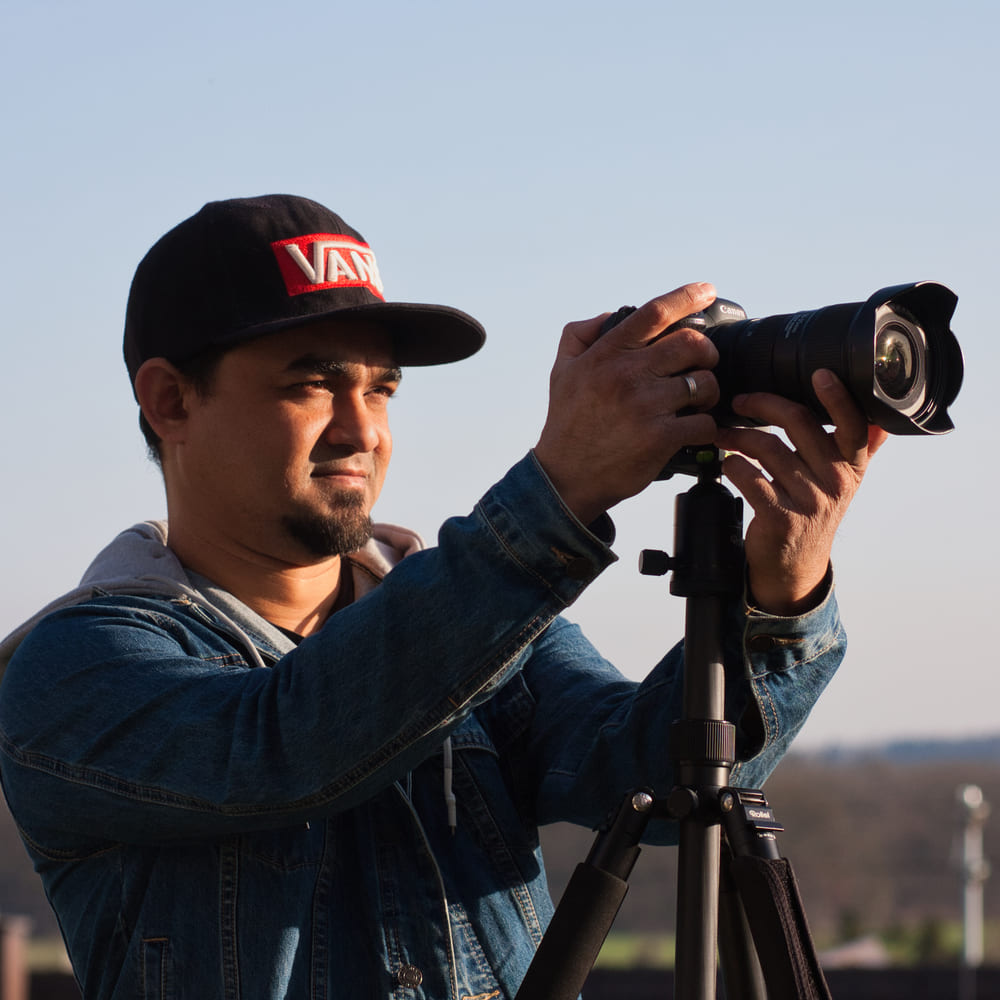
Dipon is a drone and timelapse cinematographer based in Ulm, Germany, with over 15 years of experience turning real spaces and projects into cinematic visuals. With a background in digital marketing, every shot is planned with a clear purpose — where it will appear, who will see it, and what it should help them decide.
You May Also Like
The Complete Drone Videography Guide (2026)
Best ND Filters for Timelapse: Strength Guide & Picks
Best Drones Under 300 Euro 2026: Entry-Level Options That Actually Deliver
Manual Drone Camera Settings: ISO, Shutter, Aperture Explained
Drone Pre-flight Checklist for Beginners: Safety System for Confident Flights
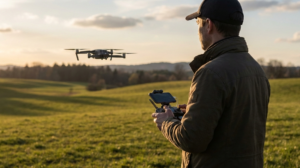
Drone Flying Tutorial : Beginner to Confident Pilot
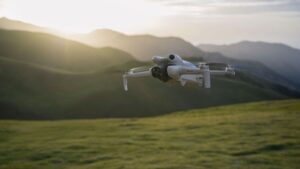
Best Drones for Beginners (2026): Safe, Easy Picks + Buying Guide
Best Drones Under 500 Euro (2026) – Top 6 Budget Camera Drones
Best Drones for Real Estate Photography
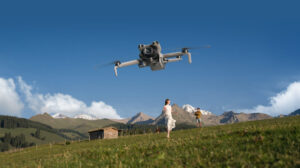
DJI Mini 5 Pro Review (2026): The Ultimate Travel Drone?
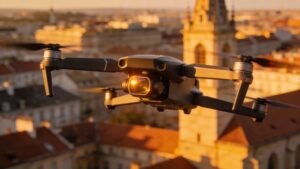
Best Drones for Photography 2026: The Ultimate Buyer’s Guide
Need help capturing aerials for your next project but not ready to invest in the gear yet? Check out our Drone Videography to see how Aero Timelapse Studio can help elevate your production.